


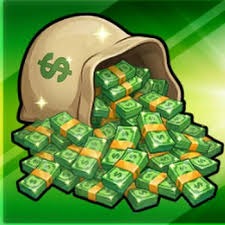
200k Hypershot cash
cheapest and fastest delivery in eloboost24
Item type
Bundles
12 people are viewing this item
Add more items
10 items available

About seller
Maki_Stocks
Regular SellerFrom the same seller
 Newcomer
FAQs about Items
What Hypershot items can I buy on EB24?
Sellers list gems, weapons, VIP access, chests and mixed bundles. Gem offers carry a stated amount, weapon offers name the gun or skin, and VIP offers spell out which perks the pass unlocks. Bundles group several of those into one order with the contents written out on the card.
How many gems do I actually need in Hypershot?
That depends on the unlock you are aiming at. Work out the cost of the weapon or upgrade you want first, then filter Hypershot gem listings for an amount that covers it. Buying one larger batch is usually less hassle than stacking several small orders.
Are chest listings a gamble?
Partly, and the listing has to say so. A seller offering chest openings must state what is guaranteed and what is left to the roll. If you want a specific weapon rather than a chance at one, buy a named weapon listing instead so the outcome is fixed before you pay.
How is a Hypershot item delivered?
The order panel reveals the seller notes once payment clears. Most Hypershot handovers happen in a shared lobby or through an in-game trade at the time you both agreed. You stay logged into your own account throughout and the seller never needs your password.
How long does delivery take?
Every card states either Instant Delivery or a timed slot. Gem transfers tend to finish in one session, while a large bundle can need a second meet-up. Pick a window when you can be online, because a handover that needs both players stalls if one side is away.
Why do two similar gem offers differ in price?
Batch size, stock and delivery speed explain most of the gap. A seller with a large amount ready to move often prices per gem lower than someone offering a small one-off. Filter to one item type and compare live Hypershot offers of a similar size before deciding.
Do I hand over my Hypershot login?
No. Hypershot items are delivered without account sharing, so a seller asking for your password is breaking the rules. Report that listing and keep chat and payment on EB24, because moving the trade to outside contact removes both the escrow hold and the dispute cover.
How do I sell Hypershot items on EB24?
Add a payout method, then create a listing with the item type, the exact amount or weapon name, and a delivery window you can meet. After review the offer goes live, and the buyer payment is held in escrow until the handover is confirmed.
What if the delivery does not match the listing?
Post screenshots in Order Chat showing what arrived next to what was advertised, for example a short gem count. If the seller does not fix it, open a dispute from the order page inside your warranty window and escrow keeps the funds while EB24 reviews the case.
How it works?
Buying LoL items on Eloboost24 is simple and clear. Here’s how the process works step by step.

Browse Available Items View EB24’s Anime Vanguard listings and compare units, upgrades, or other in-game resources. Every offer will provide detailed information so you know exactly what’s included before purchasing your order.
Complete the Purchase Once payment is confirmed, follow the instructions laid out via EB24’s secure checkout system. Your order will appear in your dashboard with full transparency. This includes exercising tracking and communication options.
Review Delivery Instructions Delivery instructions are displayed directly inside your order panel, describing how the in-game transfer works. Simply follow what you need to do for a smooth process.
Receive the Item In-Game The exchange is completed through safe in-game methods. Just follow the instructions to receive the item ordered. No login details are needed.
Order Protection Open the automated dispute from your dashboard if you encounter issues with your order. As part of your purchase protection, the system will clearly and fairly analyze your case before a decision is made.