


Steam Wallet Card INR 2500 (India Region) - Instant
Gift card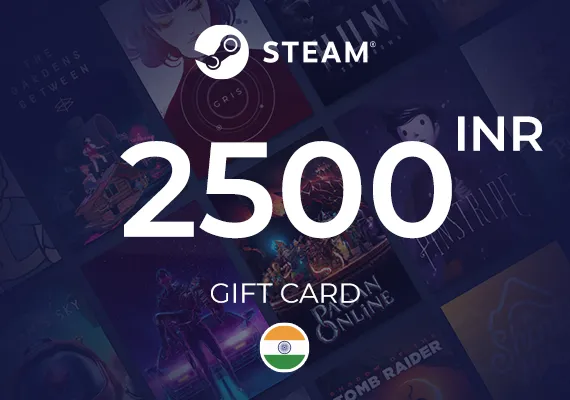
11 tao ang tumitingin sa item na ito
Hindi available sa ngayon
Tingnan mo ang mga katulad na item sa ibaba, may bagong stock araw-araw
Buyer protection
Ang pagbili mo sa Eloboost24 platform ay ganap na protektado ng Buyer Protection Policy namin.
- Refund sa balance mo kung hindi na-deliver
- Ligtas na bayad
Tungkol sa seller

royal-bird-5998
Regular SellerGet instant funds for your Steam account! Buy games, DLCs, or items without waiting. Product Details: · Value: INR 2500 · Platform: Steam · Region: India Only (INR Wallet) · Deli ... very: Instant Code Why buy from us? · 100% Genuine Code · Fast Delivery via Order Chat · Secure Transaction IMPORTANT (Please Read): 1. Region Locked: ONLY works on Steam accounts registered in India (INR currency). Will NOT work on US, UK, or other regions. 2. How to Redeem: Open Steam > Games > Activate a Product on Steam > Enter Code. 3. No Refunds: Once the code is delivered, it cannot be refunded. Ensure you have an India account. Contact me via platform chat for any help. Thank you!
Region
India
Mula sa parehong seller
 Newcomer
PSN Gift Card 1000 INR - India Region -Instant Delivery
Seller
FAQs tungkol sa items
Para sa anong mga region ako makakabili ng Steam Gift Card?
Pinagsasama-sama ng EB24 ang mga Steam Wallet code sa 43 region, kasama ang Global, United States, Europe, United Kingdom, Poland, Brazil, Canada, Australia, India at ang mga LATAM at MENA USD region. Piliin mo ang region na tugma ang currency sa Steam wallet mo, tapos ikumpara mo ang mga seller doon.
Gagana ba sa account ko ang Steam Wallet code mula sa ibang region?
Inilalabas ang mga regional code para sa isang wallet currency, at puwedeng tanggihan ng Steam ang code na hindi tugma sa iyo. Para sa mga code na sinasabi ng seller na magre-redeem anuman ang currency ang mga Global listing, kaya basahin mo ang note ng listing bago ka pumili.
Paano ko titingnan ang currency ng Steam wallet ko?
Mag-log in ka sa Steam at buksan mo ang Account Details, o tingnan mo ang balance na nakikita sa tabi ng pangalan mo sa store. Ang currency symbol doon ang dapat tumugma sa code mo. Ang wallet na hindi pa nalalagyan ng balance ay kukuha ng currency ng unang bilhin nito.
Bakit walang value dropdown ang mga Steam Gift Card listing?
Ang mga seller ang nagtatakda ng wallet amount na gusto nilang ibenta, kaya nakasulat ang halaga sa title ng listing at makikita sa presyo. Sa ganoon, maikukumpara mo ang mga offer para sa iisang region sa pagbabasa ng mga title nang isa-isa.
Gaano katagal ang delivery ng Steam Wallet code?
Ang bawat seller ang nagtatakda ng sarili nilang delivery time, at nakikita ito sa listing bago mag-checkout. Lalabas ang code sa EB24 order mo kapag naipadala na ito, at kung lumipas ang nakasaad na oras nang walang code, puwede mo itong i-raise sa order.
Paano kung sabihin ng Steam na invalid ang wallet code ko?
Magbukas ka ng dispute mula sa order sa halip na ituring na lang na talo ang pera. Nagamit man ang code, nagkamali ng type ang seller, o inilabas ito para sa ibang currency, hawak ng EB24 ang bayad hanggang maayos ito ng seller o malutas ang kaso.
Paano ito gumagana?
Nagsisimula sa currency ng Steam Wallet mo ang pagbili ng Steam Gift Card sa EB24, tapos mag-checkout ka at i-redeem mo ang code mula sa order panel mo sa Steam client.
Hanapin ang currency ng Steam wallet mo Buksan mo ang Account Details sa Steam para makita ang currency ng wallet mo, tapos i-narrow mo ang mga EB24 listing sa region na nagbabayad sa currency na iyon.
Magbayad sa EB24 checkout Bilhin mo ang code sa EB24 sa halip na magbayad sa seller sa labas ng site. Sa checkout, hawak ng EB24 ang bayad mo hanggang matapos ang order.
Kunin ang code sa order mo Kapag nag-deliver ang seller, lalabas ang wallet code sa loob ng order mo. Nasa iyo lang ang Steam login at mga Steam Guard code mo sa buong proseso.
I-redeem sa Steam account mo Sa Steam client, piliin mo ang Games, tapos Redeem a Steam Wallet Code, o buksan mo ang store.steampowered.com/account/redeemwalletcode sa browser at i-paste mo ito.
Tinanggihan ang code? Magbukas ng dispute Kung tinanggihan ng Steam ang code o iba ang currency nito sa nakalista, magbukas ka ng dispute mula sa order. Hindi mababayaran ang seller habang bukas ito.