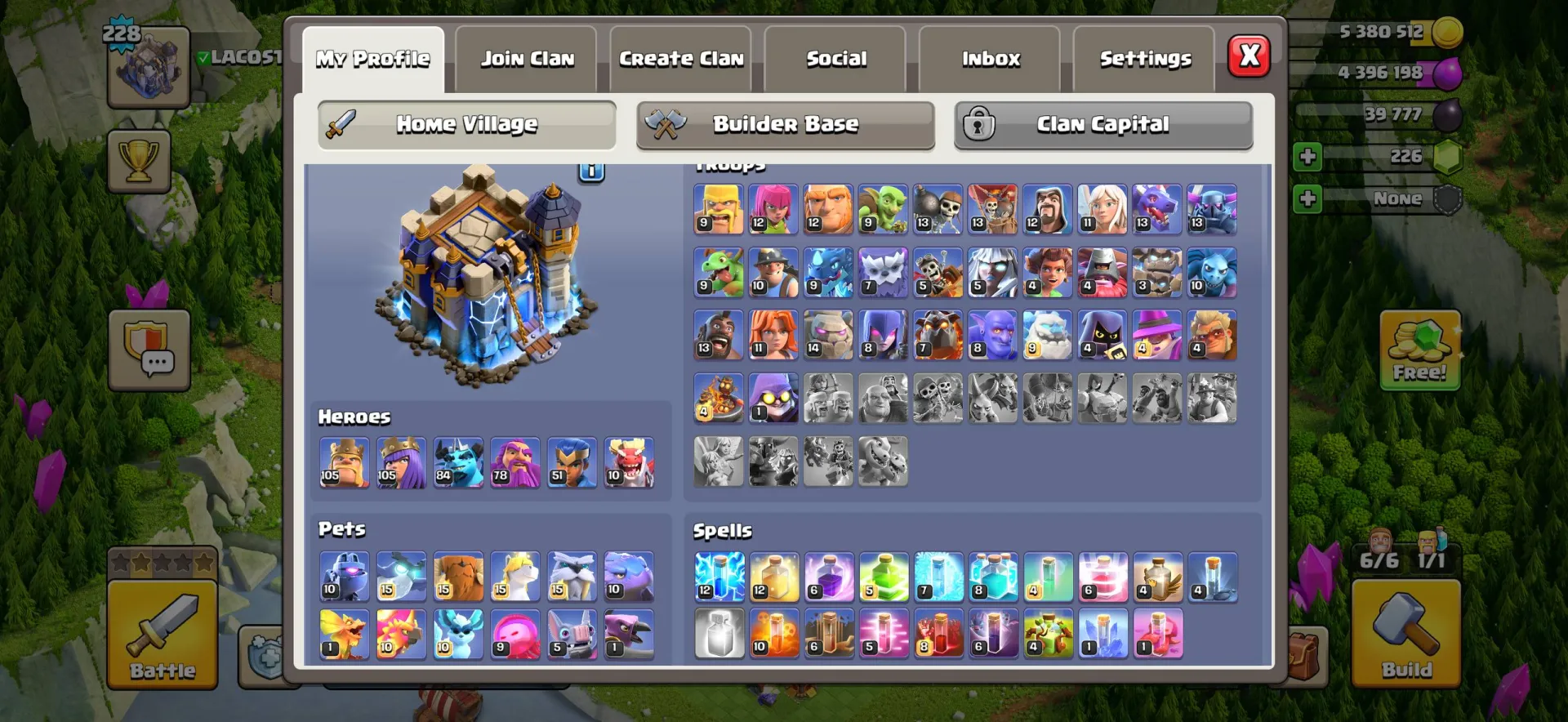
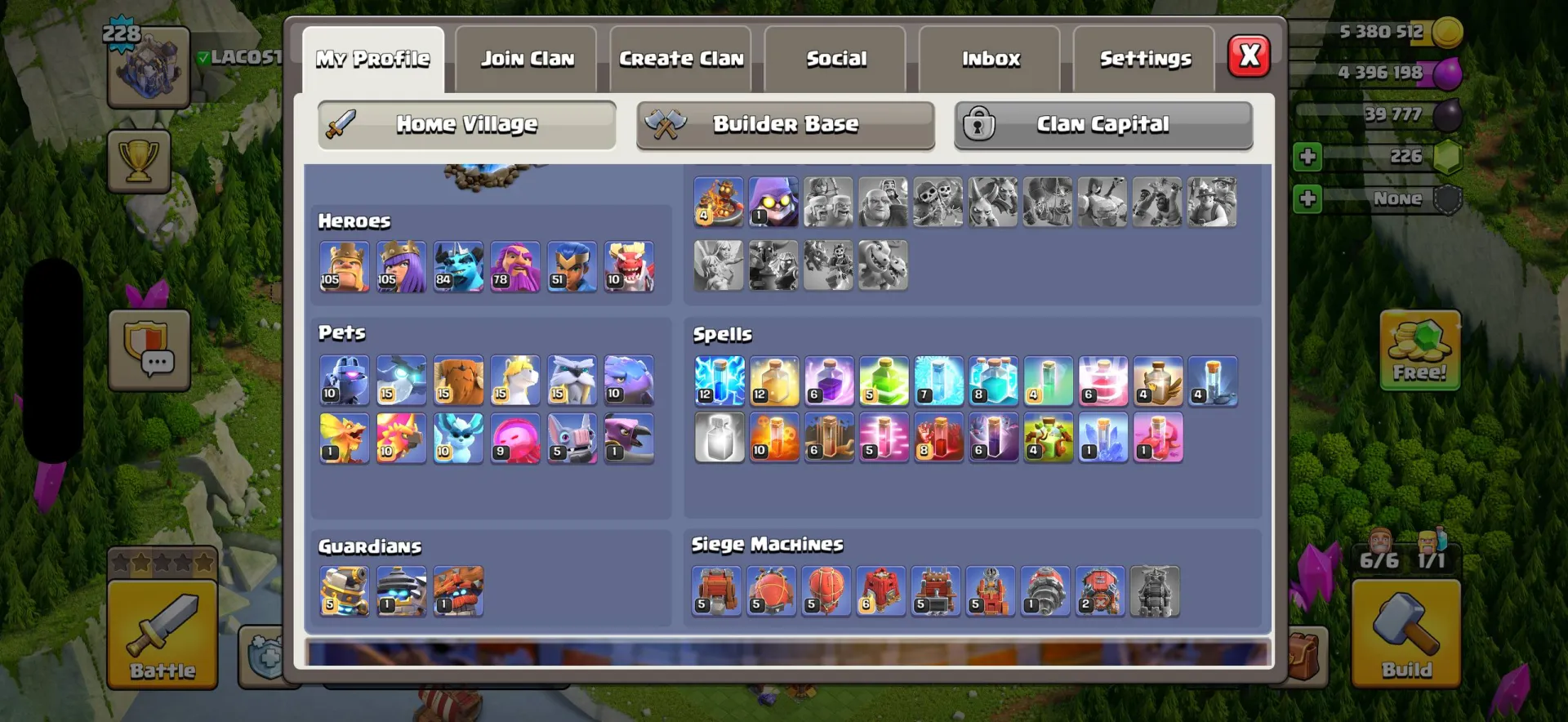
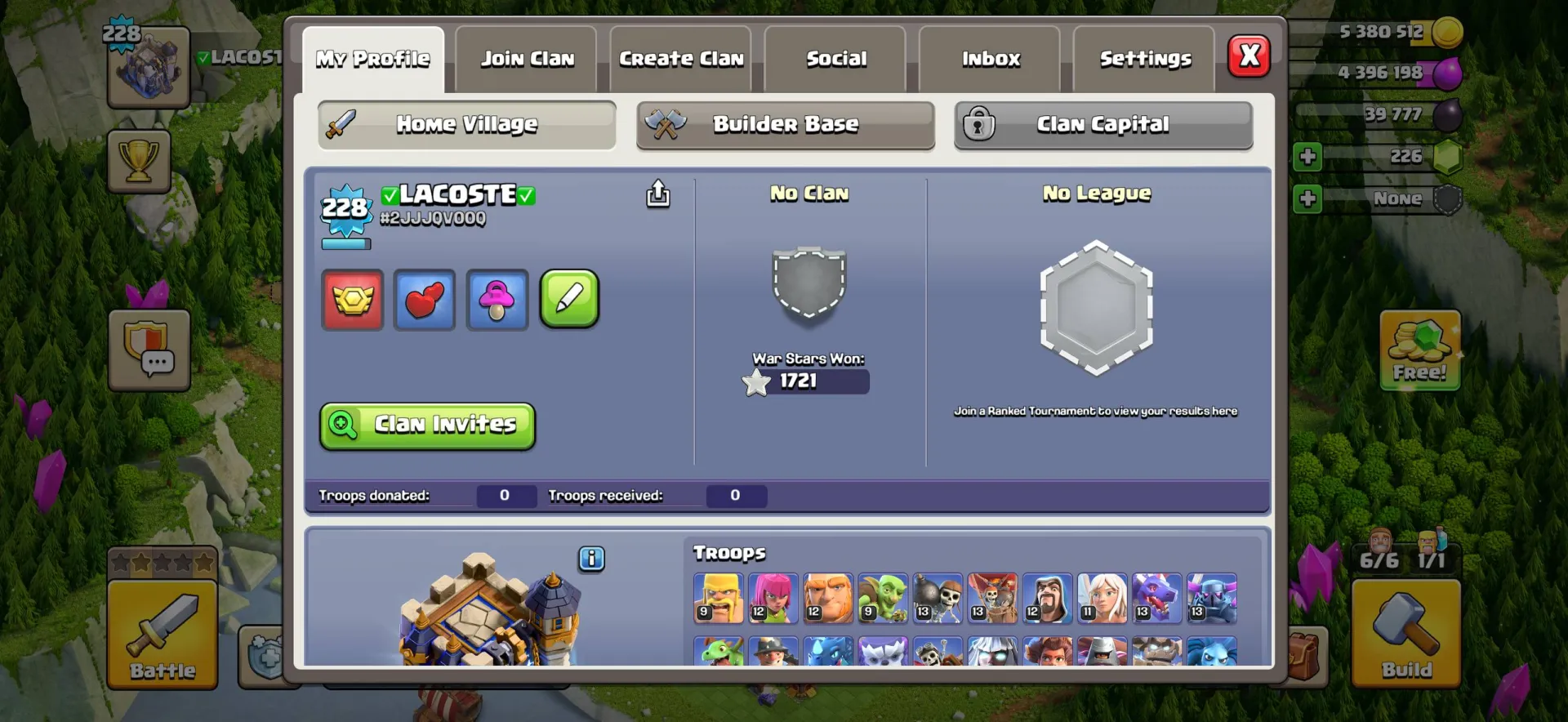
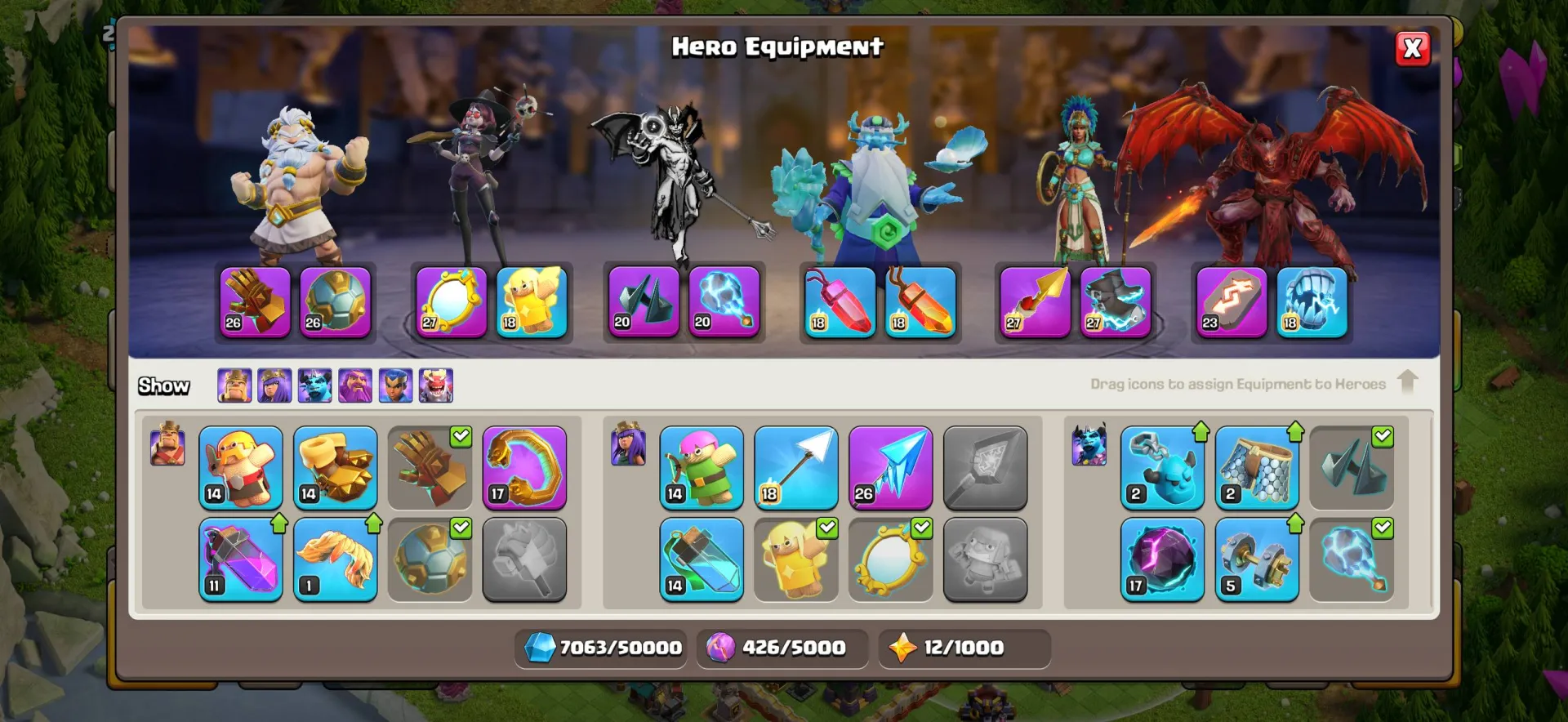
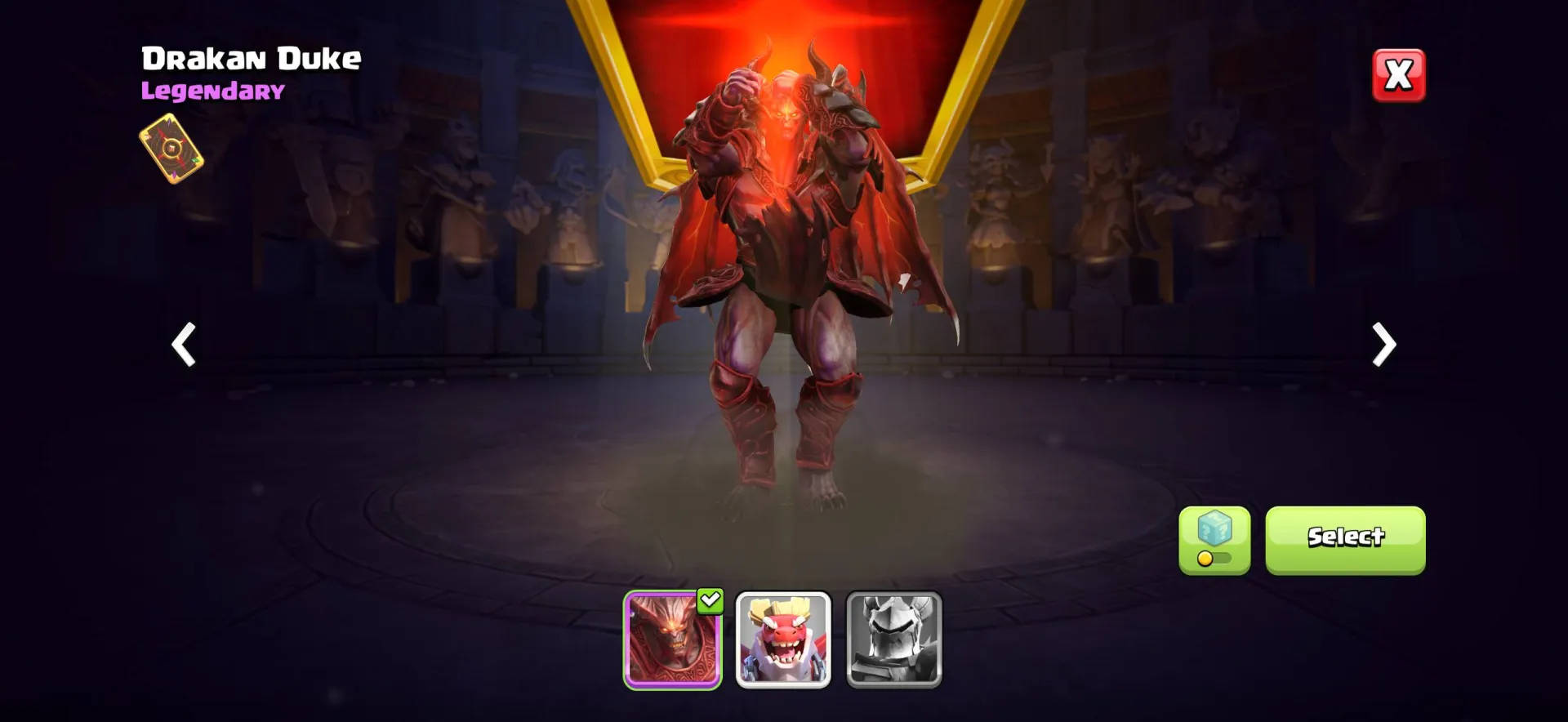
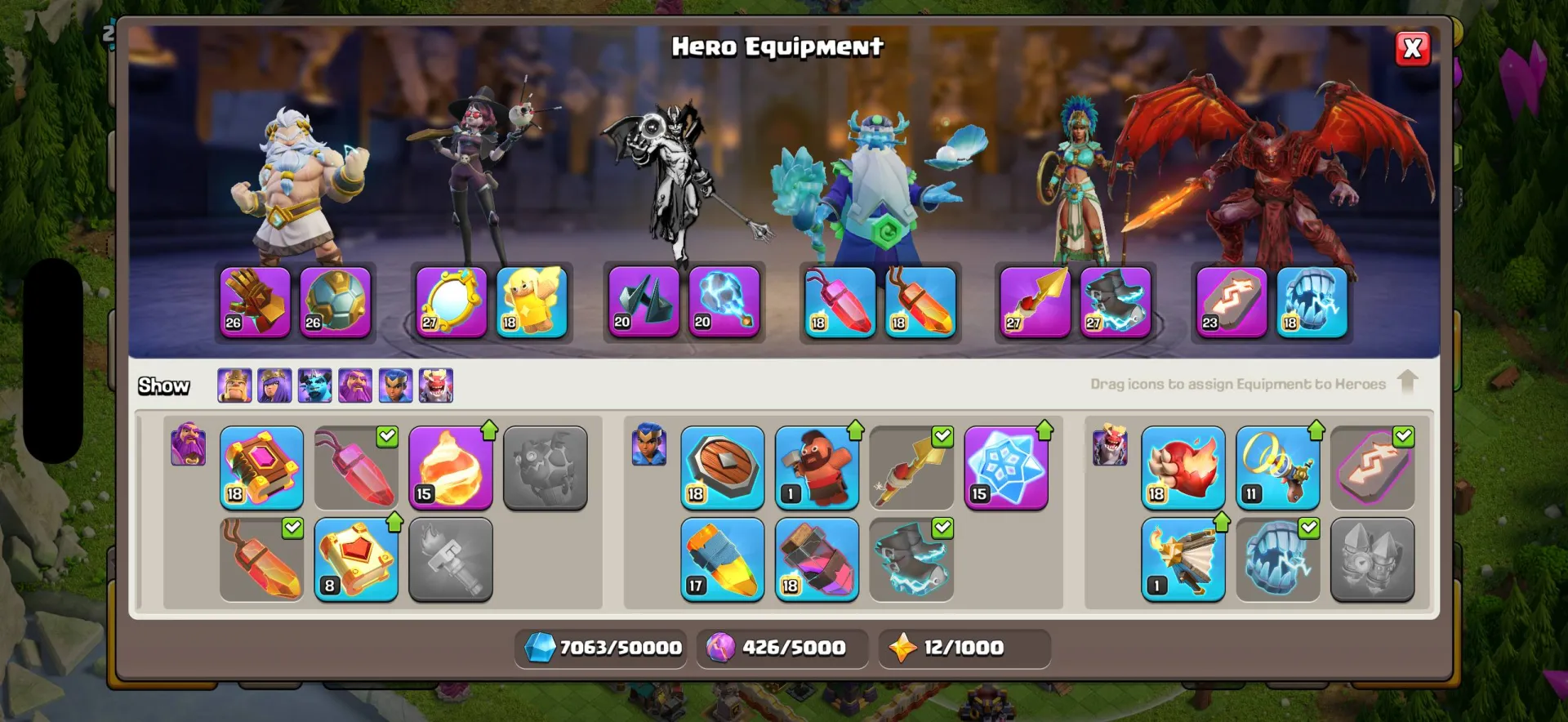
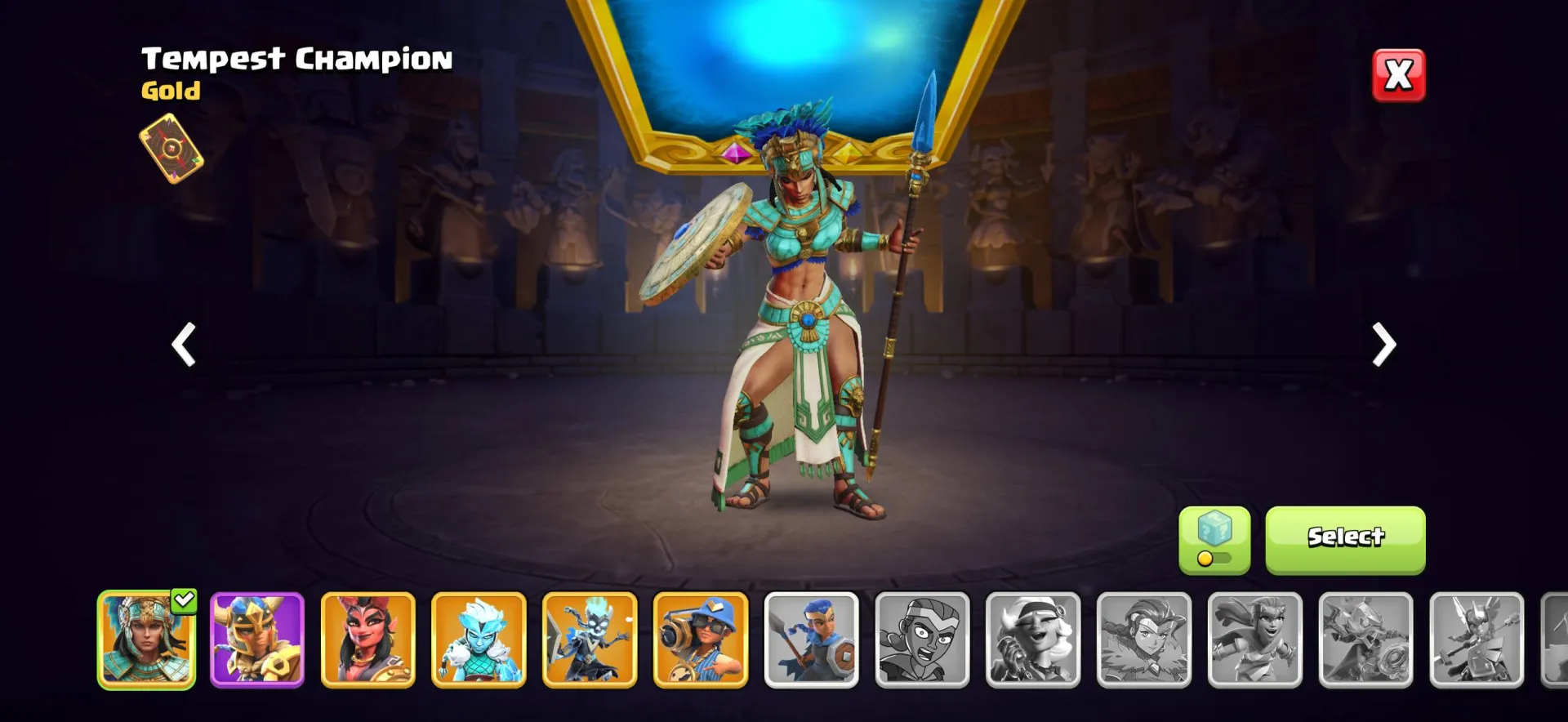
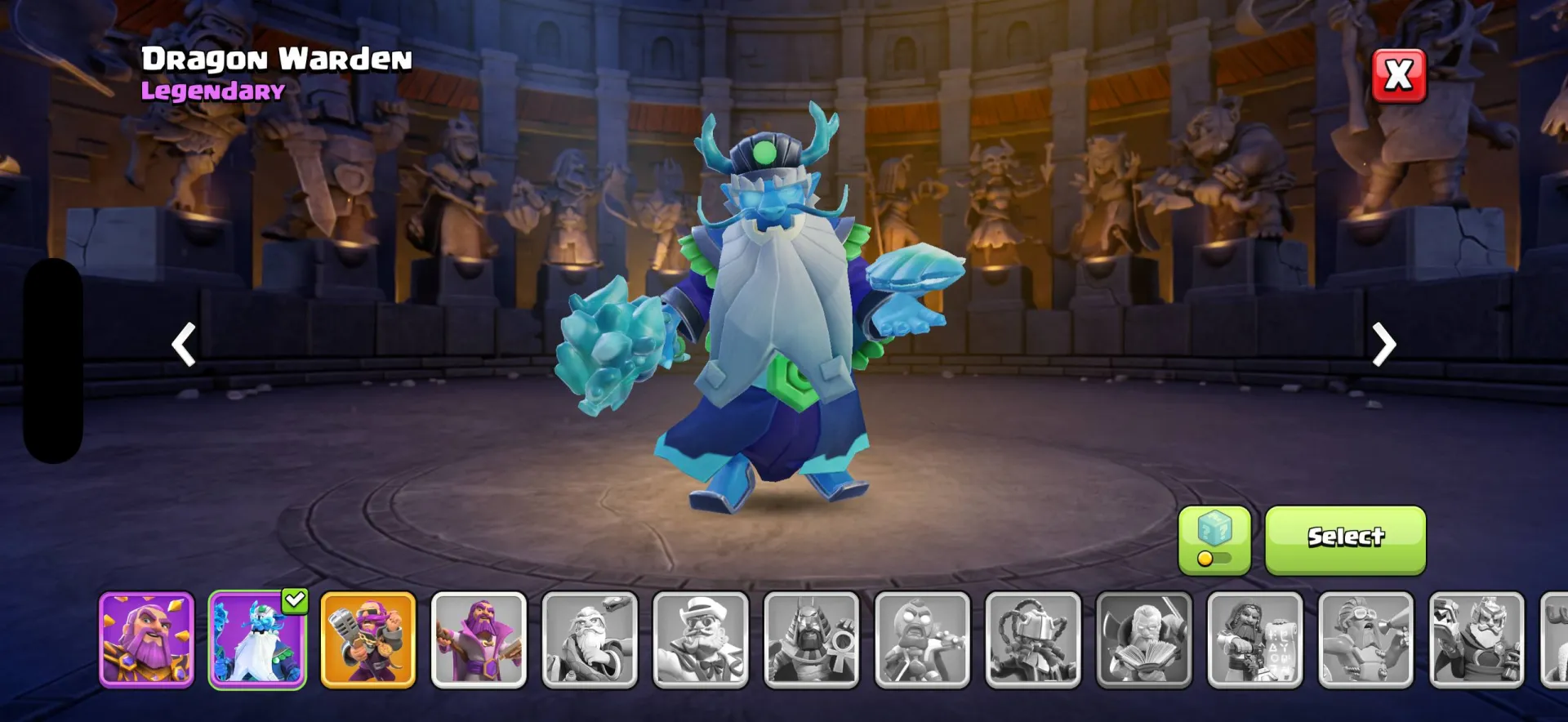
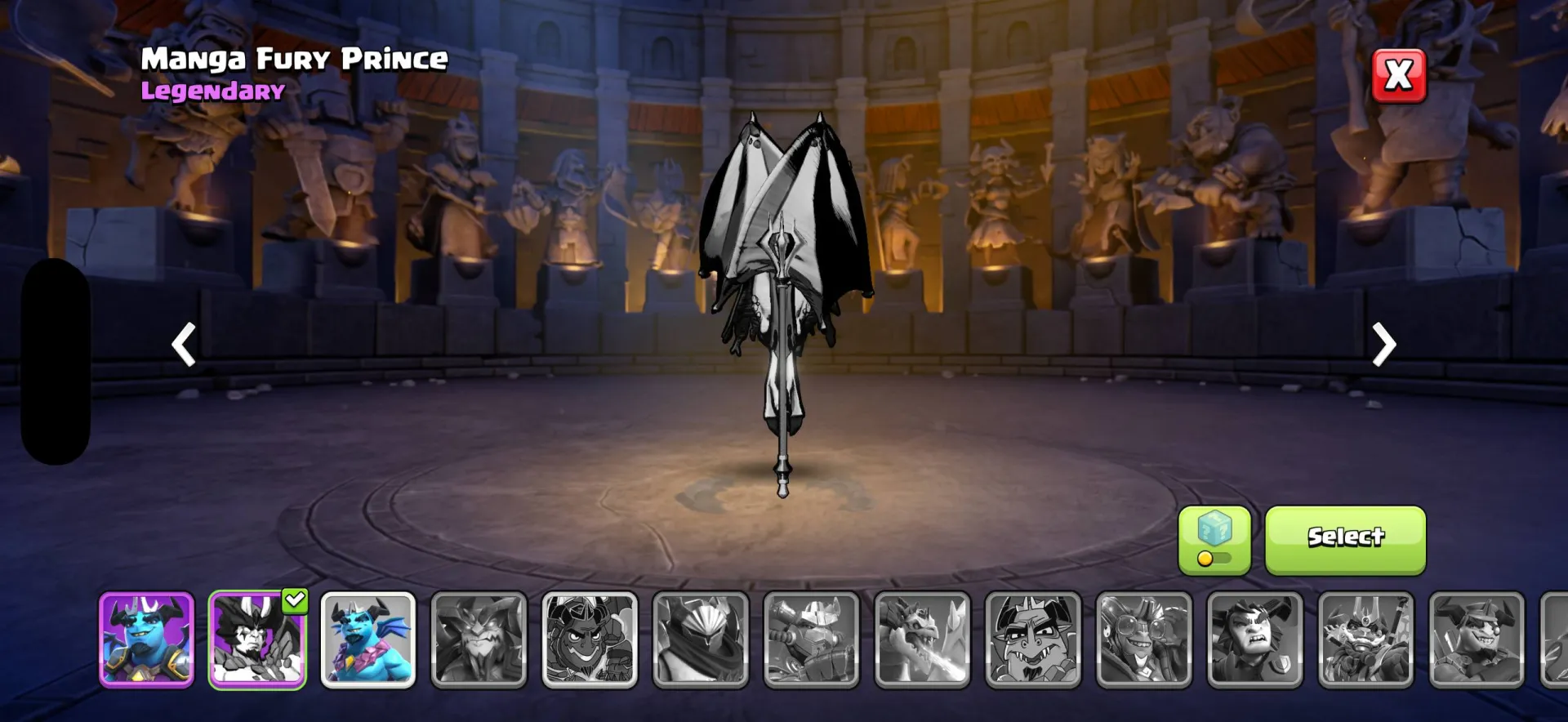
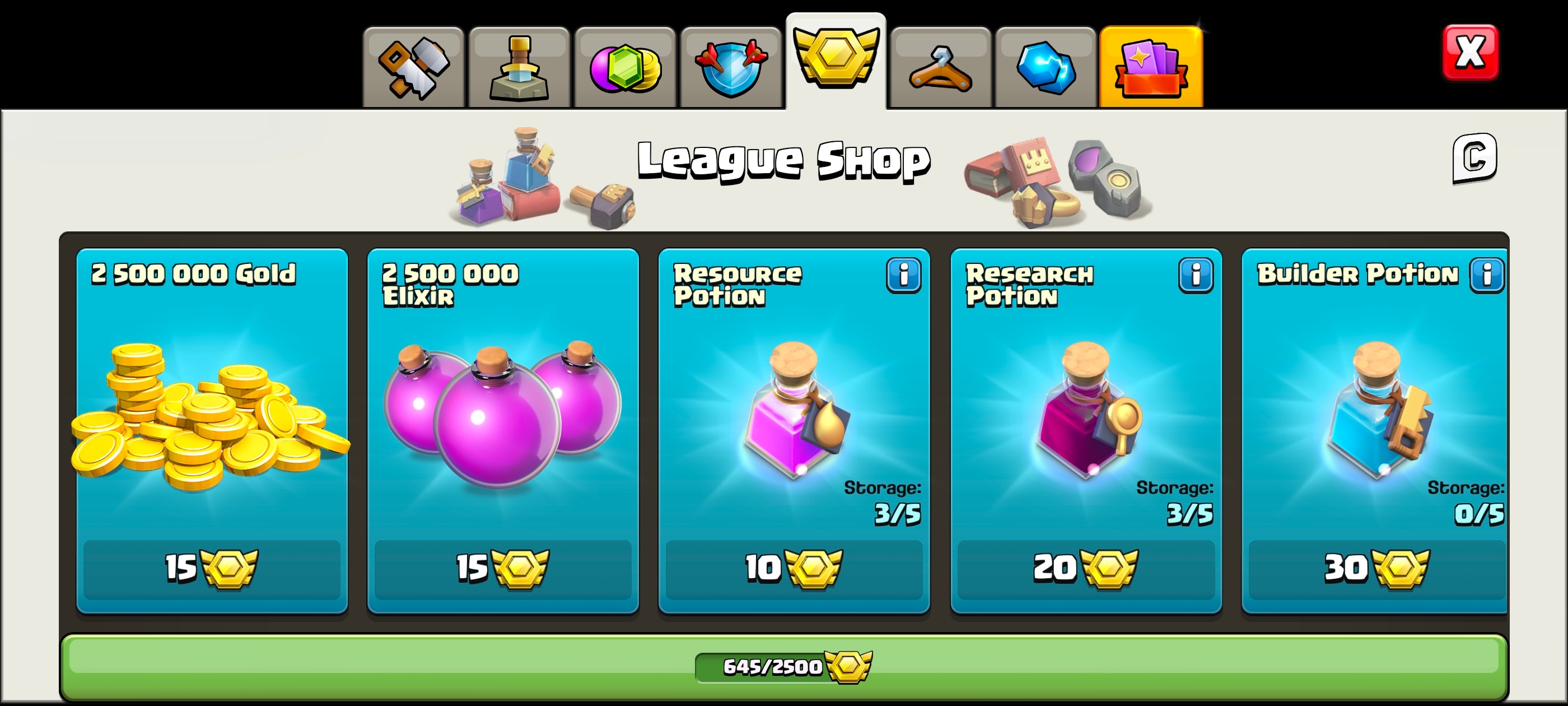
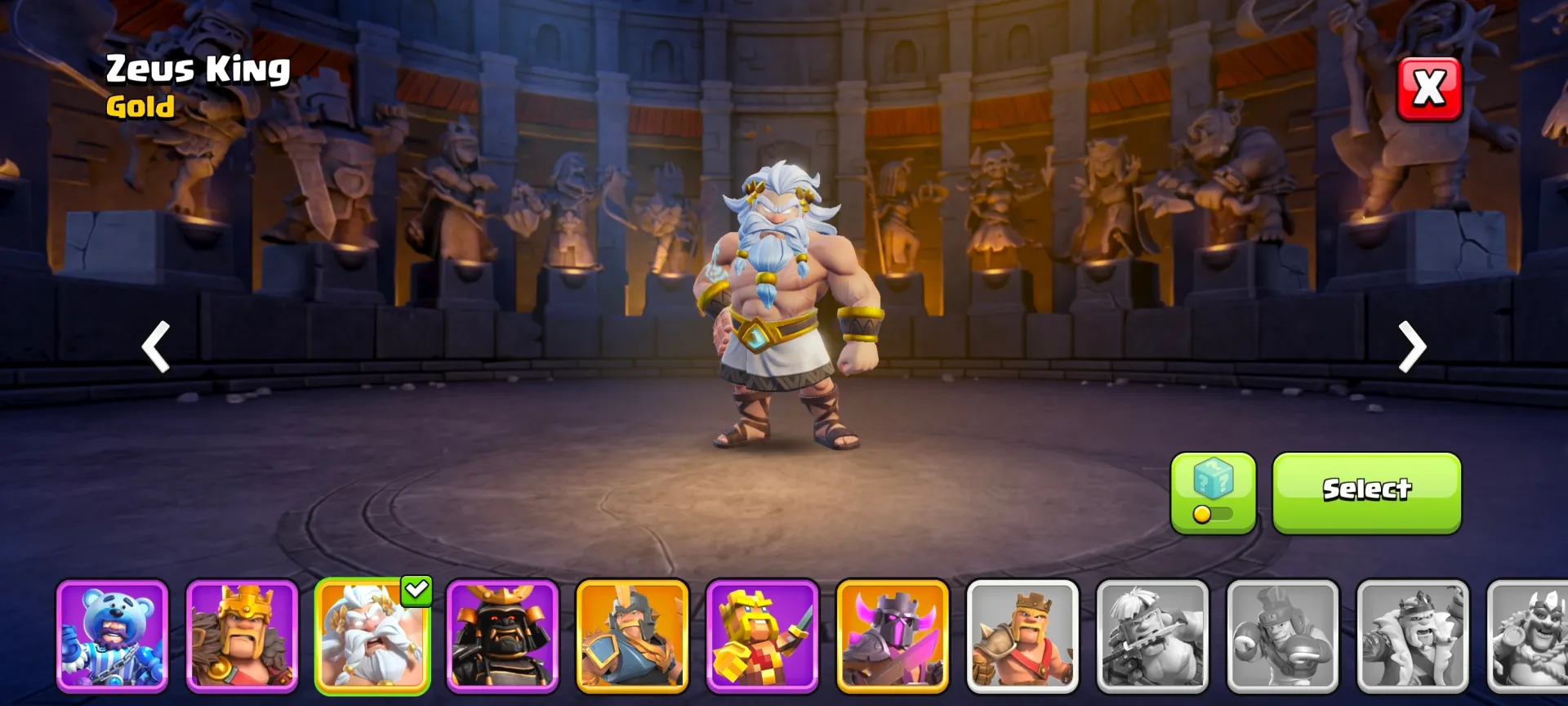
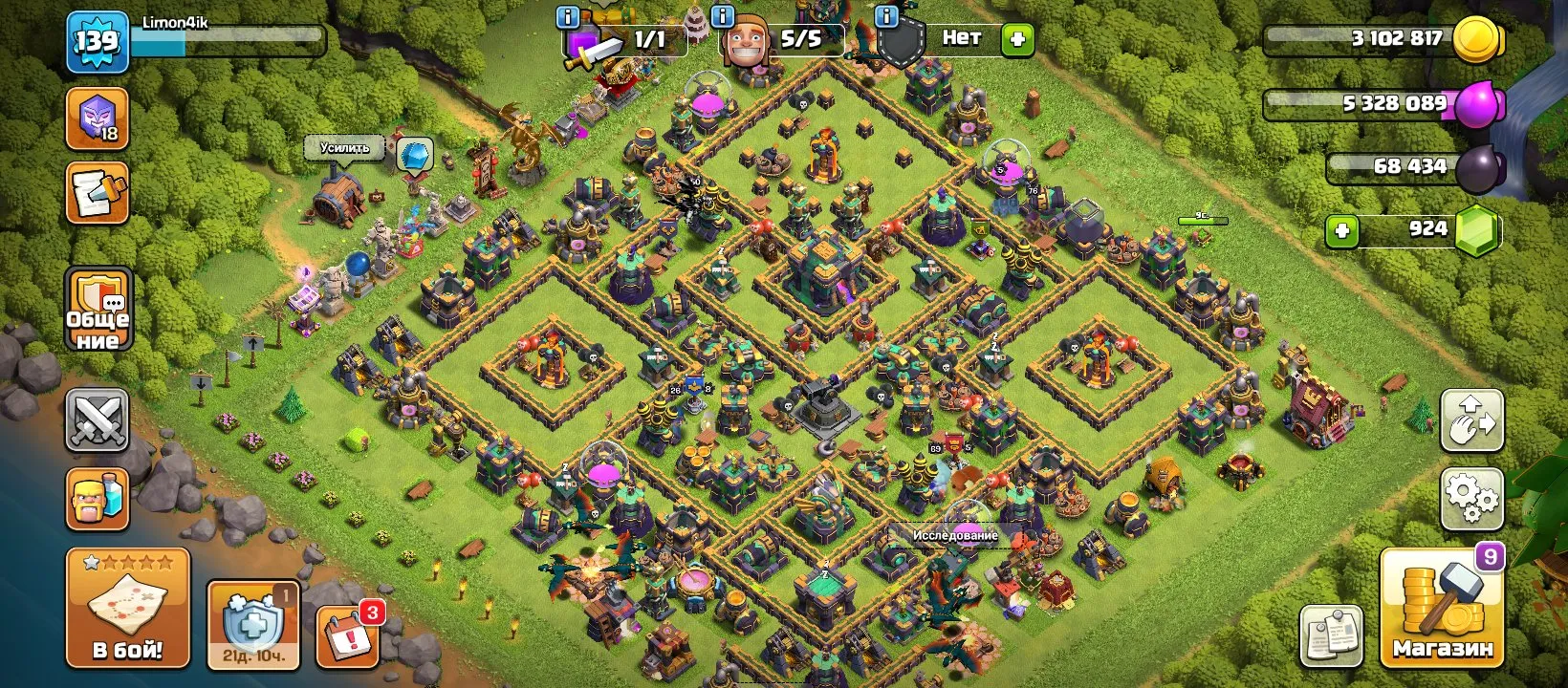
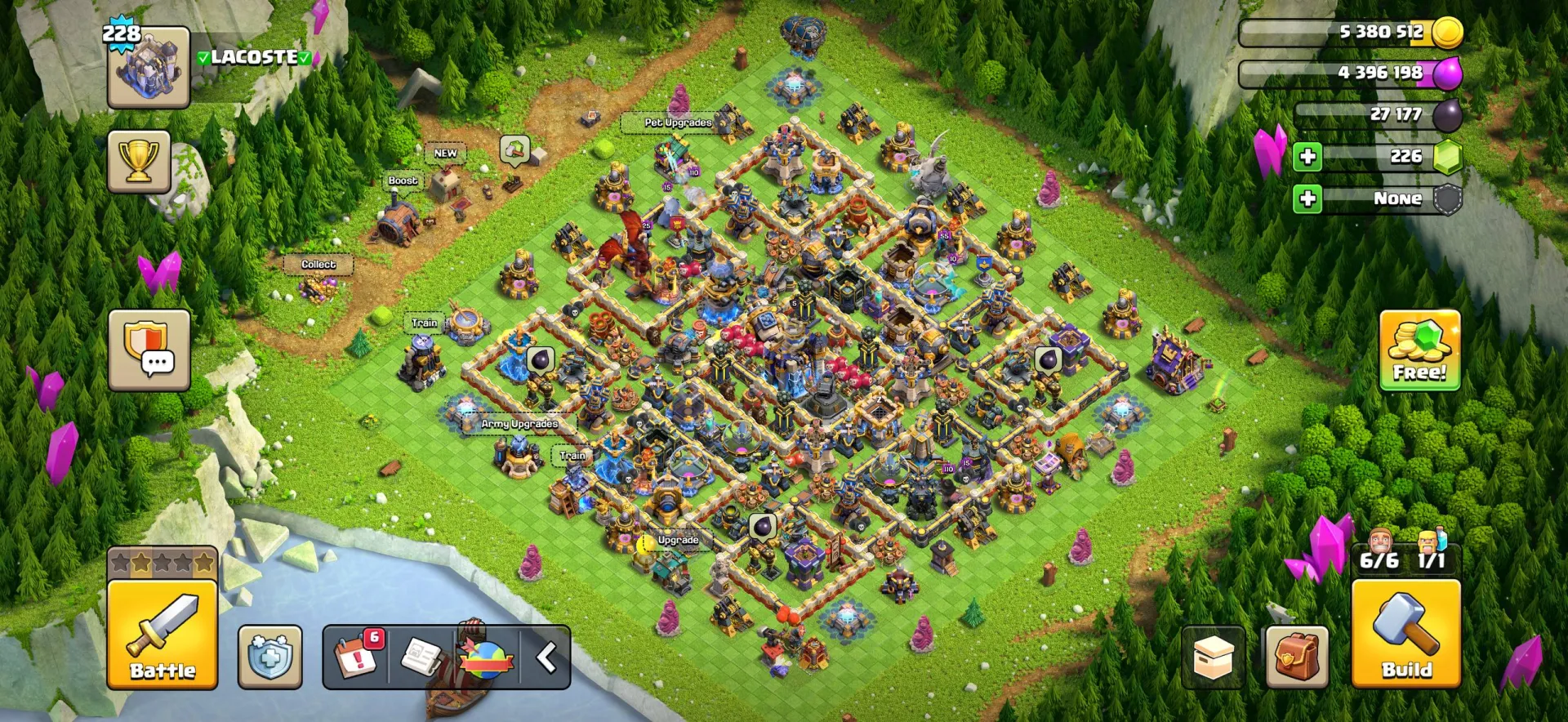
🔥[Best Deal]🔥TH 18 SEMI MAX🔥XP 228 [105-105-78-51-84-10]🔥12 Epic Equipments [3
결제

판매자 소개

더 둘러보기

추천 상품

신규 아이콘 신규

【TH16 | Max / New TH17】(N-527) ➤ Heroes (91-95-57-70-45

상품 미리보기
【TH16 | Max / New TH17】(N-527) ➤ Heroes (91-95-57-70-45-7) ✦ 10 Epic Equipment (3× Max) ✦ 6 Builders ✦ 178 XP ✦ 645 CWL Medals ✦ NC Free
$ 39.90

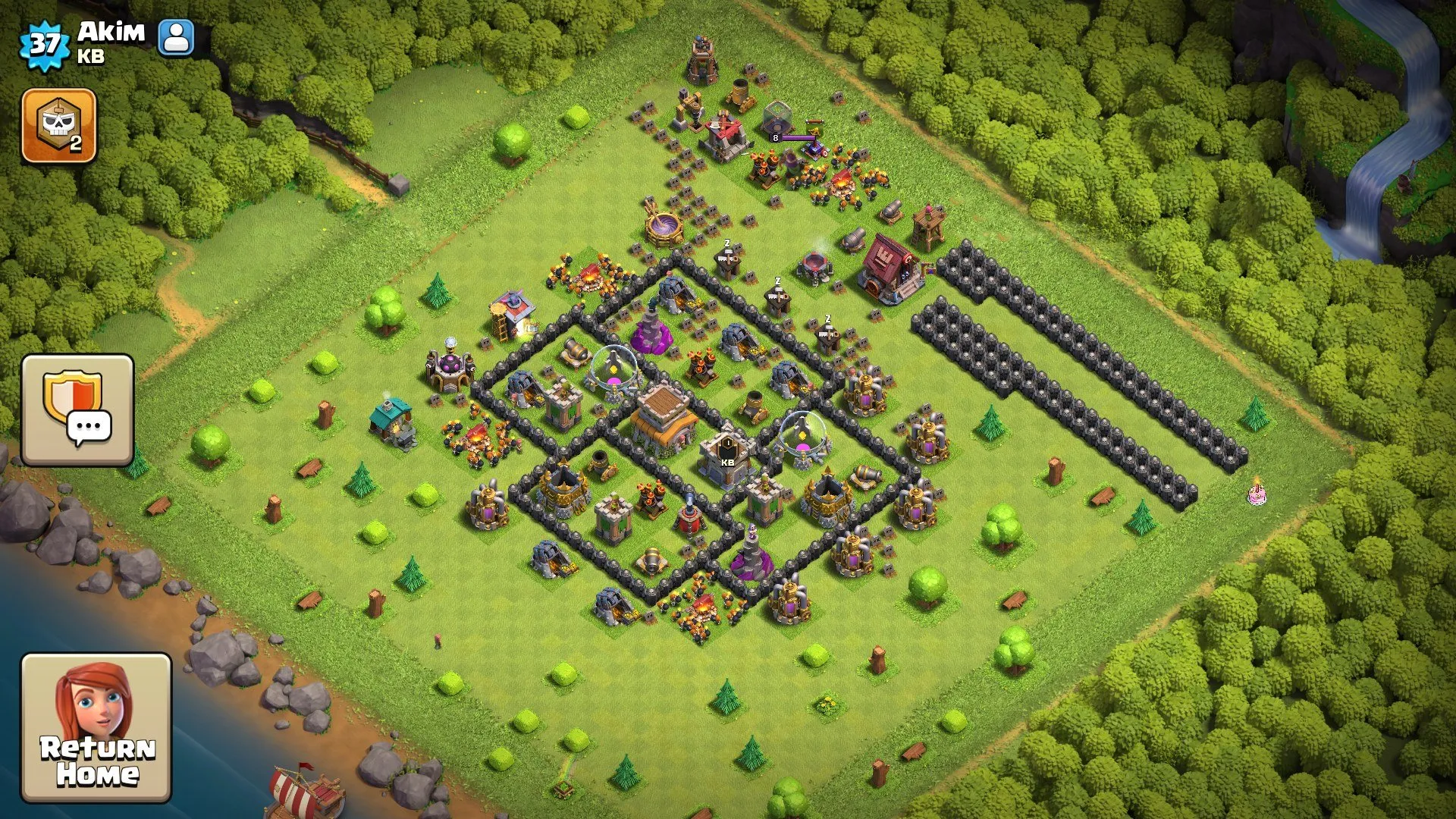
💎 CoC TH8 💎 BK 9 + AQ 8 💎 + BS 34K Trophies
상품 미리보기
(Android/iOS) Clash of Clans account: Town Hall 8 🔥 WHY BUY FROM US ⚡ No waiting — the login drops in the instant you pay 🔑 Full access — the account comes with its own mailbox 🛡️ Peace of mind — every order is covered by warranty 🏆 Proven — 50,000+ orders completed on other marketplaces 📦 Real stock — if the offer is live, the account is ready. Only real offers. 🎮 ACCOUNT ▸ Platforms: Android, iOS ▸ Clash of Clans town hall: 8 ▸ Clash of Clans trophies: 635 🏰 Clash of Clans heroes (2): Barbarian King (Lv 9), Archer Queen (Lv 8) 🎁 BONUS — also on this account ▸ Brawl Stars — 33,986 trophies, 92 brawlers, 194 skins Please note: we don't return the payment for an order placed in error or one you no longer want.
레벨 36클랜 역할: 리더타운 홀 8Builder Hall 3King: 9Queen: 8
$ 39.90
신규 아이콘 신규

【TH16 | Full Max】(N-553) ➤ Heroes (91-91-69-69-45-15) ✦

상품 미리보기
【TH16 | Full Max】(N-553) ➤ Heroes (91-91-69-69-45-15) ✦ 16 Epic Equipment ✦ 18 Hero Skins ✦ Skeleton Kingdom Scenery ✦ Primal Scenery ✦ 182 XP
$ 39.90

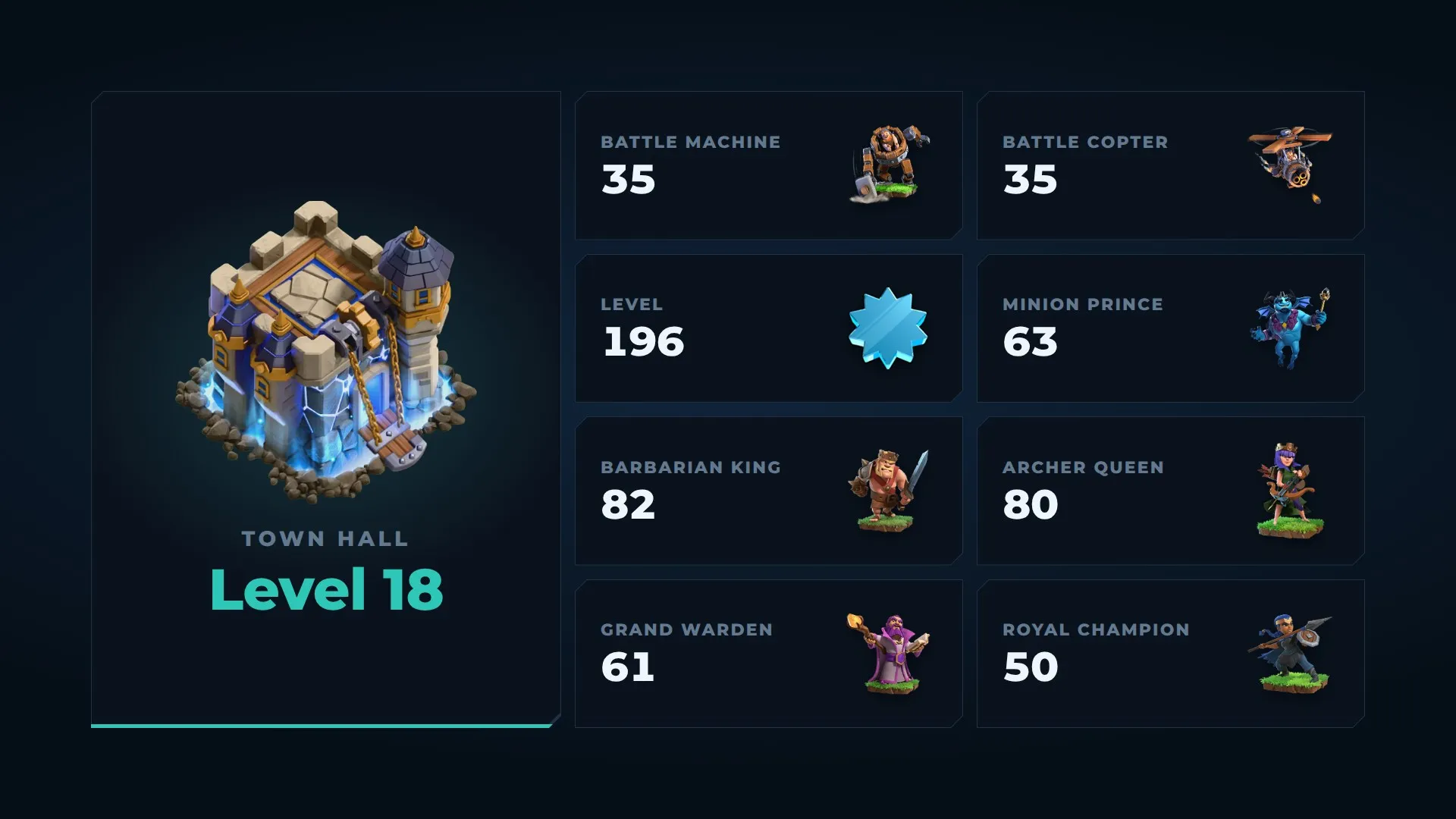
🥑 18 TH 🥑 196 LEVEL 🥑 82 BK 🥑 ISnTL 🥑
상품 미리보기
🥑 Clash Of Clans ► ACCOUNT DETAILS 🥑 Ready to Play 🥑 Fast Delivery 🥑 Full Account Access Included 🥑 Access Details Provided After Purchase 🥑 Support Available Additional Information: 🥑 Suitable for farming, wars, and progression 🥑 Account is fully prepared for continued gameplay Name Change Available (Free) Town Hall — 18 Account Level — 196 Barbarian King — 82 Archer Queen — 80 Minion Prince — 63 Grand Warden — 61 Royal Champion — 50
레벨 196타운 홀 18Builder Hall 10King: 82Queen: 80Warden: 61
$ 39.99

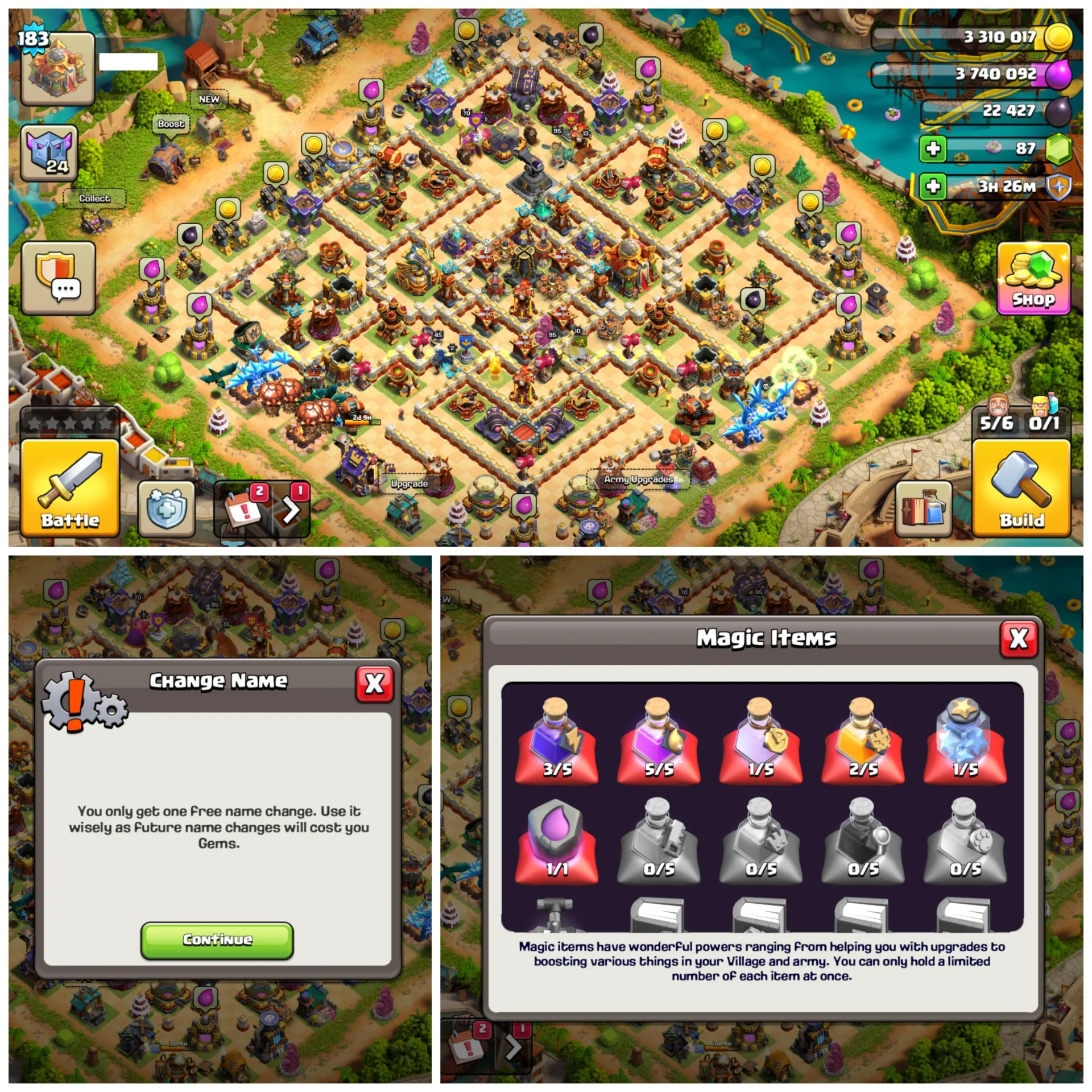
TH16 Premium Max ⚜️ Rare 15 Epic Equipments ⚜️ Summer S
상품 미리보기
TH16 Premium Max ⚜️ Rare 15 Epic Equipments ⚜️ Summer Scenary ⚜️ Max Heroes ⚜️ Free Name Change ⚜️ Linked To Supercell ID Full Email Access Provided to Buyer Works on Both Android and IOS You can find out more details of the account by looking at the screenshots ------------------------------ WHY BUY FROM US? • All our Accounts are 100% Safe and Secured. • We provide Aftersale Protection and Support. • Fair Prices. No Hidden Cost. • Instant Delivery.
$ 45.26
탑 판매자 아이콘 탑 판매자

COC1174 💜 FULL 14 TH 💜 FULL FENCE AND BUILDINGS 💜 5 🧑‍🔧

상품 미리보기
FULL 14 TH 💜 FULL FENCE AND BUILDINGS 💜 5 🧑‍🔧 💜 Heroes 69/76/50/50/26 MAIN VILLAGE TH LEVEL: 14 BUILDER TH LEVEL: 9
타운 홀 14King: 69Queen: 76Warden: 50Prince: 0
$ 45.26
탑 판매자 아이콘 탑 판매자

COC520 // BH10 / Full Profile Unlocked / Hero(51,55,42,

상품 미리보기
BH10 / Full Profile Unlocked / Hero(51,55,42,32,26,4) / 9x EPIC EQ./ 8x Skins /
타운 홀 17King: 51Queen: 55Warden: 32Prince: 0
$ 45.26

TH16 Mostly Maxed ⚡ Rare 16 Epic Equipments ⚡ 10 Heroes
상품 미리보기
TH16 Mostly Maxed ⚡ Rare 16 Epic Equipments ⚡ 10 Heroes Skins ⚡ Max Heroes & Profile ⚡ Linked To Supercell ID Full Email Access Provided to Buyer Works on Both Android and IOS You can find out more details of the account by looking at the screenshots ------------------------------ WHY BUY FROM US? • All our Accounts are 100% Safe and Secured. • We provide Aftersale Protection and Support. • Fair Prices. No Hidden Cost. • Instant Delivery.
클랜 역할: 리더타운 홀 16King: 95Queen: 95Warden: 70챔피언: 45
$ 45.26
신규 아이콘 신규

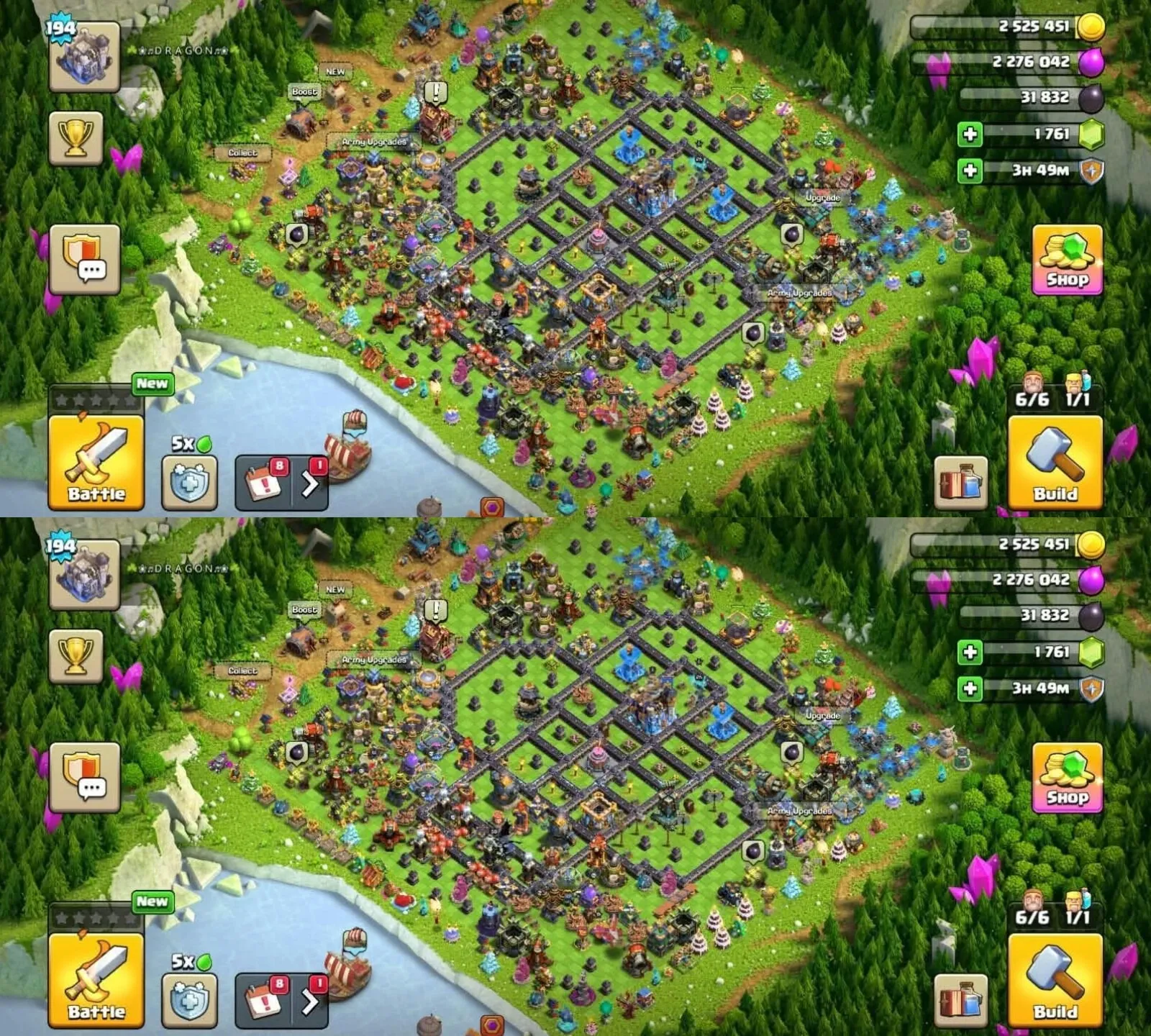
TH 18 | 325 WALLS MAX-GOOD HERO-GOOD EQUIPMENT | NC -YE

상품 미리보기
TH 18 | 325 WALLS MAX-GOOD HERO-GOOD EQUIPMENT | NC -YES | FULL ACCESS
레벨 194클랜 역할: 회원타운 홀 18King: 59Queen: 61Warden: 60
$ 40.00
신규 아이콘 신규

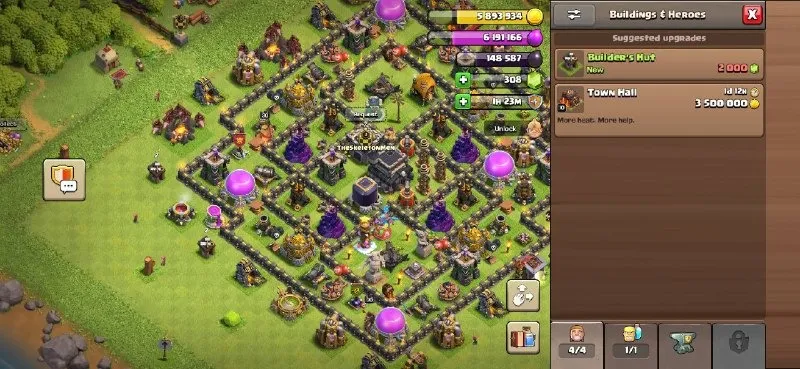
clash of clans th9 max

상품 미리보기
good account lvl 9 max
클랜 역할: 회원타운 홀 9Builder Hall 6King: 30Queen: 30Prince: 10
$ 40.00
옵션 더 보기

같은 판매자

신규 아이콘 신규

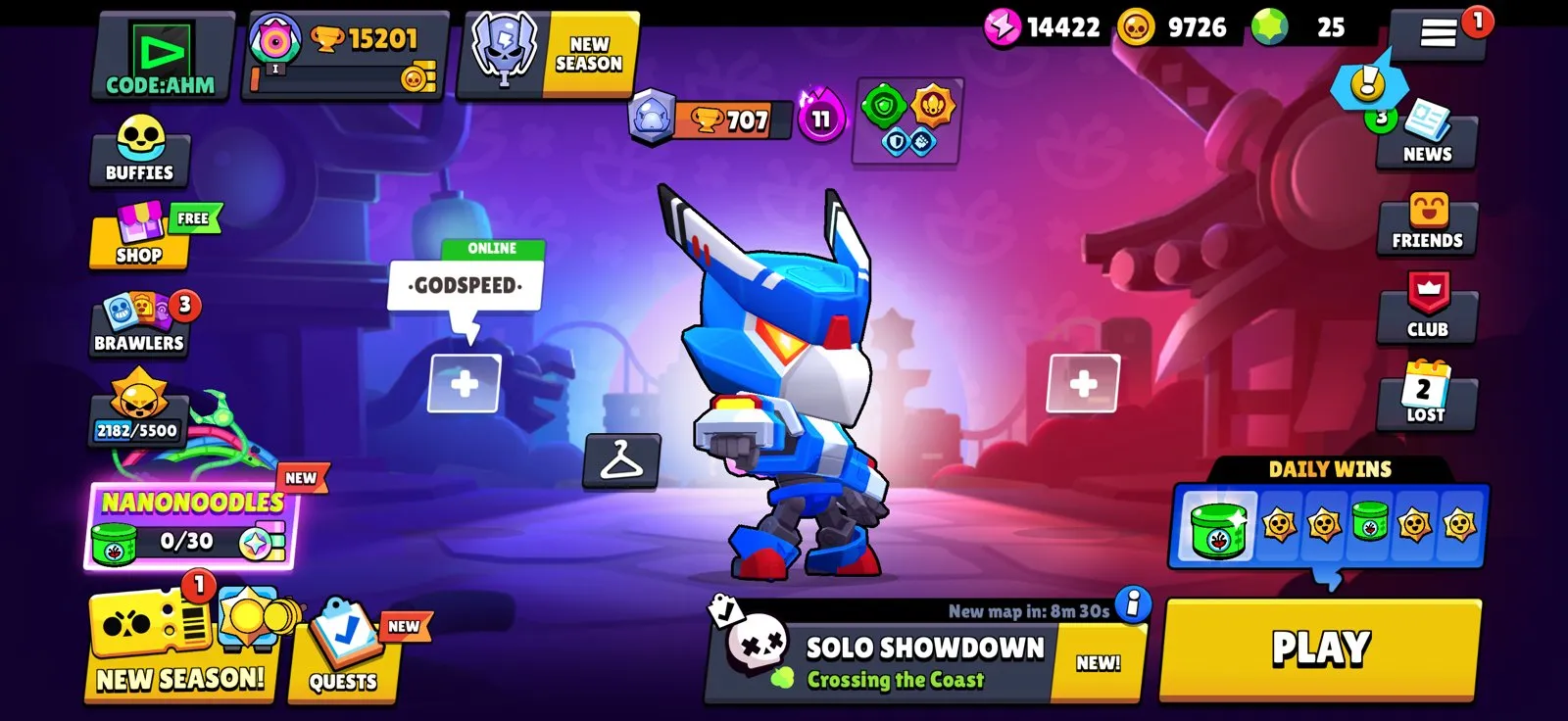
👑 Cheapest 👑 8 Max Brawlers 🔥 135 Skins 🔥 15201 Cups 🏆 8 Hypercharged 🔥 29 Epic
상품 미리보기
🔥🔥🔥To find all my sales stock, please search by typing #WL in the Clash of Clans & Clash Royale Account offer🔥🔥🔥 🔥 All our Accounts and Items on "WELCOME LUSTER" are Legitimate and Secure, and We Do Not Use Hacks, Cheats, or Bots. ✨To change your Gmail and Protection Number (from within the game), you must wait 14 days after logging in for the game to verify your phone. During this period, your device will be marked as a new device. Therefore, you must wait 14 days after purchasing and playing, during which time you are under the warranty period of this website. 🔥Why does Supercell say that when I change my Gmail and protection number, it says it was rejected? To resolve this issue, you need to connect another Supercell game ID, such as Hayday, Brawl Stars, or others, to your Gmail account. Then, you can try changing the protection and Gmail account through the game. If it's still rejected, open your Gmail message, click "Log out all devices." Wait 5 minutes, then try logging back into the game. Please wait 7 days before trying to change your Gmail account and protection within the game. ⚡You will receive account information immediately after your purchase. Please review the images fully before making your purchase. If you need to see more images during your purchase, please let me know. 🔥 The price is too low, and you can find the best deals in our store. ✨ Our support is online 24/7! Feel free to contact us anytime, we'll respond promptly (except when we're sleeping). 🔥 This account is yours after your purchase. All devices must be logged out before we can make an offer here. ❗️Warning❗️ • Never contact in-game support. • Do not share this account, as it will be blocked or locked. • We will only be responsible for account blocking or locking if the problem is on our side. • Do not use any fake software or files to strengthen your account. ✨Thank you ^_^ Happy Playing _^✨
$ 5.57
신규 아이콘 신규

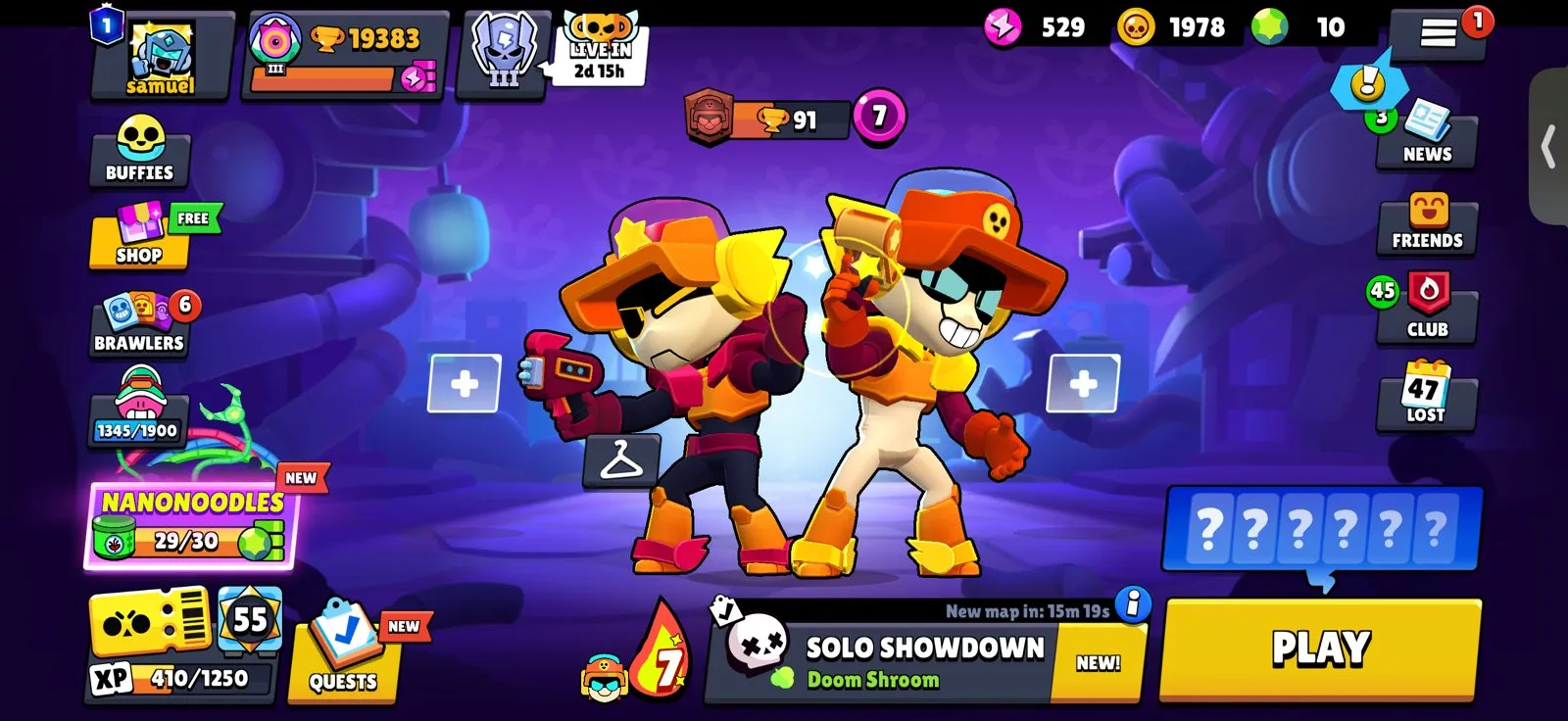
👑 Cheapest 👑 9 Max Brawlers 🔥 89 Skins 🔥 19383 Cups 🏆 6 Hypercharged 🔥 3 Max
상품 미리보기
🔥🔥🔥To find all my sales stock, please search by typing #WL in the Clash of Clans & Clash Royale Account offer🔥🔥🔥 🔥 All our Accounts and Items on "WELCOME LUSTER" are Legitimate and Secure, and We Do Not Use Hacks, Cheats, or Bots. ✨To change your Gmail and Protection Number (from within the game), you must wait 14 days after logging in for the game to verify your phone. During this period, your device will be marked as a new device. Therefore, you must wait 14 days after purchasing and playing, during which time you are under the warranty period of this website. 🔥Why does Supercell say that when I change my Gmail and protection number, it says it was rejected? To resolve this issue, you need to connect another Supercell game ID, such as Hayday, Brawl Stars, or others, to your Gmail account. Then, you can try changing the protection and Gmail account through the game. If it's still rejected, open your Gmail message, click "Log out all devices." Wait 5 minutes, then try logging back into the game. Please wait 7 days before trying to change your Gmail account and protection within the game. ⚡You will receive account information immediately after your purchase. Please review the images fully before making your purchase. If you need to see more images during your purchase, please let me know. 🔥 The price is too low, and you can find the best deals in our store. ✨ Our support is online 24/7! Feel free to contact us anytime, we'll respond promptly (except when we're sleeping). 🔥 This account is yours after your purchase. All devices must be logged out before we can make an offer here. ❗️Warning❗️ • Never contact in-game support. • Do not share this account, as it will be blocked or locked. • We will only be responsible for account blocking or locking if the problem is on our side. • Do not use any fake software or files to strengthen your account. ✨Thank you ^_^ Happy Playing _^✨
$ 5.57
신규 아이콘 신규

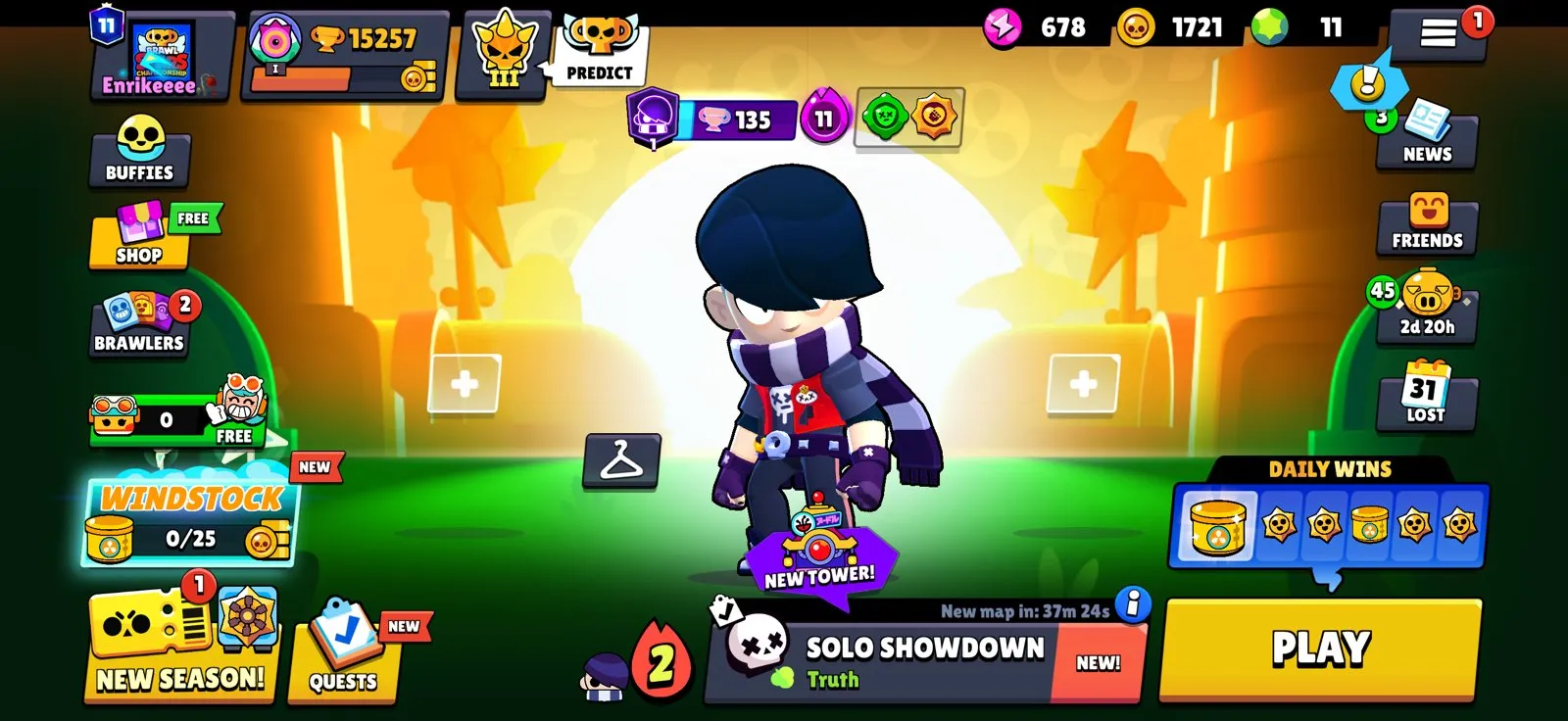
👑 Cheapest 👑 13 Max Brawlers 🔥 99 Skins 🔥 15257 Cups 🏆 12 Hypercharged 🔥 1 Max
상품 미리보기
🔥🔥🔥To find all my sales stock, please search by typing #WL in the Clash of Clans & Clash Royale Account offer🔥🔥🔥 🔥 All our Accounts and Items on "WELCOME LUSTER" are Legitimate and Secure, and We Do Not Use Hacks, Cheats, or Bots. ✨To change your Gmail and Protection Number (from within the game), you must wait 14 days after logging in for the game to verify your phone. During this period, your device will be marked as a new device. Therefore, you must wait 14 days after purchasing and playing, during which time you are under the warranty period of this website. 🔥Why does Supercell say that when I change my Gmail and protection number, it says it was rejected? To resolve this issue, you need to connect another Supercell game ID, such as Hayday, Brawl Stars, or others, to your Gmail account. Then, you can try changing the protection and Gmail account through the game. If it's still rejected, open your Gmail message, click "Log out all devices." Wait 5 minutes, then try logging back into the game. Please wait 7 days before trying to change your Gmail account and protection within the game. ⚡You will receive account information immediately after your purchase. Please review the images fully before making your purchase. If you need to see more images during your purchase, please let me know. 🔥 The price is too low, and you can find the best deals in our store. ✨ Our support is online 24/7! Feel free to contact us anytime, we'll respond promptly (except when we're sleeping). 🔥 This account is yours after your purchase. All devices must be logged out before we can make an offer here. ❗️Warning❗️ • Never contact in-game support. • Do not share this account, as it will be blocked or locked. • We will only be responsible for account blocking or locking if the problem is on our side. • Do not use any fake software or files to strengthen your account. ✨Thank you ^_^ Happy Playing _^✨
$ 5.57
신규 아이콘 신규

🔥[Best Deal]🔥TH 18 SEMI MAX🔥XP 241 [101-108-82-51-64-10]🔥16 Epic Equipments [4
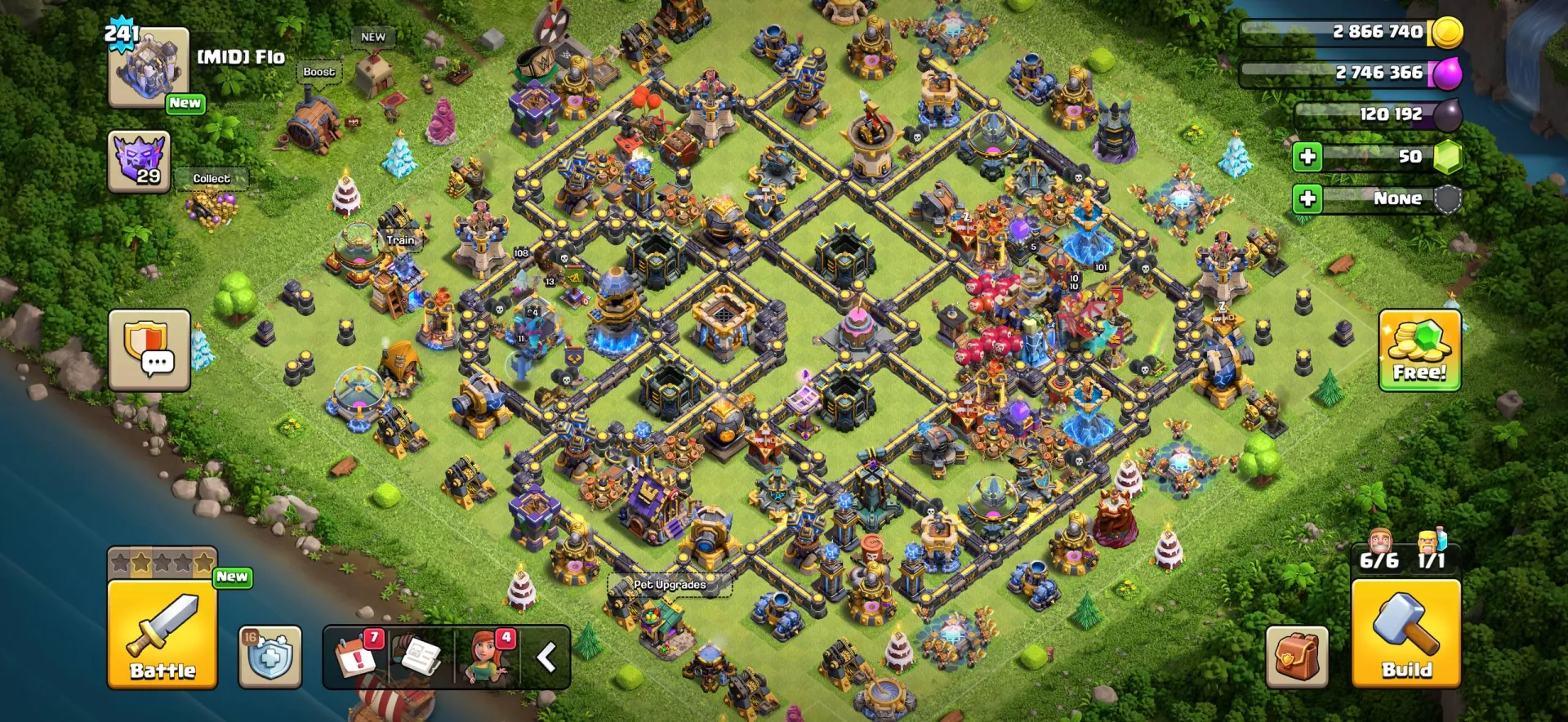
상품 미리보기
🔥 All our Accounts and Items are Legitimate and Secure, and We Do Not Use Hacks, Cheats, or Bots. ✨To change your Gmail and Protection Number (from within the game), you must wait 14 days after logging in for the game to verify your phone. During this period, your device will be marked as a new device. Therefore, you must wait 14 days after purchasing and playing, during which time you are under the warranty period of this website. 🔥Why does Supercell say that when I change my Gmail and protection number, it says it was rejected? To resolve this issue, you need to connect another Supercell game ID, such as Hayday, Brawl Stars, or others, to your Gmail account. Then, you can try changing the protection and Gmail account through the game. If it's still rejected, open your Gmail message, click "Log out all devices." Wait 5 minutes, then try logging back into the game. Please wait 7 days before trying to change your Gmail account and protection within the game. ⚡You will receive account information immediately after your purchase. Please review the images fully before making your purchase. If you need to see more images during your purchase, please let me know. 🔥 The price is too low, and you can find the best deals in our store. ✨ Our support is online 24/7! Feel free to contact us anytime, we'll respond promptly (except when we're sleeping). 🔥 This account is yours after your purchase. All devices must be logged out before we can make an offer here. ❗️Warning❗️ • Never contact in-game support. • Do not share this account, as it will be blocked or locked. • We will only be responsible for account blocking or locking if the problem is on our side. • Do not use any fake software or files to strengthen your account. ✨Thank you ^_^ Happy Playing _^✨
레벨 241타운 홀 18Warden: 82
$ 74.79
신규 아이콘 신규

🔥[VERY GOOD]🔥TH 17 SEMI MAX🔥XP 241 [87-100-71-50-81-1]🔥12 Epic Equipments [4
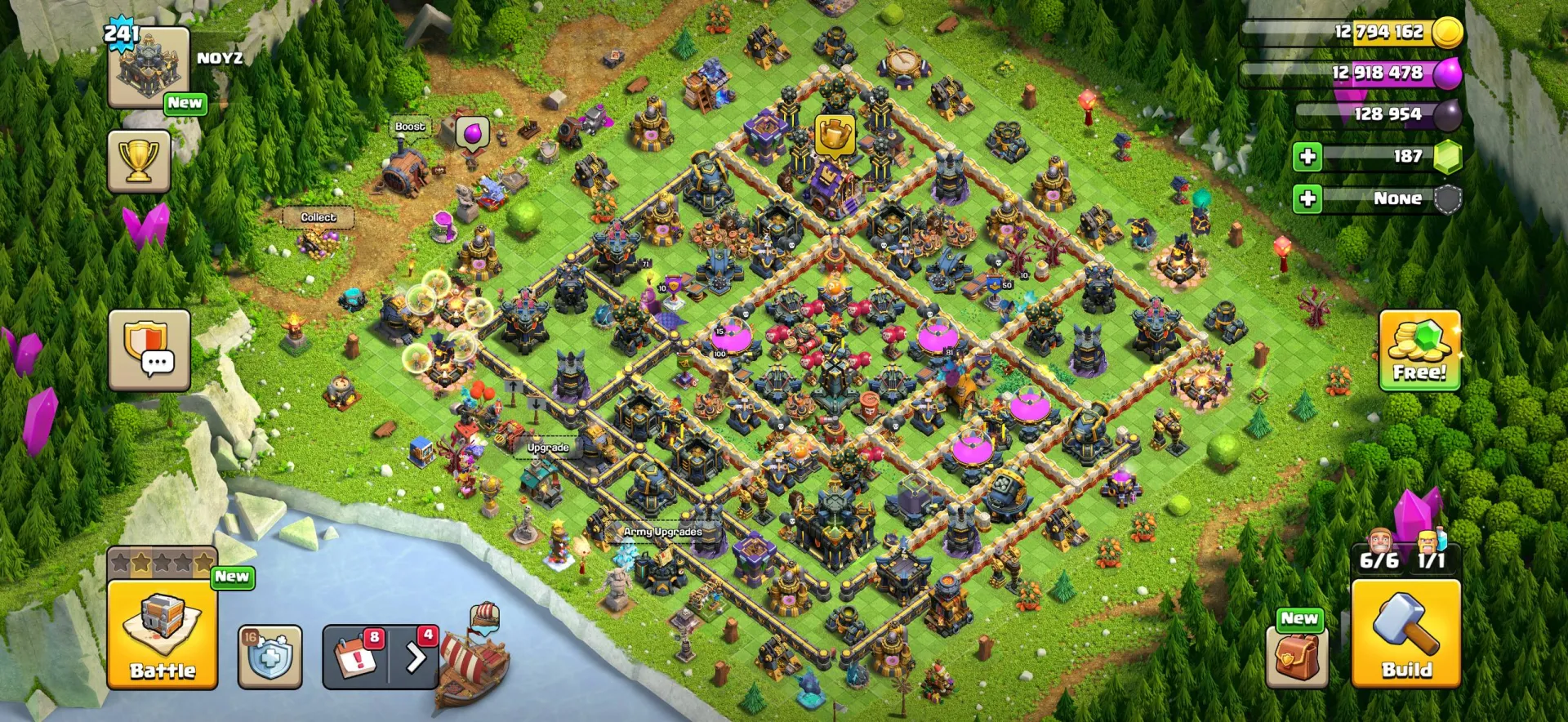
상품 미리보기
🔥 All our Accounts and Items are Legitimate and Secure, and We Do Not Use Hacks, Cheats, or Bots. ✨To change your Gmail and Protection Number (from within the game), you must wait 14 days after logging in for the game to verify your phone. During this period, your device will be marked as a new device. Therefore, you must wait 14 days after purchasing and playing, during which time you are under the warranty period of this website. 🔥Why does Supercell say that when I change my Gmail and protection number, it says it was rejected? To resolve this issue, you need to connect another Supercell game ID, such as Hayday, Brawl Stars, or others, to your Gmail account. Then, you can try changing the protection and Gmail account through the game. If it's still rejected, open your Gmail message, click "Log out all devices." Wait 5 minutes, then try logging back into the game. Please wait 7 days before trying to change your Gmail account and protection within the game. ⚡You will receive account information immediately after your purchase. Please review the images fully before making your purchase. If you need to see more images during your purchase, please let me know. 🔥 The price is too low, and you can find the best deals in our store. ✨ Our support is online 24/7! Feel free to contact us anytime, we'll respond promptly (except when we're sleeping). 🔥 This account is yours after your purchase. All devices must be logged out before we can make an offer here. ❗️Warning❗️ • Never contact in-game support. • Do not share this account, as it will be blocked or locked. • We will only be responsible for account blocking or locking if the problem is on our side. • Do not use any fake software or files to strengthen your account. ✨Thank you ^_^ Happy Playing _^✨
레벨 241타운 홀 17Warden: 71
$ 53.57
신규 아이콘 신규

🔥[BEST DEAL]🔥TH 18 SEMI MAX🔥XP 263 [103-106-80-55-91-9]🔥17 Epic Equipments [5
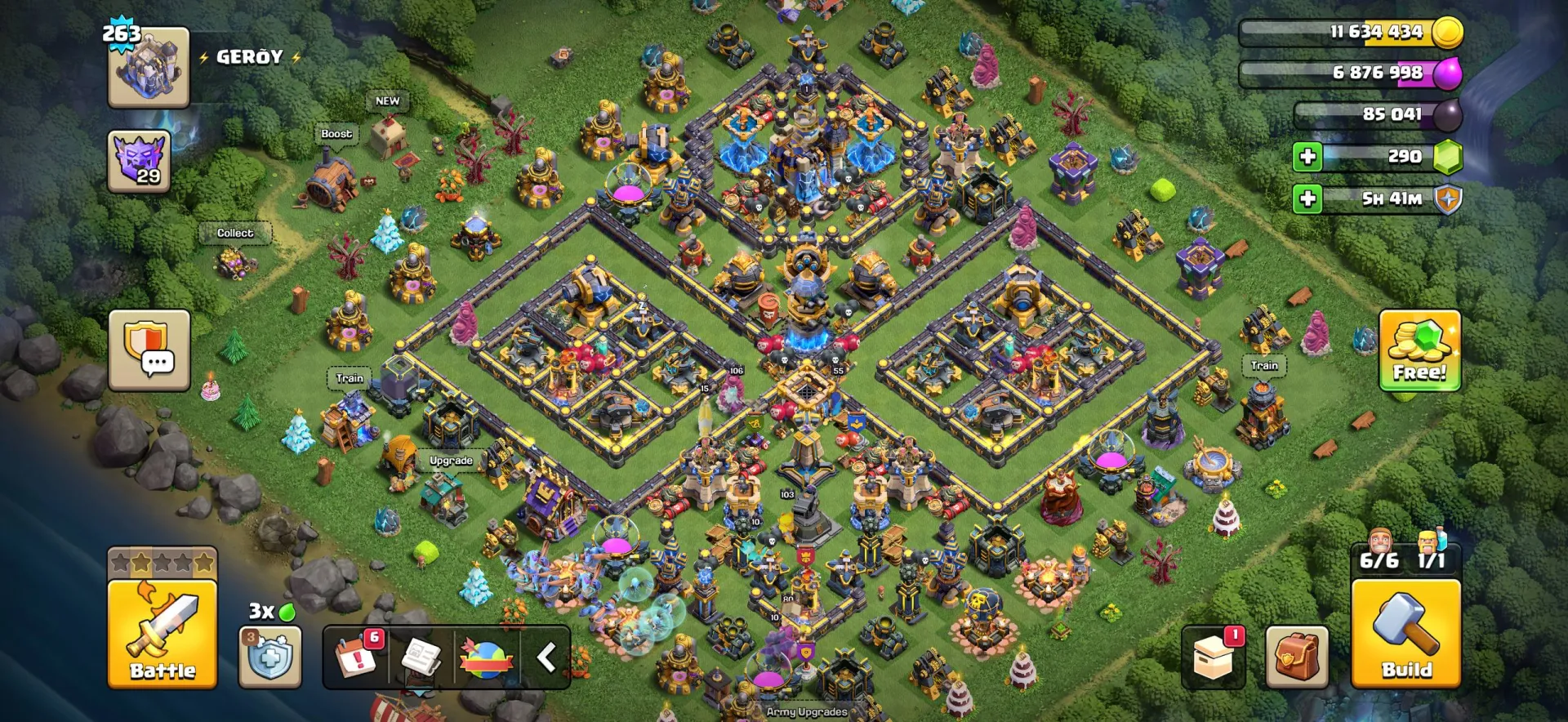
상품 미리보기
🔥 All our Accounts and Items are Legitimate and Secure, and We Do Not Use Hacks, Cheats, or Bots. ✨To change your Gmail and Protection Number (from within the game), you must wait 14 days after logging in for the game to verify your phone. During this period, your device will be marked as a new device. Therefore, you must wait 14 days after purchasing and playing, during which time you are under the warranty period of this website. 🔥Why does Supercell say that when I change my Gmail and protection number, it says it was rejected? To resolve this issue, you need to connect another Supercell game ID, such as Hayday, Brawl Stars, or others, to your Gmail account. Then, you can try changing the protection and Gmail account through the game. If it's still rejected, open your Gmail message, click "Log out all devices." Wait 5 minutes, then try logging back into the game. Please wait 7 days before trying to change your Gmail account and protection within the game. ⚡You will receive account information immediately after your purchase. Please review the images fully before making your purchase. If you need to see more images during your purchase, please let me know. 🔥 The price is too low, and you can find the best deals in our store. ✨ Our support is online 24/7! Feel free to contact us anytime, we'll respond promptly (except when we're sleeping). 🔥 This account is yours after your purchase. All devices must be logged out before we can make an offer here. ❗️Warning❗️ • Never contact in-game support. • Do not share this account, as it will be blocked or locked. • We will only be responsible for account blocking or locking if the problem is on our side. • Do not use any fake software or files to strengthen your account. ✨Thank you ^_^ Happy Playing _^✨
레벨 263타운 홀 18Warden: 80
$ 80.09
신규 아이콘 신규

🔥11 Max Epic Equipments🔥TH 18 MAX🔥BIG XP 286 [110-110-85-55-95-25]🔥Free Change
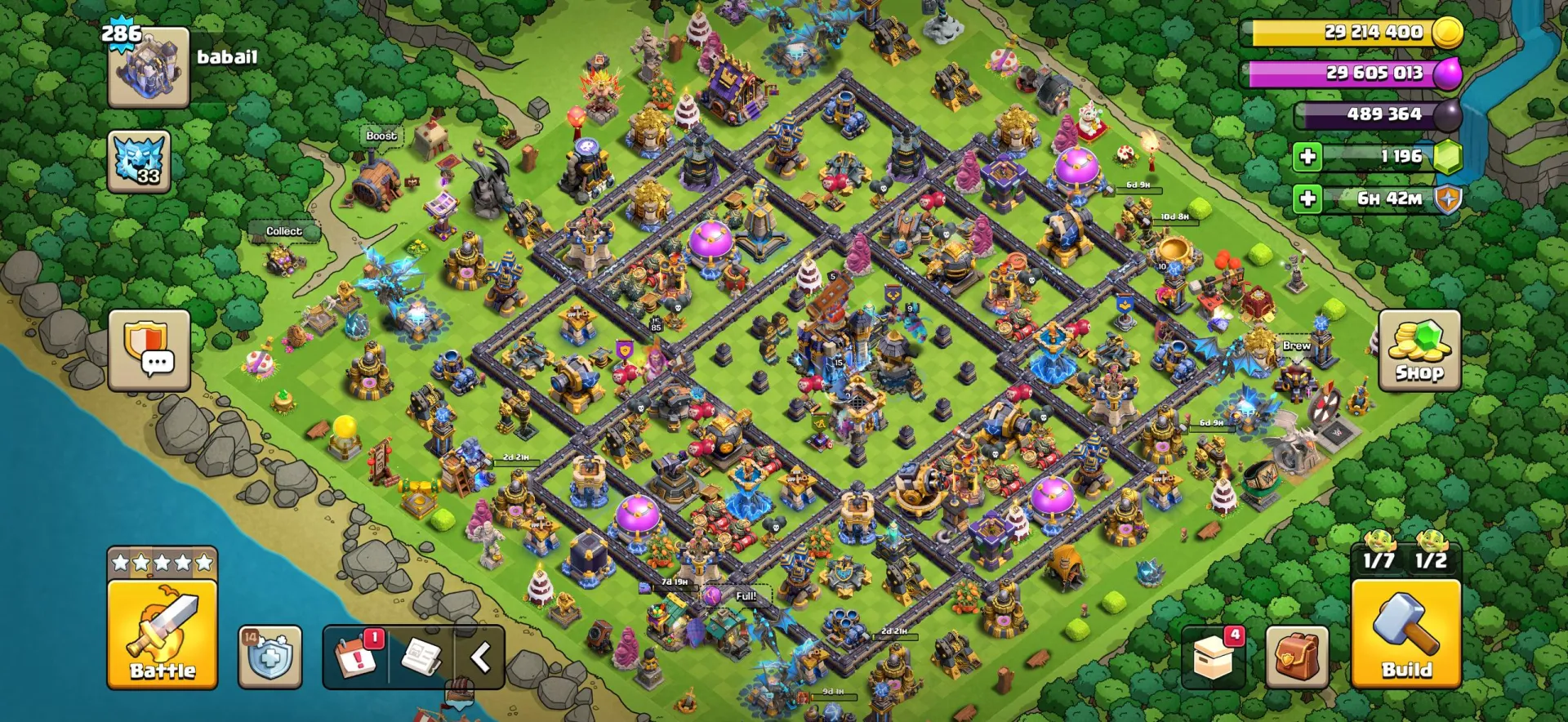
상품 미리보기
🔥 All our Accounts and Items are Legitimate and Secure, and We Do Not Use Hacks, Cheats, or Bots. ✨To change your Gmail and Protection Number (from within the game), you must wait 14 days after logging in for the game to verify your phone. During this period, your device will be marked as a new device. Therefore, you must wait 14 days after purchasing and playing, during which time you are under the warranty period of this website. 🔥Why does Supercell say that when I change my Gmail and protection number, it says it was rejected? To resolve this issue, you need to connect another Supercell game ID, such as Hayday, Brawl Stars, or others, to your Gmail account. Then, you can try changing the protection and Gmail account through the game. If it's still rejected, open your Gmail message, click "Log out all devices." Wait 5 minutes, then try logging back into the game. Please wait 7 days before trying to change your Gmail account and protection within the game. ⚡You will receive account information immediately after your purchase. Please review the images fully before making your purchase. If you need to see more images during your purchase, please let me know. 🔥 The price is too low, and you can find the best deals in our store. ✨ Our support is online 24/7! Feel free to contact us anytime, we'll respond promptly (except when we're sleeping). 🔥 This account is yours after your purchase. All devices must be logged out before we can make an offer here. ❗️Warning❗️ • Never contact in-game support. • Do not share this account, as it will be blocked or locked. • We will only be responsible for account blocking or locking if the problem is on our side. • Do not use any fake software or files to strengthen your account. ✨Thank you ^_^ Happy Playing _^✨
레벨 286타운 홀 18Warden: 85
$ 159.64
신규 아이콘 신규

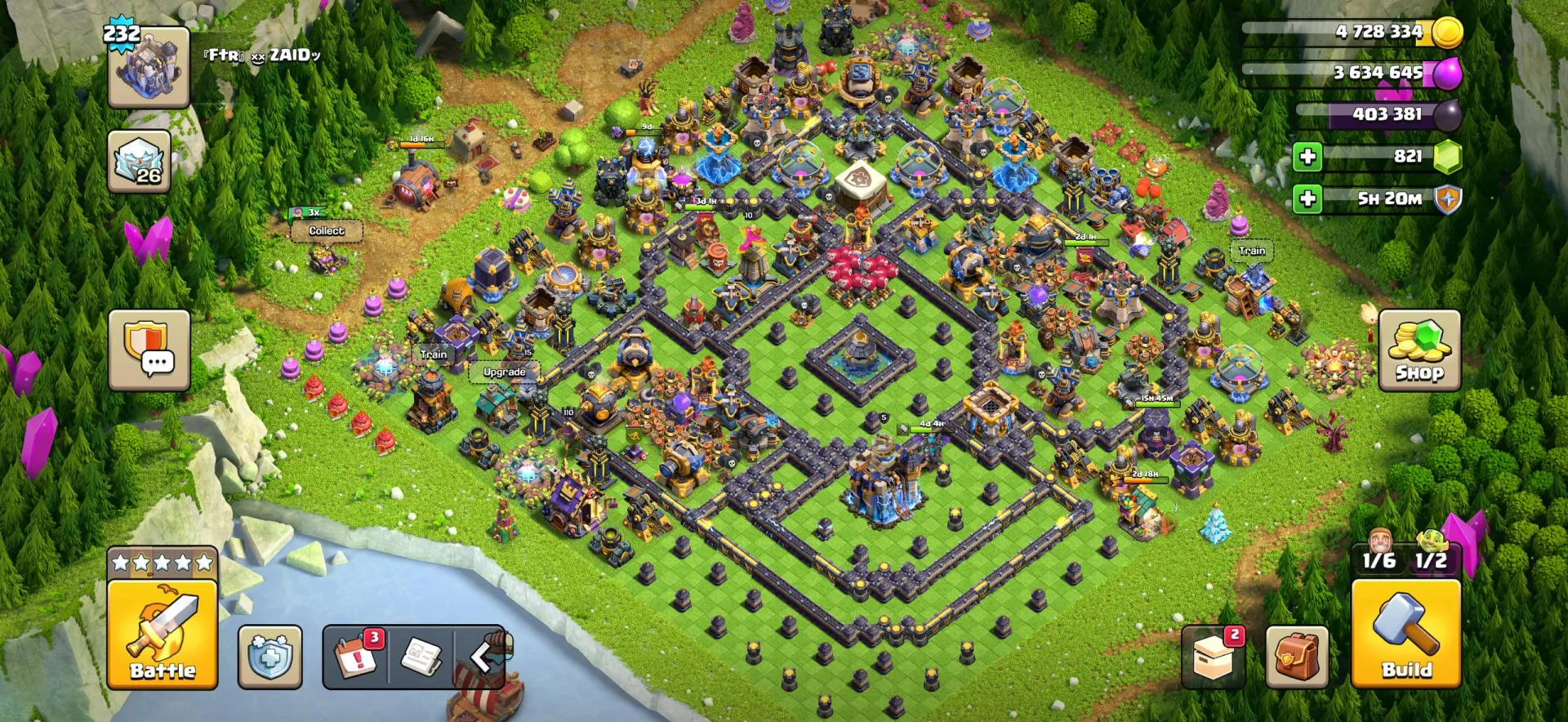
🔥[8 Max Epic Equipments]🔥TH 18 NEAR MAX 🔥XP 232 [108-110-85-55-91-19]🔥13 Epic
상품 미리보기
🔥 All our Accounts and Items are Legitimate and Secure, and We Do Not Use Hacks, Cheats, or Bots. ✨To change your Gmail and Protection Number (from within the game), you must wait 14 days after logging in for the game to verify your phone. During this period, your device will be marked as a new device. Therefore, you must wait 14 days after purchasing and playing, during which time you are under the warranty period of this website. 🔥Why does Supercell say that when I change my Gmail and protection number, it says it was rejected? To resolve this issue, you need to connect another Supercell game ID, such as Hayday, Brawl Stars, or others, to your Gmail account. Then, you can try changing the protection and Gmail account through the game. If it's still rejected, open your Gmail message, click "Log out all devices." Wait 5 minutes, then try logging back into the game. Please wait 7 days before trying to change your Gmail account and protection within the game. ⚡You will receive account information immediately after your purchase. Please review the images fully before making your purchase. If you need to see more images during your purchase, please let me know. 🔥 The price is too low, and you can find the best deals in our store. ✨ Our support is online 24/7! Feel free to contact us anytime, we'll respond promptly (except when we're sleeping). 🔥 This account is yours after your purchase. All devices must be logged out before we can make an offer here. ❗️Warning❗️ • Never contact in-game support. • Do not share this account, as it will be blocked or locked. • We will only be responsible for account blocking or locking if the problem is on our side. • Do not use any fake software or files to strengthen your account. ✨Thank you ^_^ Happy Playing _^✨
레벨 232타운 홀 18Warden: 85
$ 114.56
신규 아이콘 신규

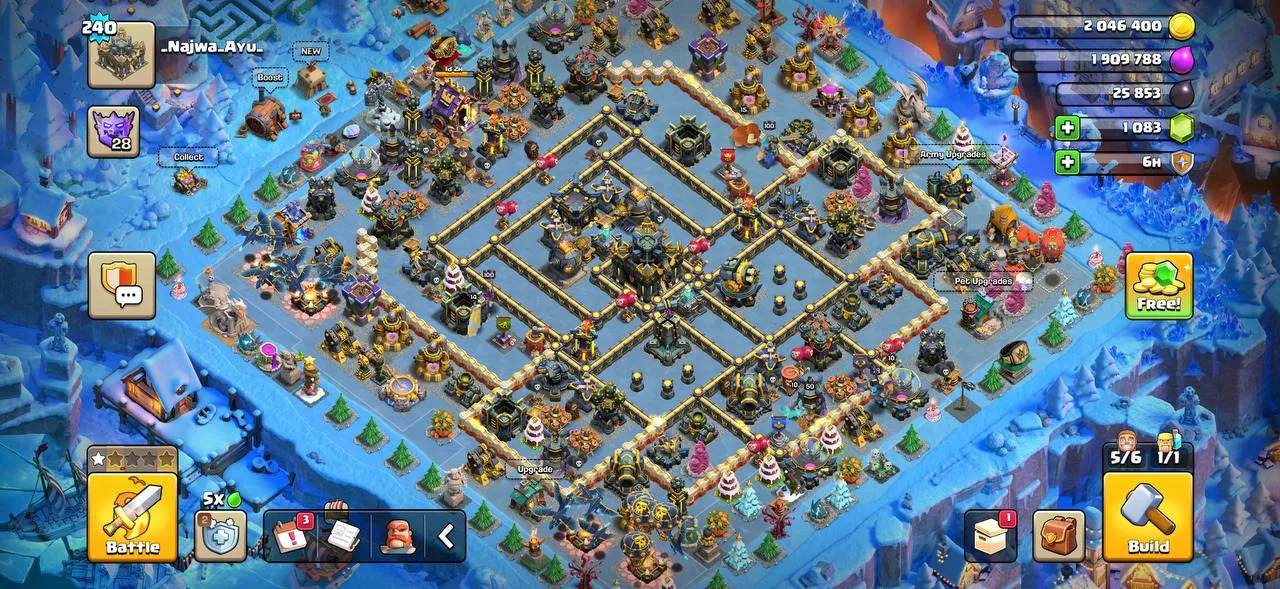
🔥TH 17 Near MAX🔥XP 240 [100-100-75-50-78-19]🔥12 Epic Equipments [5
상품 미리보기
🔥 All our Accounts and Items are Legitimate and Secure, and We Do Not Use Hacks, Cheats, or Bots. ✨To change your Gmail and Protection Number (from within the game), you must wait 14 days after logging in for the game to verify your phone. During this period, your device will be marked as a new device. Therefore, you must wait 14 days after purchasing and playing, during which time you are under the warranty period of this website. 🔥Why does Supercell say that when I change my Gmail and protection number, it says it was rejected? To resolve this issue, you need to connect another Supercell game ID, such as Hayday, Brawl Stars, or others, to your Gmail account. Then, you can try changing the protection and Gmail account through the game. If it's still rejected, open your Gmail message, click "Log out all devices." Wait 5 minutes, then try logging back into the game. Please wait 7 days before trying to change your Gmail account and protection within the game. ⚡You will receive account information immediately after your purchase. Please review the images fully before making your purchase. If you need to see more images during your purchase, please let me know. 🔥 The price is too low, and you can find the best deals in our store. ✨ Our support is online 24/7! Feel free to contact us anytime, we'll respond promptly (except when we're sleeping). 🔥 This account is yours after your purchase. All devices must be logged out before we can make an offer here. ❗️Warning❗️ • Never contact in-game support. • Do not share this account, as it will be blocked or locked. • We will only be responsible for account blocking or locking if the problem is on our side. • Do not use any fake software or files to strengthen your account. ✨Thank you ^_^ Happy Playing _^✨
레벨 240타운 홀 17Warden: 75
$ 54.66
신규 아이콘 신규

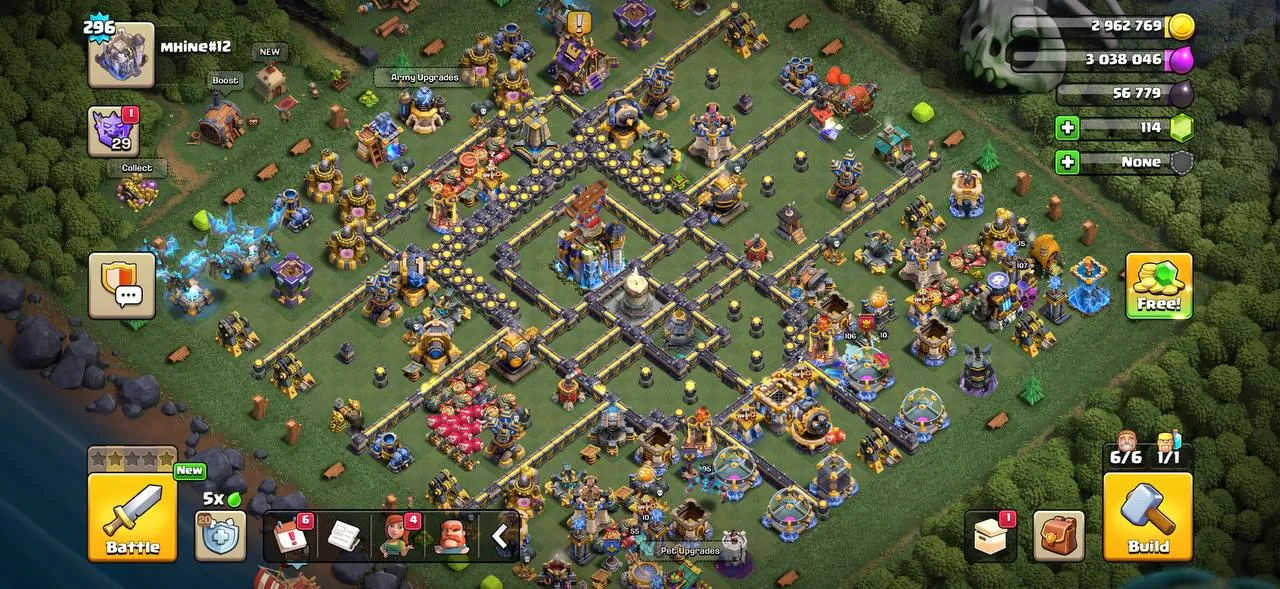
🔥[Monster XP]🔥TH 18 SEMI MAX🔥XP 296 [106-107-85-55-95-19]🔥12 Epic Equipments [4
상품 미리보기
🔥 All our Accounts and Items are Legitimate and Secure, and We Do Not Use Hacks, Cheats, or Bots. ✨To change your Gmail and Protection Number (from within the game), you must wait 14 days after logging in for the game to verify your phone. During this period, your device will be marked as a new device. Therefore, you must wait 14 days after purchasing and playing, during which time you are under the warranty period of this website. 🔥Why does Supercell say that when I change my Gmail and protection number, it says it was rejected? To resolve this issue, you need to connect another Supercell game ID, such as Hayday, Brawl Stars, or others, to your Gmail account. Then, you can try changing the protection and Gmail account through the game. If it's still rejected, open your Gmail message, click "Log out all devices." Wait 5 minutes, then try logging back into the game. Please wait 7 days before trying to change your Gmail account and protection within the game. ⚡You will receive account information immediately after your purchase. Please review the images fully before making your purchase. If you need to see more images during your purchase, please let me know. 🔥 The price is too low, and you can find the best deals in our store. ✨ Our support is online 24/7! Feel free to contact us anytime, we'll respond promptly (except when we're sleeping). 🔥 This account is yours after your purchase. All devices must be logged out before we can make an offer here. ❗️Warning❗️ • Never contact in-game support. • Do not share this account, as it will be blocked or locked. • We will only be responsible for account blocking or locking if the problem is on our side. • Do not use any fake software or files to strengthen your account. ✨Thank you ^_^ Happy Playing _^✨
레벨 296타운 홀 18Warden: 85
$ 103.36
자주 묻는 질문

Clash of Clans EB24 판매자 FAQ

  • 어떤 종류의 Clash of Clans 계정을 구매할 수 있나요?

  • 계정에 전체 접근 권한이 포함되나요?

  • 전달은 얼마나 빠른가요?

  • 계정을 제 Supercell ID에 연결할 수 있나요?

  • 이런 계정을 구매하는 것은 합법이고 안전한가요?

  • 나중에 필요하면 계정을 복구할 수 있나요?

  • 구매 후 문제가 생기면 어떻게 하나요?

자세히 보기

어떻게 작동하나요?

EB24에서 Clash of Clans 계정을 구매하는 과정은 빠르고 투명합니다.
zippy
1

마을 선택 높은 Town Hall 레벨, 만렙 방어, 강력한 영웅을 갖춘 계정을 둘러보세요.

2

구매 완료하기 신뢰할 수 있는 결제로 안전하게 결제하세요.

3

즉시 접근 권한 받기 계정 정보는 즉시 대시보드로 전달됩니다.

4

장악하고 지배하세요 로그인 정보를 바꾸고 Supercell ID를 연결하면 바로 습격에 나설 수 있습니다.