


Account LV 200 due pg
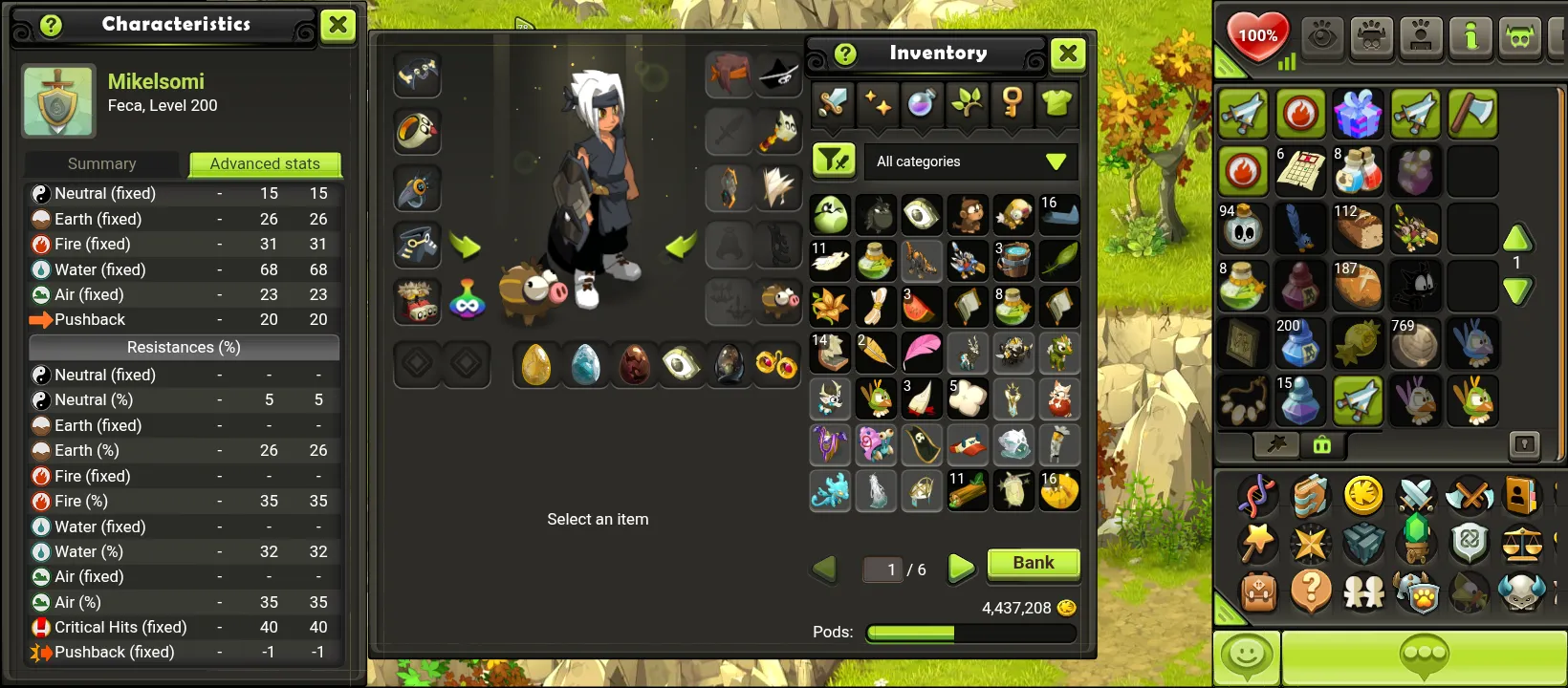
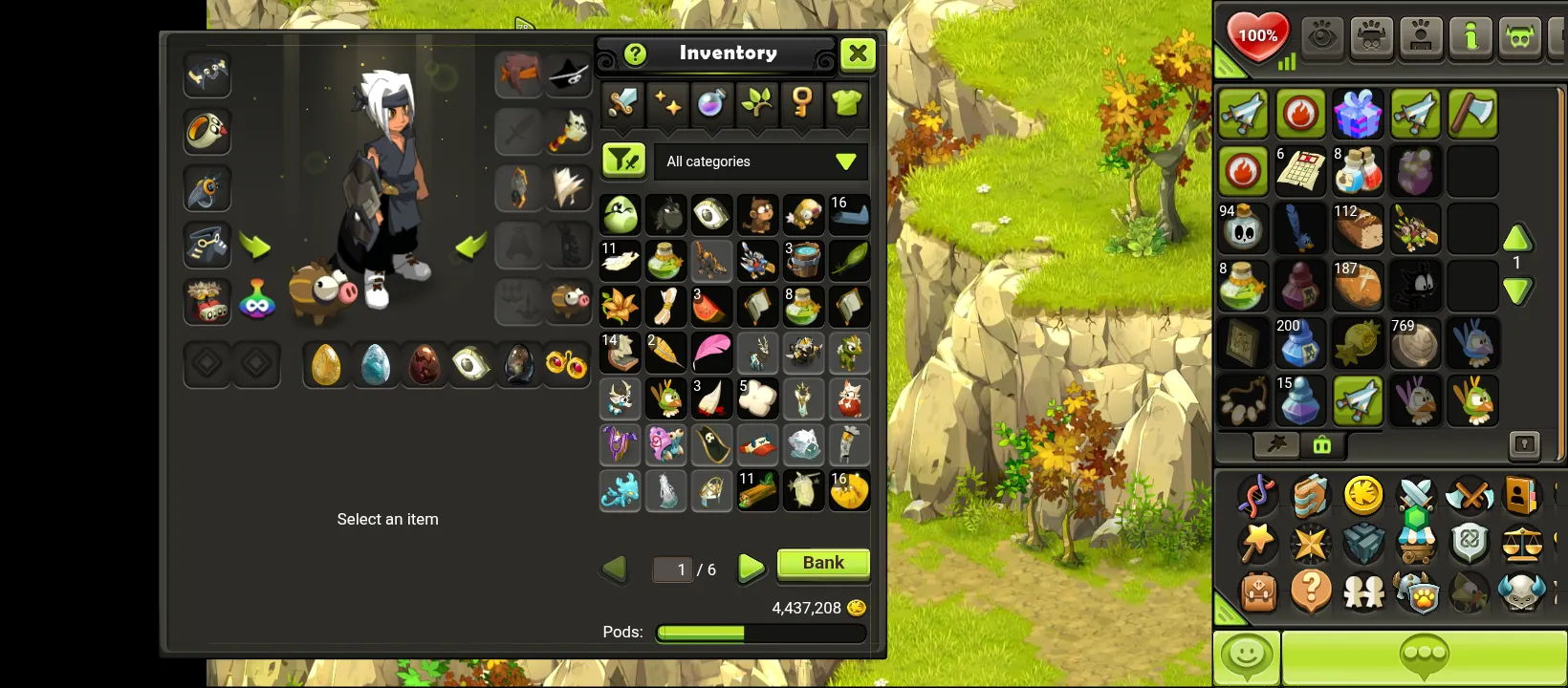
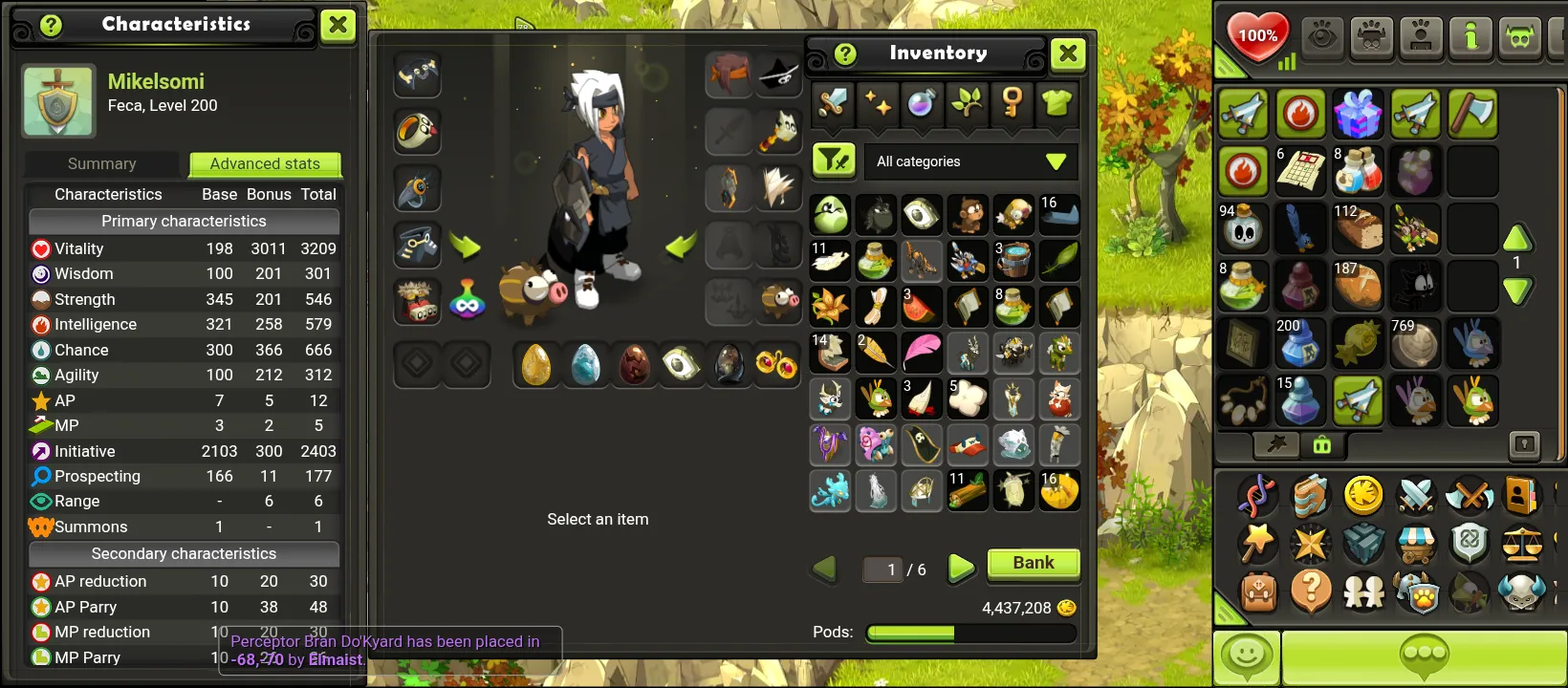
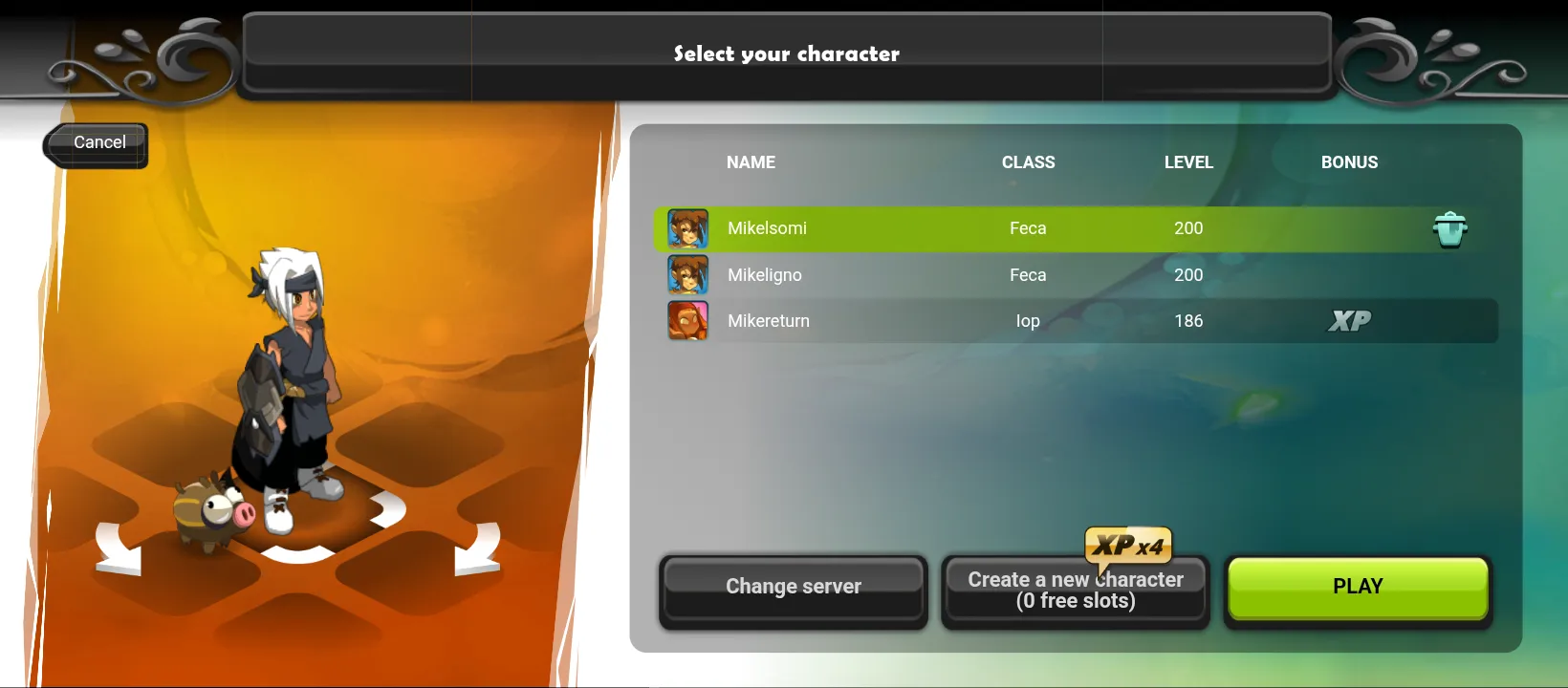
10 people are viewing this account
Buyer protection
Your purchase on the Eloboost24 platform is fully protected by our Buyer Protection Policy.
- Refund to your balance if not delivered
- Secure payment
About seller
Bagus12
RegularAccount con due pg LV 200 uno 180 Feca LV 200 Full scroll Full spell point
Server
Blair
Main class
Feca
Character level
200
Characters on the account
3
Kamas
4,000,000
FAQs about EB24 Sellers
Is it safe to buy a DOFUS Touch account on EB24?
Yes. Each DOFUS Touch listing states the server, the main class and its level. Your payment is held in escrow until the account is delivered, and the warranty covers any detail that turns out different.
Is DOFUS Touch the same game as DOFUS on PC?
No. DOFUS Touch is the mobile version with its own servers, its own Kamas and its own accounts progress. A DOFUS Touch account cannot be used on the PC servers, so check that you are buying for the right game.
Which DOFUS Touch servers can I buy on?
Sellers list accounts on Blair, Kelerog, Talok and Tiliwan, plus seasonal Temporis servers when one is running. A character stays on its server, so choose the one where your friends or guild play.
What does the characters field mean?
One Ankama account can hold several characters. The listing shows how many it has, and the main class and level describe the strongest one. Several high level characters make it easier to fight as a team.
Are the Kamas on the account included?
Yes. When a seller fills in the Kamas field, that amount is on the account at delivery. Compare it in game straight after you log in.
How do I take over the account?
Use the login from your order panel, change the password and the email on the Ankama account, and turn on the Ankama authenticator if it is available to you.
What if the account does not match the listing?
Open a dispute from your order panel before the warranty ends. EB24 keeps the payment while the server, class, level and Kamas are checked.
How it works?
Choose a DOFUS Touch account by server, class and level, then pay through escrow. Here is how it works:

Choose the Server Pick Blair, Kelerog, Talok or Tiliwan, the world where you want to play.
Set Class, Level and Team Size Filter by the main class, a minimum character level and how many characters the account should hold.
Pay Through Escrow Your payment stays with EB24 until the account reaches you and matches the listing.
Secure the Ankama Account Log in with the details from your order panel, then change the password and the email on the Ankama account.
Report a Mismatch in Time If the server, class, level or Kamas differ from the listing, open a dispute from your order panel while the warranty runs.