


Dokkan Battle Global Android
10 people are viewing this account
Buyer protection
Your purchase on the Eloboost24 platform is fully protected by our Buyer Protection Policy.
- Refund to your balance if not delivered
- Secure payment
About seller

Burak1995
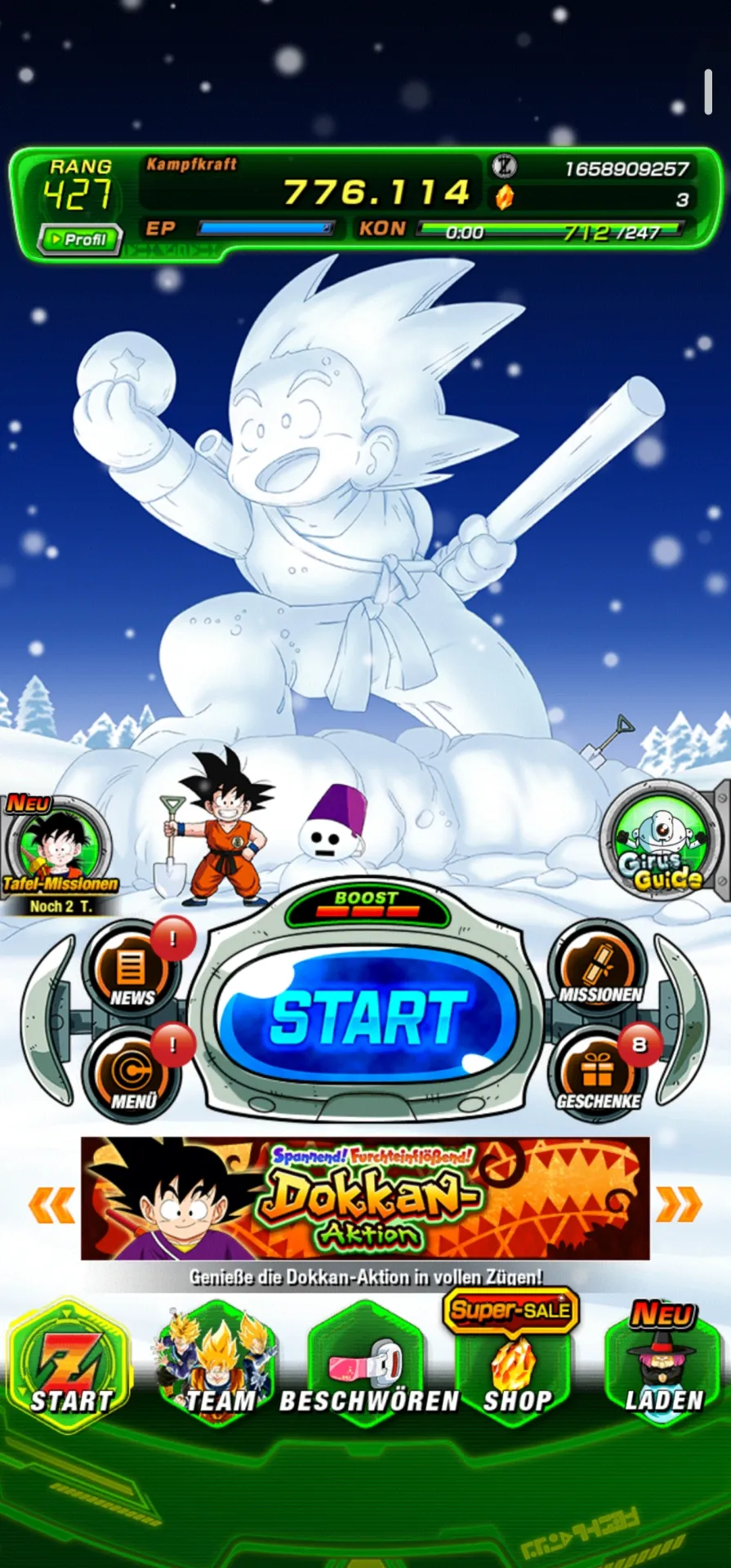
RegularVerkaufe hier meinen Lvl 416 dokkan battle account mit über 80lrs darunter mit vielen neuen lrs unter anderem aus dem vergangen Jubiläum bis auf vierfachen vegeta dazu aus dem gdc ... mit ssj3 goku lr und ssj namek goku lr die meisten Events sind schon geschafft und sehr viele ssr die unter anderem in ur erweckt werden können.
FAQs about EB24 Sellers
How do I buy a Dragon Ball Z Dokkan Battle account on Eloboost24?
Find a listing with the platform, region, rank, Dragon Stones and power level you want, then pay through the protected checkout. Once payment clears, the account login details appear in your EB24 dashboard and inbox, so you can sign in and pick up the same Dokkan Battle progress without waiting on the seller.
What exactly do I get when I buy a Dokkan Battle account?
You receive an account that owns the Dragon Ball Z Dokkan Battle progress shown in the listing. That covers the listed rank, Dragon Stone balance, power level, and the platform and region the account is bound to.
Are Global and Japan Dokkan Battle accounts the same?
No. Global and Japan are separate clients with different banners, schedules and progress. An account listed for Japan will not log into Global, and the reverse is true. Always match the region filter on EB24 to the version of Dokkan Battle you play.
How does Eloboost24 keep Dokkan Battle account purchases safe?
Every purchase runs through escrow that holds the seller payout until the account is confirmed in your hands. Combined with verified sellers and trusted payment options, this protects both sides for the full handover, not only the moment you pay for the Dragon Ball Z Dokkan Battle account.
What makes a Dragon Ball Z Dokkan Battle account valuable?
A high rank and power level usually mean long-term team building, while a healthy Dragon Stone balance lets you pull on the next banner without grinding events. Platform and region decide where you can play. Each listing shows these stats so you can compare what an account actually carries before you buy.
What should I do right after I get my Dokkan Battle account?
Change the linked password, switch the registered email to one you control, and turn on two-factor authentication straight away. Doing this immediately locks the previous owner out and keeps full ownership of the account and its Dragon Ball Z Dokkan Battle progress in your hands.
Does the EB24 Warranty cover Dokkan Battle accounts?
Yes. The EB24 Warranty covers seller-side issues for as long as you hold the account, with an extended window right after purchase. If anything about the Dragon Ball Z Dokkan Battle account does not match the listing, support reviews the case and steps in within the scope they control.
Can I sell my Dragon Ball Z Dokkan Battle account on Eloboost24?
You can list any Dokkan Battle account you own, from a high-rank profile with a large Dragon Stone balance to a lighter starter account. Low seller commissions, the rewards program, and a steady flow of buyers make it straightforward to turn a finished account into value on EB24.
How it works?
Buying a Dragon Ball Z Dokkan Battle account through EB24 is fast and secure. Here is how it works:
Browse and Choose an Account Filter EB24’s Dragon Ball Z Dokkan Battle listings by platform, region, rank, Dragon Stones and power level until you find an account that matches the progress you want.
Secure Your Purchase Complete payment through our protected checkout. Funds stay in escrow until the account is confirmed in your hands.
Receive Your Account Details Once payment clears, EB24 sends your Dragon Ball Z Dokkan Battle login to the dashboard and inbox so you can confirm the listed rank and keep playing from where the seller left off.
Dedicated Support EB24 support stays with you through the Dragon Ball Z Dokkan Battle handover and warranty window, including questions about dragon stones after you log in.