


🔴🔴 Red Trail 🔴🔴 [139R]
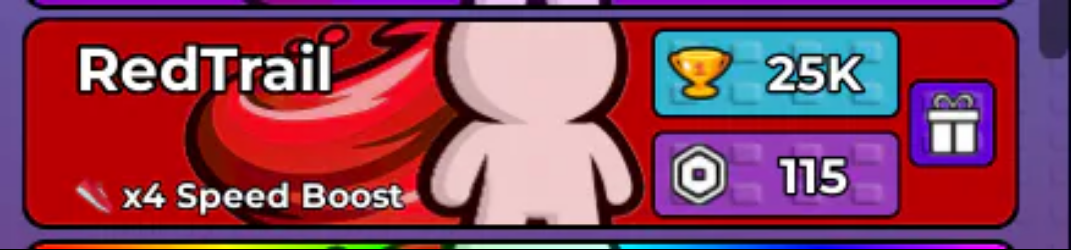
Please provide your @username Make sure the "username" you provide is username with @ Contact us via website chat for faster delivery.
Item type
Trails
Seller is away until Nov 8
This item cannot be bought right now. Other sellers have 1 Speed Keyboard Escape items in stock.
Buyer protection
Your purchase on the Eloboost24 platform is fully protected by our Buyer Protection Policy.
About seller

This seller is away. Their offers are hidden and come back on Nov 8.
FAQs about Items
What 1 Speed Keyboard Escape items can I buy on EB24?
Listings cover Speed, Wins, boosts, trails, gamepasses and bundles. Speed and Wins are the two progress stats, while trails are cosmetic and gamepasses are permanent account unlocks, so they sit in clearly separate price bands.
What does buying Speed actually do?
Speed is the stat the whole game is built around, so raising it shortens every run you make afterwards. That compounding effect is why Speed listings are the most common purchase here, and why sellers state the amount rather than a vague tier.
Are Wins worth buying separately?
Wins track how far you have progressed and often gate later content, so buying them clears a requirement rather than making you faster. If a specific unlock is waiting on a Win count, that is the listing to look at.
How is a 1 Speed Keyboard Escape item delivered?
The handover happens in game once payment clears. Your order panel opens then with the seller notes and the slot you booked, and Speed, Wins or a trail is applied through the method named on the listing. You stay on your own account for all of it, so login details never move.
Do trails affect how fast I move?
No. Trails are cosmetic and change how your character looks in a run, not how it performs. They price on how hard they are to obtain rather than on any effect, so compare them against other trails instead of against Speed.
Gamepass or boost, which lasts longer?
A gamepass stays on your account permanently, while a boost runs for a set period and then stops. If you play regularly the gamepass usually works out better, and a boost is the sharper choice for one focused session.
How do I sell 1 Speed Keyboard Escape items on EB24?
Add a payout method, then create a listing with the item type, quantity and a delivery window you can keep. State amounts on Speed and Wins. After review the offer goes live and payment sits in escrow until delivery is confirmed.
What if a delivery does not match the listing?
Post screenshots in Order Chat comparing your in-game totals with what was advertised. Speed and Win counts are simple to verify. If that does not settle it, open a dispute from the order page while escrow holds the funds.
How it works?
Buying LoL items on Eloboost24 is simple and clear. Here’s how the process works step by step.

Browse Available Items View EB24’s Anime Vanguard listings and compare units, upgrades, or other in-game resources. Every offer will provide detailed information so you know exactly what’s included before purchasing your order.
Complete the Purchase Once payment is confirmed, follow the instructions laid out via EB24’s secure checkout system. Your order will appear in your dashboard with full transparency. This includes exercising tracking and communication options.
Review Delivery Instructions Delivery instructions are displayed directly inside your order panel, describing how the in-game transfer works. Simply follow what you need to do for a smooth process.
Receive the Item In-Game The exchange is completed through safe in-game methods. Just follow the instructions to receive the item ordered. No login details are needed.
Order Protection Open the automated dispute from your dashboard if you encounter issues with your order. As part of your purchase protection, the system will clearly and fairly analyze your case before a decision is made.