


TH 15 ALMOST MAXED | FULL EMAIL ACCESS | SAFE ACCOUNT
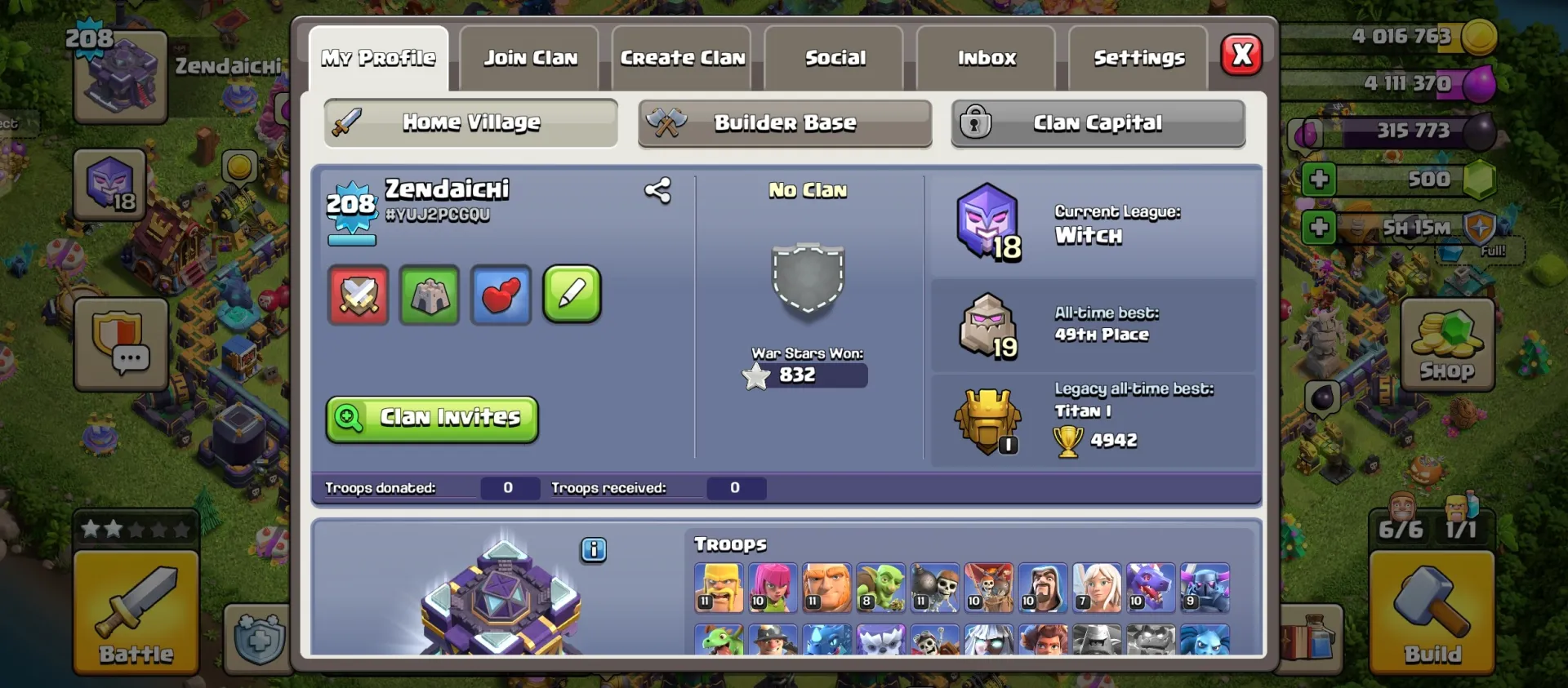
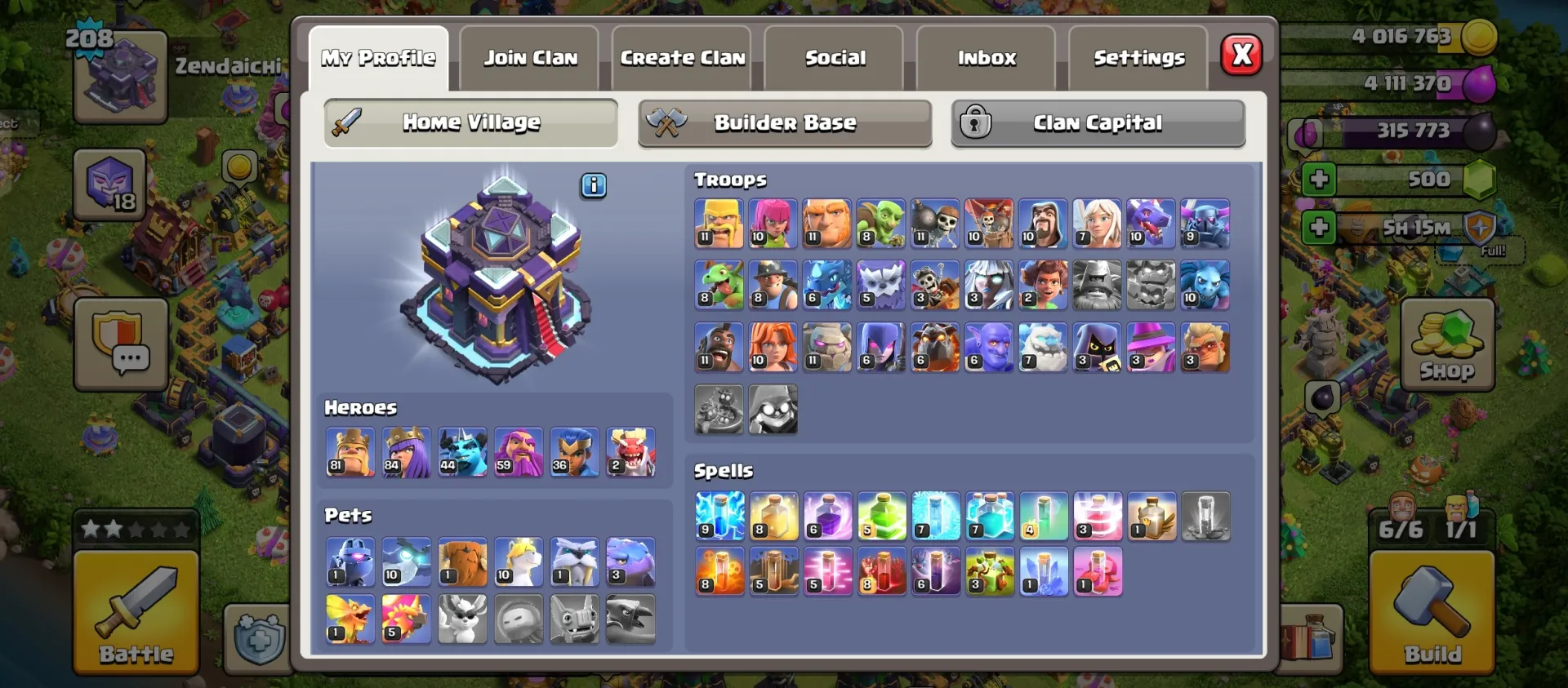
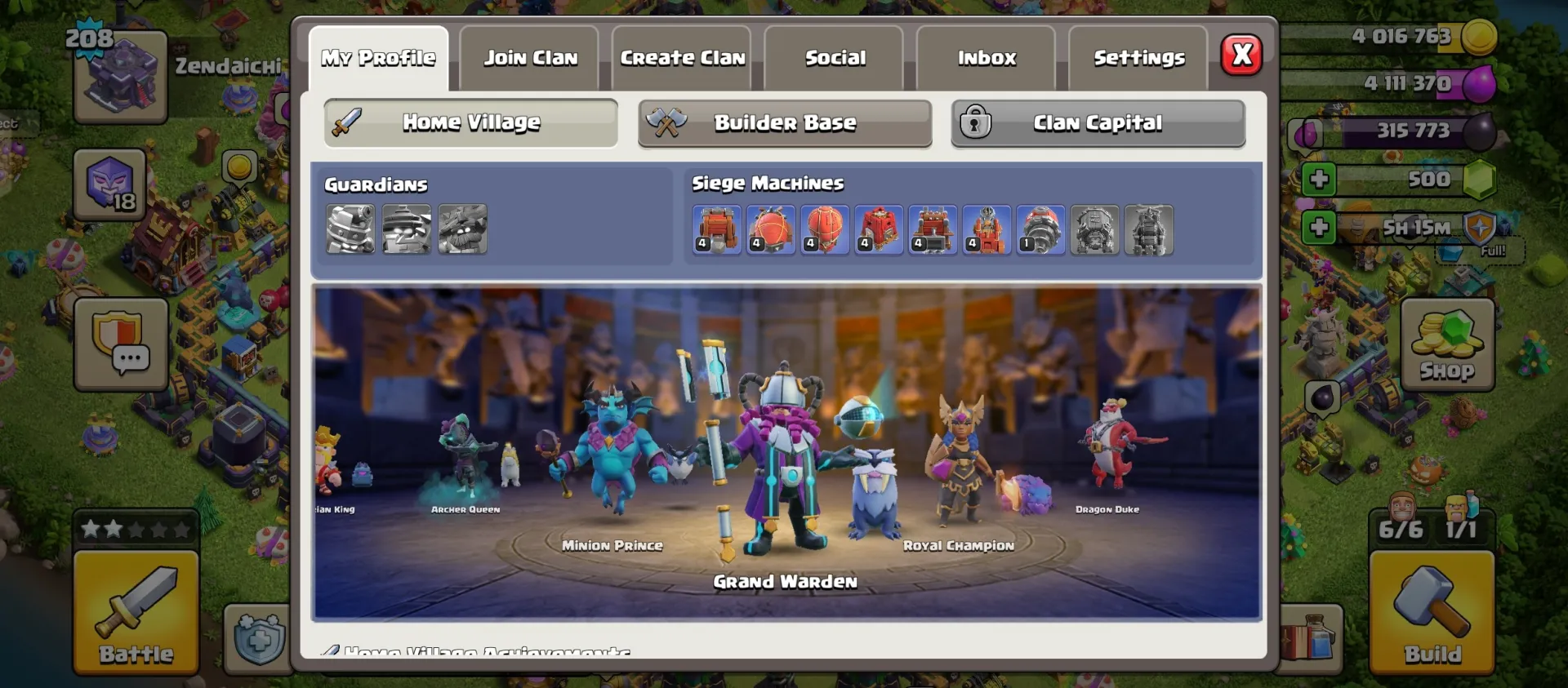
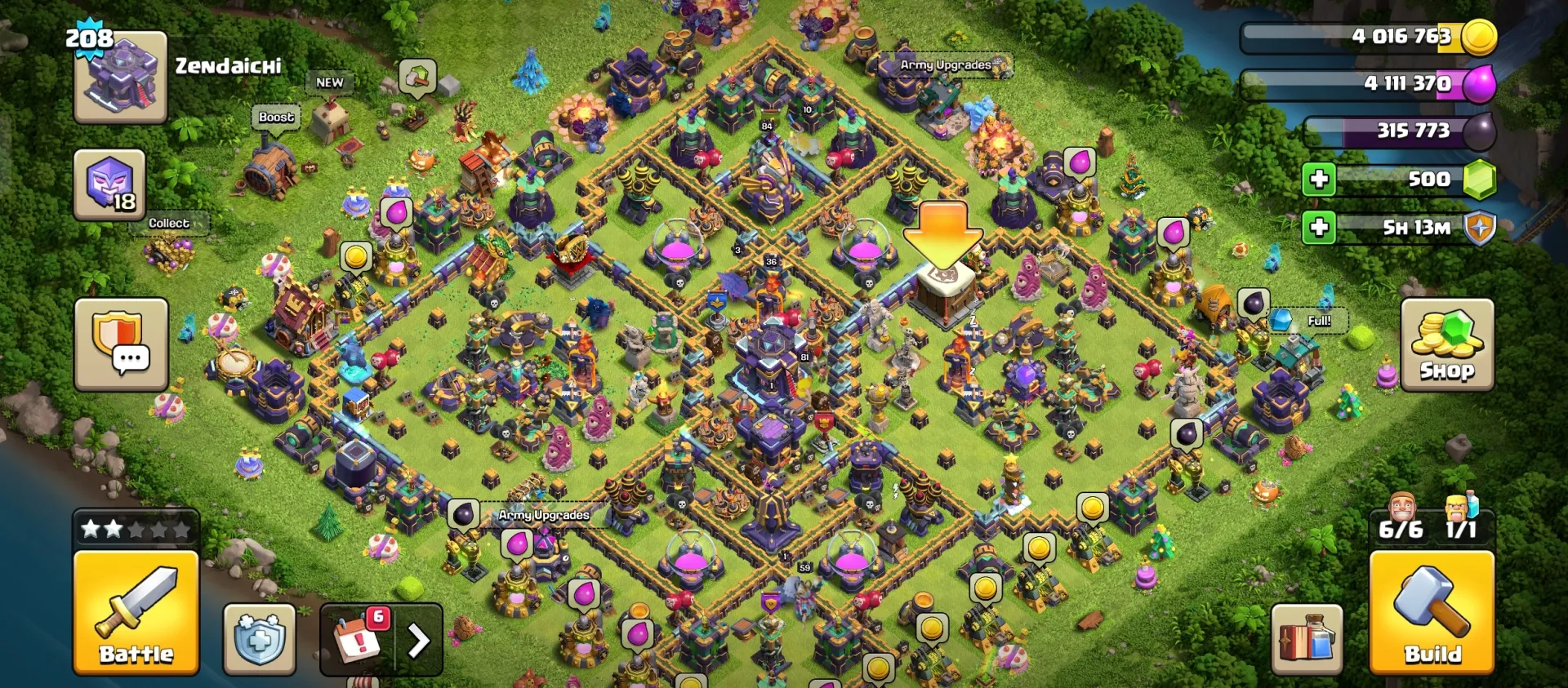
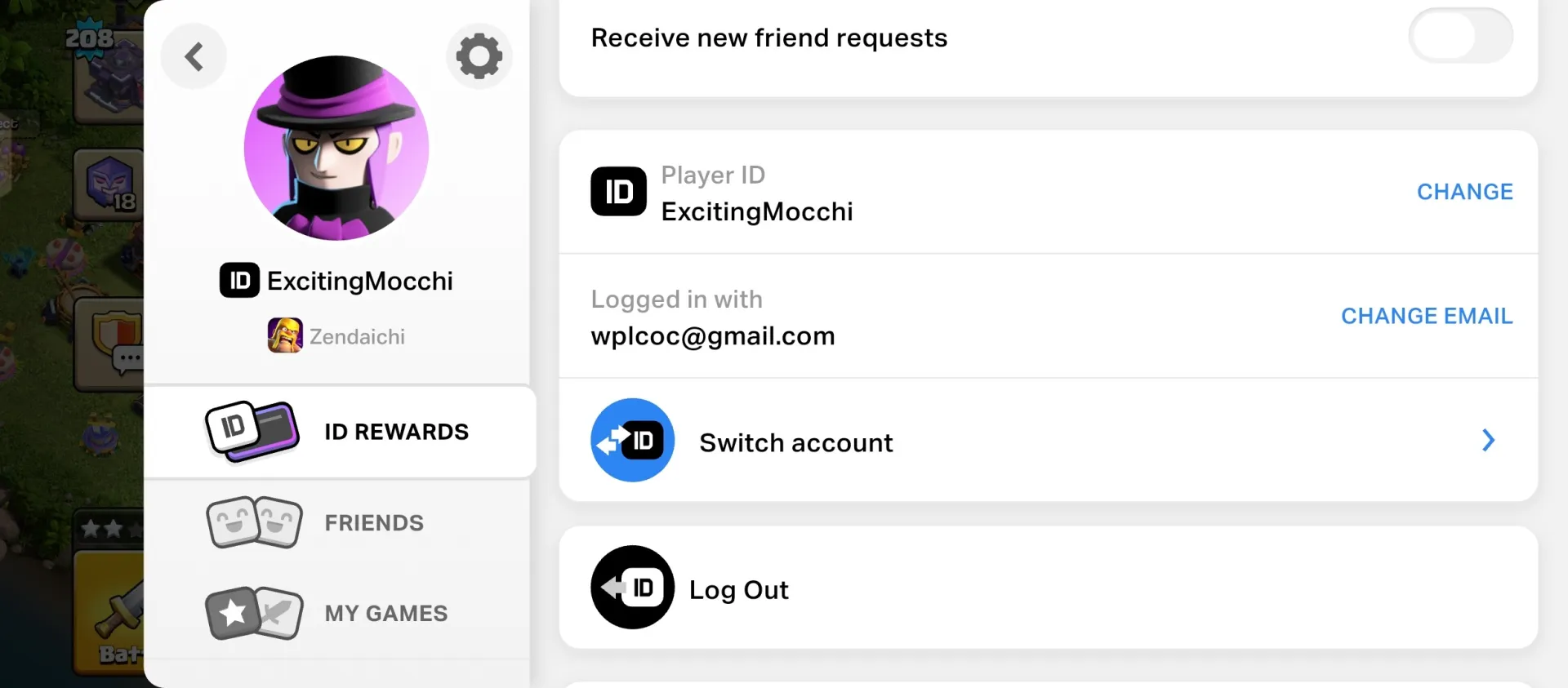
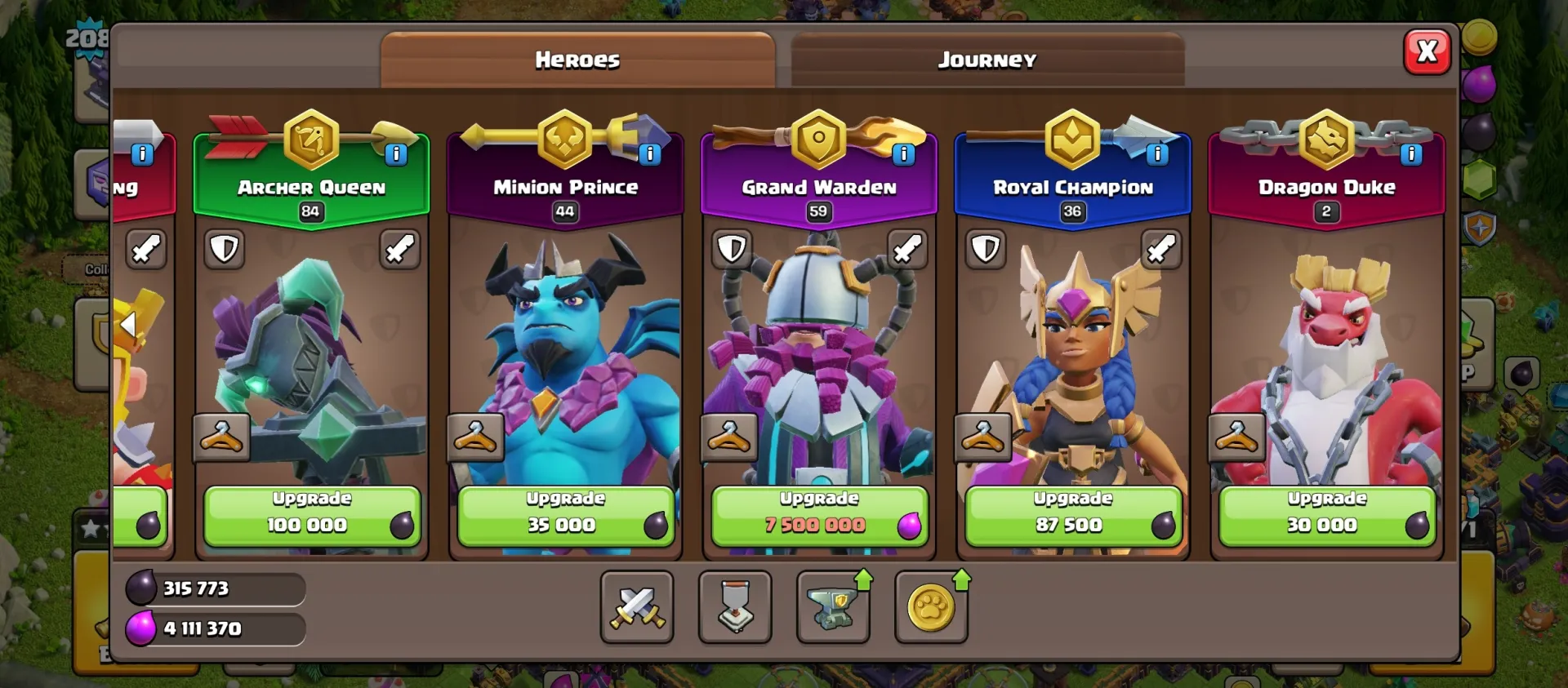
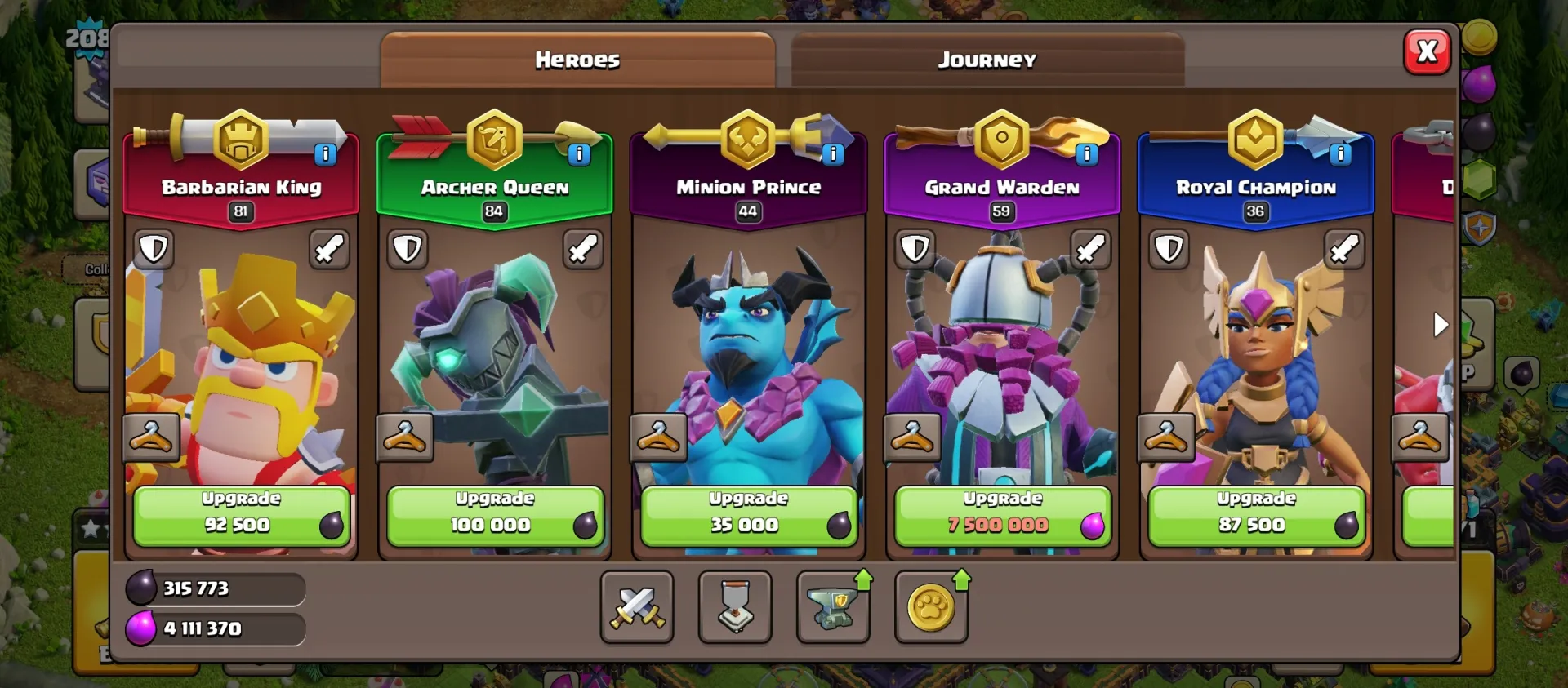
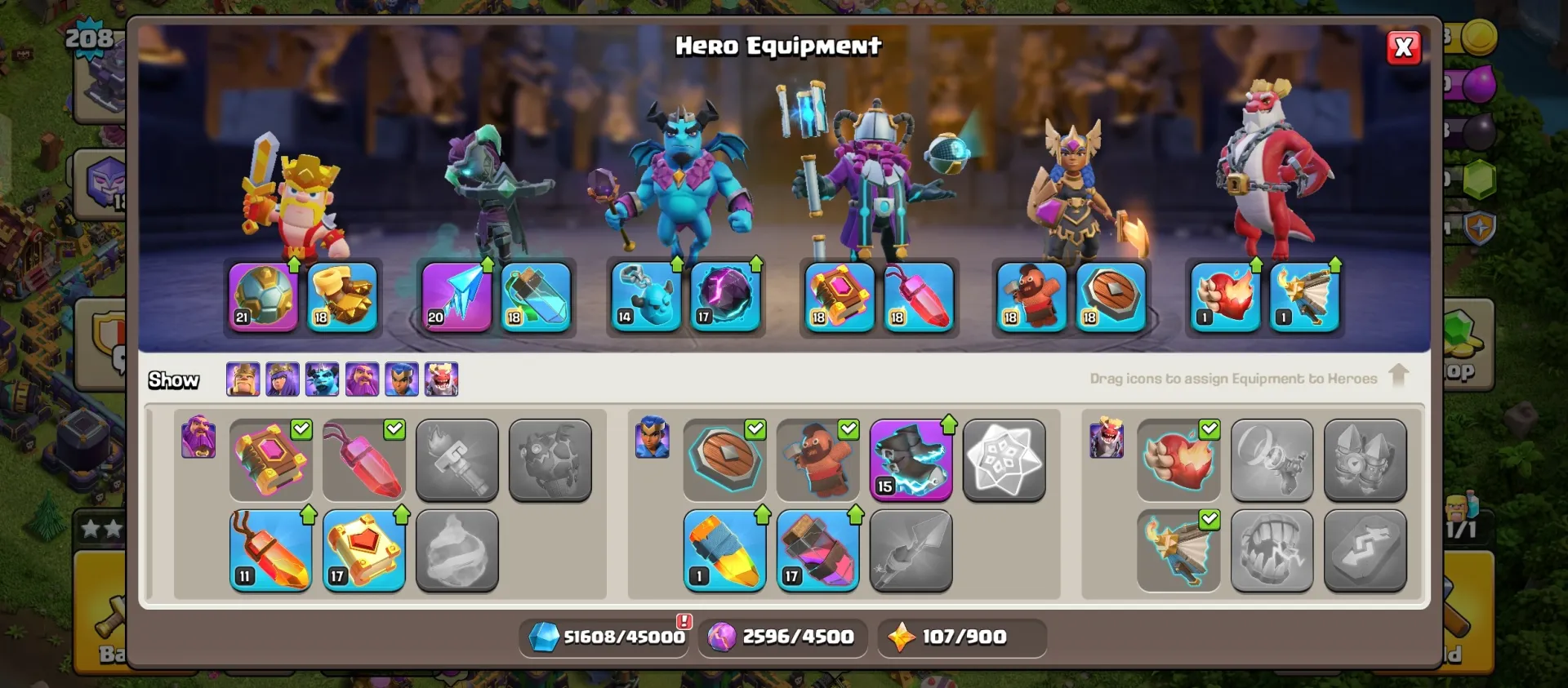
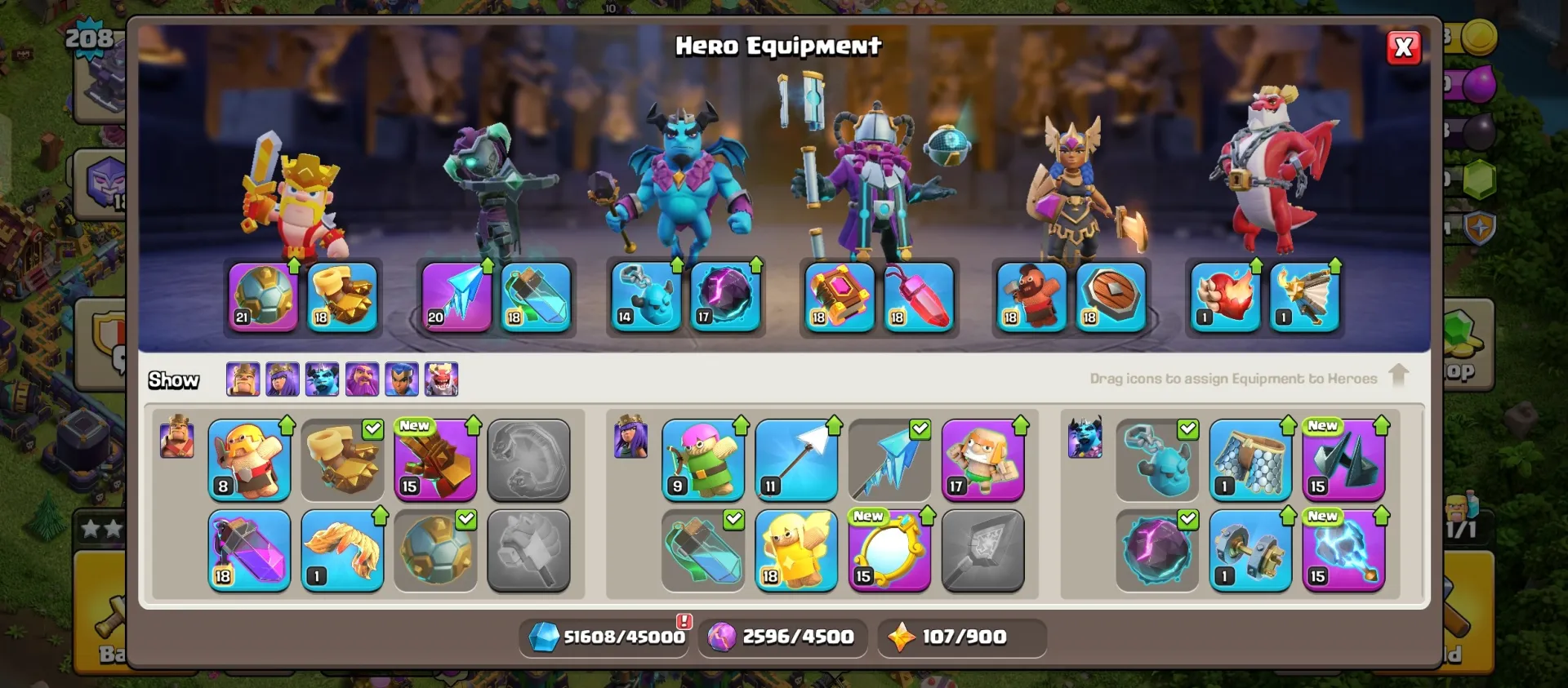
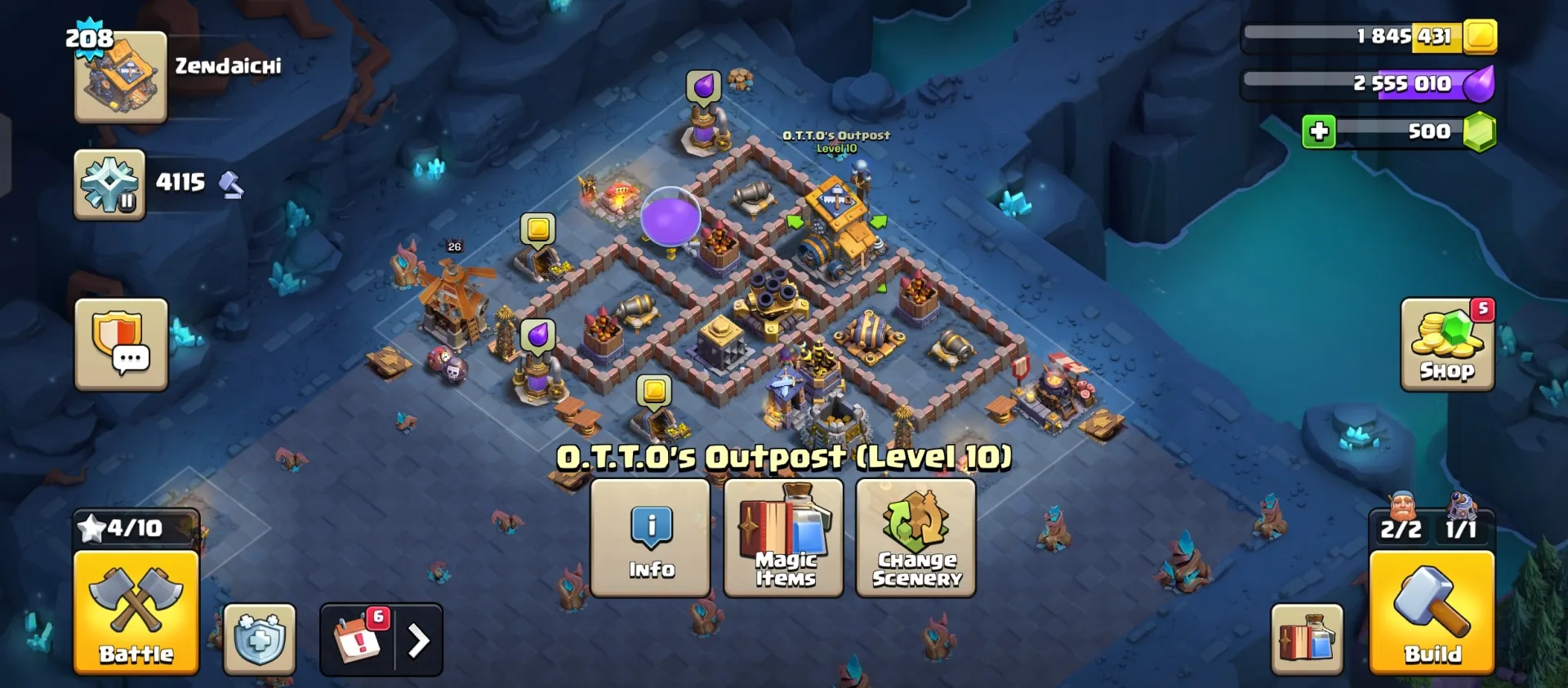
🏰 Town Hall Level: [ TH 15 ] 👑 Hero Levels: King [ 81 ] / Queen [ 84 ] / Warden [ 59 ] / RC [ 36 ] / MP [ 44 ] / DD[2] 💎 Gems: [ 500 ] ⚔️ Builder Hall: Level [ 10 ] 🛡️ Clan Sta ... tus: Unranked / Not in Clan ✅ Full Supercell ID access ⚡ Fast and secure transfer upon purchase 📸 See all attached screenshots for exact hero levels, defenses, and skins!
Clan war league
Unranked
Clan level
0
Capital level
0
5 people are viewing this item
Buyer protection
Your purchase on the Eloboost24 platform is fully protected by our Buyer Protection Policy.
- Refund to your balance if not delivered
- Secure payment
About seller

Thrownes
RegularFAQs about Clash of Clans Items
What are Clash of Clans Items?
Clash of Clans Items include listings related to clan level, capital upgrades, and CWL progression. Each item shows clear attributes so you know exactly what is being offered before purchasing.
How are items delivered?
After checkout, the seller provides a private delivery instruction explaining the exact delivery method. This replaces the need to share account credentials and keeps the process secure and predictable.
Do I need to share my account?
No. All CoC items use non-intrusive delivery methods based on the seller’s instructions. Your account remains fully protected.
How long does delivery take?
Delivery time depends on the option shown on the listing. You can choose Instant Delivery or timed delivery (1h, 3h, 6h, or 12h), depending on the seller’s availability.
What item types can I buy?
You can purchase offers related to clan level progression, capital level upgrades, and CWL placement. Each listing includes a description and screenshots to show the exact content.
Are sellers verified?
Yes. Sellers must meet EB24’s verification requirements and maintain consistent accuracy in item details and delivery. Listings that fail to meet standards are removed.
What if there is an issue with the delivery?
If delivery does not follow the timeframe or description, you can open a dispute. The system first connects you with the seller to resolve the issue. If no solution is reached, the case can be escalated to an EB24 admin for final resolution.
How it works?
Upgrading your Clash of Clans progress with EB24 is a smooth process. Here’s what it looks like from start to finish.

Choose Your Item Browse Clash of Clans listings and select the upgrade or service you need. Each offer clearly displays attributes (such as clan level, capital level, or CWL placement) along with delivery time and full item details.
Complete the Checkout Finish the purchase without sharing your CoC account credentials. Your order appears in your EB24 profile, and you only provide the information needed for delivery.
Receive Delivery Instructions Once the order is confirmed, the seller sends a private delivery instruction explaining the exact method used to complete the upgrade. The instruction must match what was shown on the listing.
Get Your Item Follow the instructions to finalize the delivery. If it doesn’t match the timing or description, you can open a dispute through the automated system. It first connects you with the seller, and if the issue remains unresolved, you can escalate it to an EB24 admin.