


🟢 EXCLUSIVE Minecraft Creeper Cape Code - TOKYO 🟢
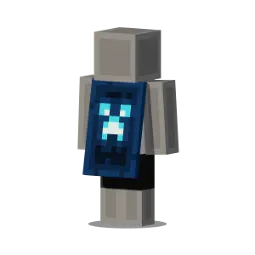
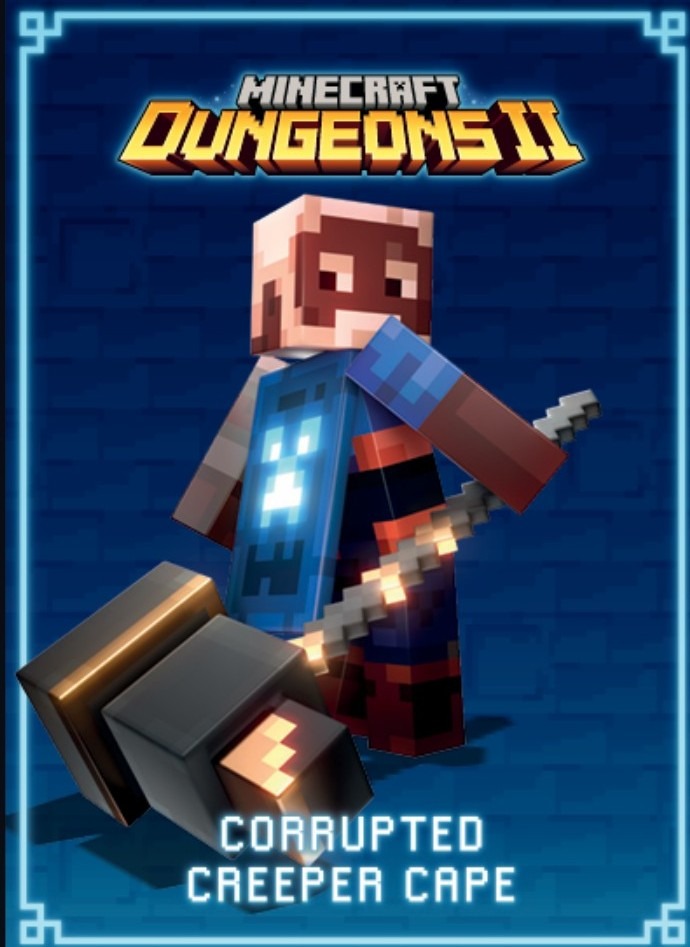
Missed the 15th Anniversary Creeper Battle? Missed Tokyo Event? Get your official, unredeemed Creeper Cape gift code right here! 📦 WHAT YOU GET: 1x Genuine Minecraft Creeper Cape ... Code, sent directly to your email immediately after payment confirmation. 🗓️ REDEMPTION TIMELINE: • ACTIVE FROM: September 29, 2026. • EXPIRES: December 31, 2027. 🎮 COMPATIBILITY (READ CAREFULLY): • Confirmed: Officially for Minecraft Dungeons. • Unconfirmed: Possible future addition to Java & Bedrock editions. (Secure it now before a potential cross-game rollout drives the price up!) ⚡ FAST DELIVERY: No physical shipping. The unique code drops straight into your inbox. Hold onto it until Sept 29, then redeem it on the official Minecraft website. Stock is extremely limited. Don't let this exclusive pixel art slip away!
Item type
Other
10 people are viewing this item
Quantity
Only 3 left
Buyer protection
Your purchase on the Eloboost24 platform is fully protected by our Buyer Protection Policy.
- Refund to your balance if not delivered
- Secure payment
About seller
tangomanu
RegularYou may also like
 Newcomer

FAQs about Items
What Minecraft items can I buy on EB24?
Worlds, texture packs, skin packs, mash up packs and mini games. Worlds are finished builds you load and play. Texture and skin packs change how the game looks. Mash up packs combine several of those. Mini games are playable builds made for a specific mode and player count.
What should I check before buying a Minecraft world?
Scale and completeness. A listing that describes the regions, structures and systems inside a build tells you far more than a screenshot does. Ask in chat whether the world is finished or still in progress, and get the answer in writing before you pay for it.
How do texture pack listings describe what I am getting?
Through resolution and style. A higher resolution pack looks different and also demands more from your hardware, so both matter. A single preview shot rarely represents how a pack reads across an entire world, which is why the written description carries the useful detail.
What is a mash up pack?
A combined offer that bundles more than one content type, typically a world alongside matching textures and skins. Because the value depends entirely on what is inside, these listings itemise their contents so you can price them against buying the parts separately.
How is a Minecraft item delivered?
Through the transfer method the seller states on the listing, which the order panel repeats after payment clears. You keep your own account throughout. No part of the handover requires sharing a password or a login code, so treat any such request as a reason to report.
How long does delivery take?
Each offer shows Instant Delivery or a scheduled slot before you pay. Pack transfers are usually fast because the files are small. Large worlds can take longer, so choose a window when you will be available to receive the transfer and check that it loads correctly.
Why do two Minecraft world listings differ so much in price?
Build hours are the main factor. A world with detailed regions and working systems represents far more work than a terrain-only map, even if both cover the same area. Read the contents description carefully, since that is where the difference in effort becomes visible.
What if the delivery does not match the listing?
Load the world or pack, capture what you see, and post it in Order Chat next to the offer description. Missing content is straightforward to demonstrate. If it is not settled there, open a dispute from the order page inside your warranty window while escrow holds the funds.
How it works?
Buying LoL items on Eloboost24 is simple and clear. Here’s how the process works step by step.
Browse Available Items View EB24’s Anime Vanguard listings and compare units, upgrades, or other in-game resources. Every offer will provide detailed information so you know exactly what’s included before purchasing your order.
Complete the Purchase Once payment is confirmed, follow the instructions laid out via EB24’s secure checkout system. Your order will appear in your dashboard with full transparency. This includes exercising tracking and communication options.
Review Delivery Instructions Delivery instructions are displayed directly inside your order panel, describing how the in-game transfer works. Simply follow what you need to do for a smooth process.
Receive the Item In-Game The exchange is completed through safe in-game methods. Just follow the instructions to receive the item ordered. No login details are needed.
Order Protection Open the automated dispute from your dashboard if you encounter issues with your order. As part of your purchase protection, the system will clearly and fairly analyze your case before a decision is made.