Fortnite 2FA(二段階認証)の有効化方法 - EB24
Fortniteの2FA(二段階認証)はEpicゲームズアカウントでどう設定すればいいのでしょうか?このガイドでは、Fortniteの二段階認証が何を意味するのかを説明します。また、Fortniteで二段階認証を有効にする方法(と無効にする方法)もご紹介します。
Fortniteの2FAとは?
Fortniteで2FAとは何を意味する?2FAは二段階認証(two-factor authentication)の略です。Epicアカウントを不正アクセスから守るための多要素認証のセキュリティ対策です。インターネット上には詐欺師やハッカーが数多く潜んでいるので、こうした侵入者から身を守るには、Fortniteで2FAを設定する方法(と二段階認証をオンにする方法)を知っておくことが欠かせません。
EpicゲームズアカウントでFortniteの2FA(二段階認証)を有効にすべき理由
ハッカーや盗人からアカウントを守ることは非常に重要です。Fortnite の2FAをオンにすると、アカウントのセキュリティが強化されます。これにより、Epicアカウントにログインし、Fortniteや、Epicゲームズストアで既に購入したゲームにアクセスできるのは、あなただけになります。
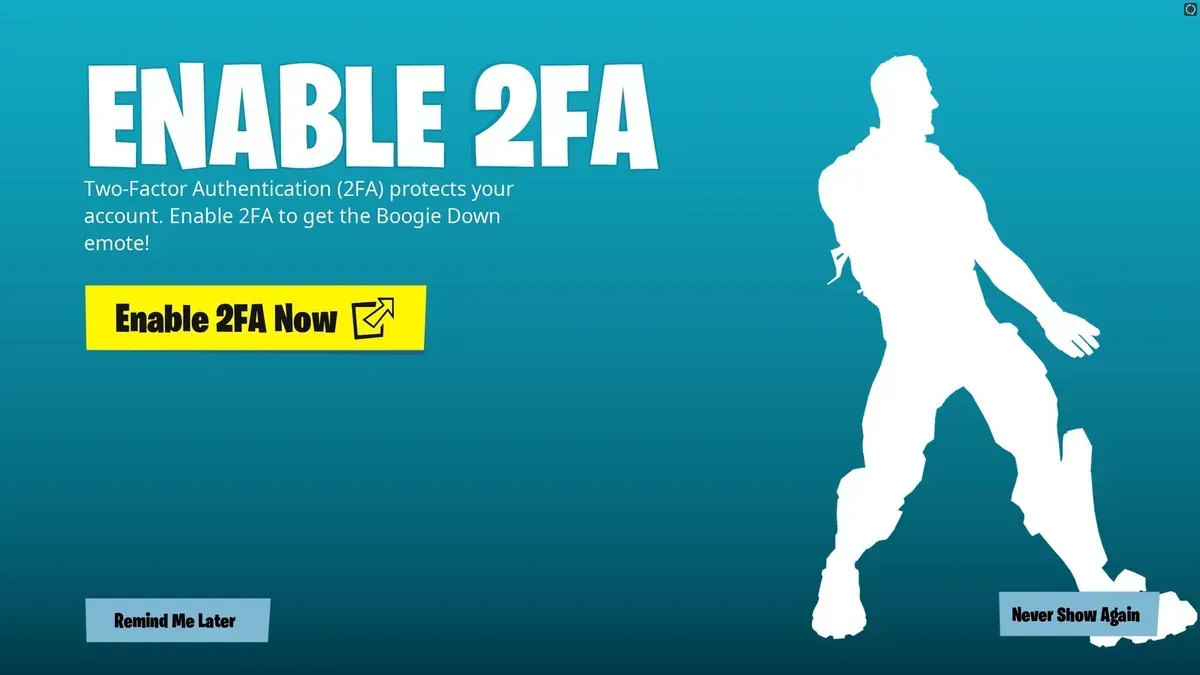
二段階認証をオンにすると、さらに特典もあります。Fortniteの2FAを設定すると、限定のダンスエモートBoogie Downがもらえます。ただ、最大の目的はアカウントに追加のセキュリティをかけることです。ゲームに投資したコンテンツを守りたい場合には特に重要です。これは、EB24 Marketplaceのような取引プラットフォームでFortniteアカウントを売買する人にも当てはまります。
Fortniteアカウントの購入方法
Fortniteアカウントの販売方法
FortniteアカウントでDo二段階認証を有効にする方法
Fortniteの2FA(またはFortniteでの二段階認証の設定)は、ブラウザから始まります。ウェブブラウザでEpicの公式サイトにログインし、Fortniteアカウントが紐づいているプラットフォームを選択してください。Fortniteは、Android、iOS、macOS、Nintendo Switch、PC Windows、PlayStation 4、PlayStation 5、Xbox One、Xbox Series X/Sで利用できます。
Fortniteで2FAを有効にする手順は次のとおりです。
アカウントページで、左側のメニューから「パスワードとセキュリティ」を選択します。
「二段階認証」で、希望の方法を選択します。
「認証アプリ」を選ぶと、アプリストアから サードパーティ製の認証アプリをダウンロードする必要があります。(Fortnite Authy、Google Authenticator、Lastpass Authenticator、Microsoft Authenticatorのいずれかをおすすめします。)ここでQRコードをスキャンすると、認証アプリがEpicでの設定を完了し、アカウントが保護されます。
「SMS認証」を選ぶと、SMSを受け取れる電話番号を入力する必要があります。ここで、ブーストされた方法としてEpicの2FAを作成することもできます。Fortniteらしく、世界を危機から救いましょう。
「メール認証」を有効にするには、アカウントのメールアドレスが使われます。Epicから認証コードがメールで届きます。
選んだ2FAの方法を使用した後は、新しい端末からFortniteにアクセスするたびにセキュリティコードの入力が必要になります。
Fortniteで2FAを無効にする方法
Fortniteの2FAを無効にしたい場合は、Epicゲームズのログイン情報を入力し、「パスワードとセキュリティ」に進んでください。そこからオフに切り替えられます。これはEpicの公式サイトまたはFortniteランチャーから行えます。この方法は選択できますが、おすすめはしません。技術に長けたハッカーからアカウントを守る二段階目の防御を失ってしまうためです。ハッカーは「簡単にハックできる」アカウント設定を常に探しています。
For gamers who possess the rarest skins in Fortnite, ensuring you have 2FA turned on is vital if you want to protect yourself from theft. Believe it or not, it does happen. If you've turned this off, don't worry. You can enable 2FA in Fortnite using the same methods we explained.
How to Enable 2FA On Fortnite: Conclusion
You can activate Fortnite's 2FA via email, a reliable authenticator, and by SMS. It is highly recommended that you do so, as this provides extra protection to your account. Once you enter your email into any game, product, or service online, it's something talented hackers can access if there isn't a multi-layered security system in place.
Even if you're new to Fortnite's gaming platform, don't assume that your newbie account will fly under a scammer's radar. In fact, you'll be considered "easy prey" to them. Should you access Free Skins in Fortnite (and learn Fortnite Basics for Beginners), con artists who pay attention may try to target you. They're going to do everything they can to turn you into their next victim. Don't give them the satisfaction. Your best line of defence starts by protecting yourself with 2FA (and don't share any personal information they can use to harm you).
こちらもおすすめ