


Steam Wallet Card INR 2500 (India Region) - Instant
Gift card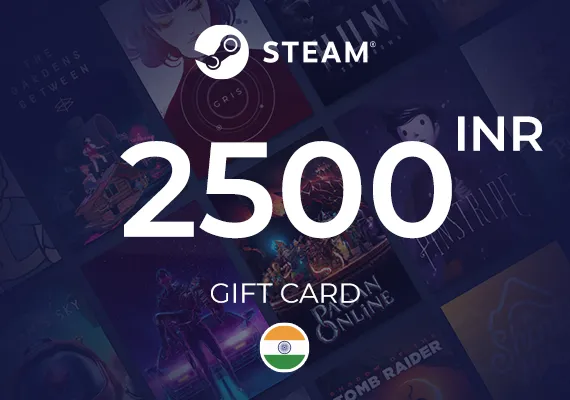
10 people are viewing this item
Currently unavailable
Browse similar items below, new stock arrives daily
Buyer protection
Your purchase on the Eloboost24 platform is fully protected by our Buyer Protection Policy.
- Refund to your balance if not delivered
- Secure payment
About seller

royal-bird-5998
RegularGet instant funds for your Steam account! Buy games, DLCs, or items without waiting. Product Details: · Value: INR 2500 · Platform: Steam · Region: India Only (INR Wallet) · Deli ... very: Instant Code Why buy from us? · 100% Genuine Code · Fast Delivery via Order Chat · Secure Transaction IMPORTANT (Please Read): 1. Region Locked: ONLY works on Steam accounts registered in India (INR currency). Will NOT work on US, UK, or other regions. 2. How to Redeem: Open Steam > Games > Activate a Product on Steam > Enter Code. 3. No Refunds: Once the code is delivered, it cannot be refunded. Ensure you have an India account. Contact me via platform chat for any help. Thank you!
Region
India
From the same seller
 Newcomer
PSN Gift Card 1000 INR - India Region -Instant Delivery
Seller
FAQs about Items
Which regions can I buy Steam Gift Cards for?
EB24 groups Steam Wallet codes into 43 regions, among them Global, United States, Europe, United Kingdom, Poland, Brazil, Canada, Australia, India and the LATAM and MENA USD regions. Pick the region whose currency matches your Steam wallet, then compare sellers within it.
Will a Steam Wallet code from another region work on my account?
Regional codes are issued for one wallet currency, and Steam can refuse a code that does not match yours. Global listings are for codes the seller states will redeem regardless of currency, so read the listing note before choosing one.
How do I check my Steam wallet currency?
Sign in to Steam and open Account Details, or look at the balance shown next to your name in the store. The currency symbol there is the one your code has to match. A wallet that has never been funded takes the currency of its first purchase.
Why do Steam Gift Card listings have no value dropdown?
Sellers set the wallet amount they want to sell, so the figure is written in the listing title and reflected in the price. That lets you compare offers for the same region by reading the titles one after another.
How long does delivery of a Steam Wallet code take?
Each seller sets their own delivery time, and it is shown on the listing before checkout. The code appears in your EB24 order once it is sent, and if the stated time passes without one, you can raise it on the order.
What if Steam says my wallet code is invalid?
Open a dispute from the order instead of writing the money off. Whether the code was already redeemed, mistyped by the seller, or issued for another currency, EB24 keeps the payment on hold until the seller fixes it or the case is resolved.
How it works?
Buying a Steam Gift Card on EB24 starts with the currency your Steam Wallet uses, then checking out and redeeming the code from your order panel in the Steam client.
Find Your Steam Wallet Currency Open Account Details in Steam to see the currency your wallet uses, then narrow EB24 listings to the region that pays out in that currency.
Pay Through the EB24 Checkout Buy the code on EB24 rather than paying a seller off-site. The checkout is what places your payment in escrow until the order is settled.
Collect the Code in Your Order When the seller delivers, the wallet code appears inside your order. Your Steam login and Steam Guard codes stay with you the whole time.
Redeem on Your Steam Account In the Steam client choose Games, then Redeem a Steam Wallet Code, or open store.steampowered.com/account/redeemwalletcode in a browser and paste it in.
Code Refused? Open a Dispute If Steam rejects the code or it belongs to a different currency than listed, open a dispute from the order. The seller is not paid while it is open.