




P90 Chromatic
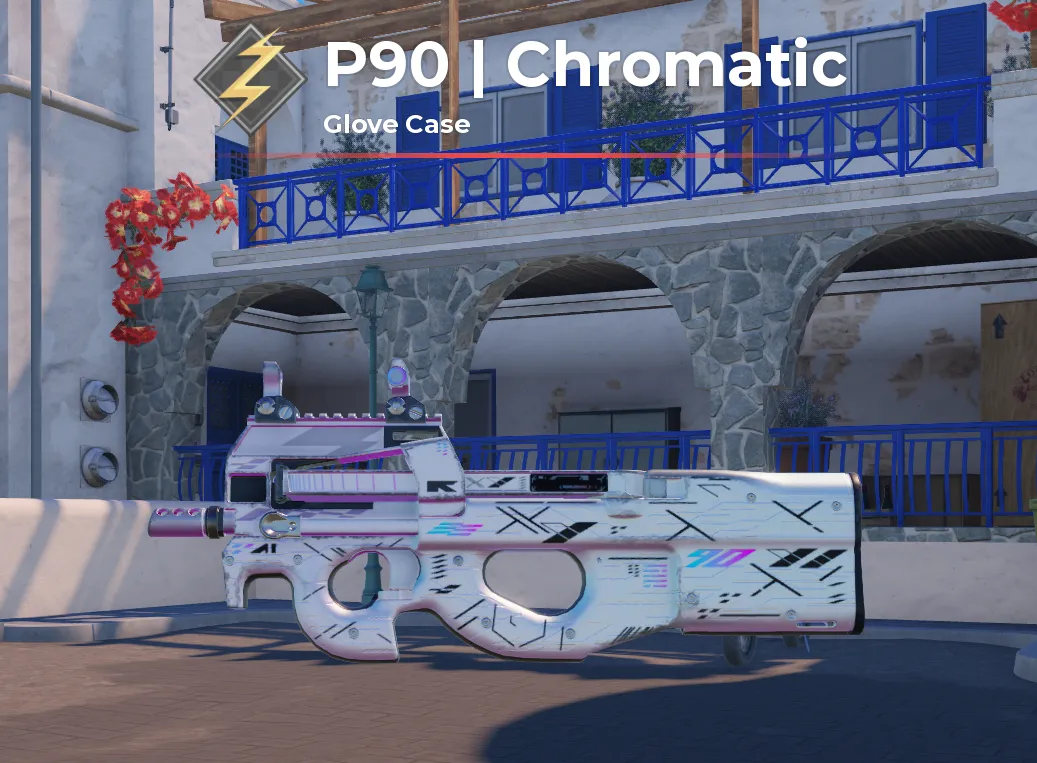
Float: 0.159...
Item type
Skins
2 people are viewing this item
Buyer protection
Your purchase on the Eloboost24 platform is fully protected by our Buyer Protection Policy.
- Refund to your balance if not delivered
- Secure payment
About seller

FAQs about Items
What BloxStrike items can I buy on EB24?
Listings cover skins, gloves, knives, stickers, charms, graffiti, agents, cases, keys, currency and bundles. Knives and gloves are listed separately from weapon skins because they sit in their own inventory slots and price on their own terms.
Should I buy cases and keys or the skin directly?
Cases are a gamble by design, so the expected return sits below what you pay to open them. If you want a specific knife or glove, buying that listing outright removes the variance. Cases make more sense when the opening itself is the point.
Why are knives and gloves priced above most weapon skins?
They come from a narrower pool and drop far less often, and only one of each can be equipped at a time. That combination of low supply and constant visibility is why they hold value better than a common rifle skin.
How is a BloxStrike item delivered?
Items move through the in-game trade, so a knife or glove lands in your own inventory. Payment clears first, then the order panel opens with the seller notes and the slot you booked, and the handover runs the way the listing sets out. You stay signed in on your account throughout.
Do stickers and charms come applied or loose?
The listing states this, and it matters. Applying a sticker usually ties it to that weapon, so a loose sticker keeps your options open while an applied one is part of the skin you are buying. Read the description before you compare two offers.
How should I compare two skin listings?
Filter to one item type, then compare condition, pattern and any applied stickers. Two skins with the same name can look and price quite differently, so read what the seller states rather than relying on the title.
How do I sell BloxStrike items on EB24?
Set up a payout method, then list the item with its type, quantity and a delivery window you can keep. Describe condition and pattern on cosmetics. After review the offer goes live and payment sits in escrow until delivery is confirmed.
What if the item delivered is not the one advertised?
Post inventory screenshots in Order Chat next to the listing description. Cosmetics are easy to verify visually. If that does not settle it, open a dispute from the order page inside the warranty window while escrow holds the funds.
How it works?
Buying LoL items on Eloboost24 is simple and clear. Here’s how the process works step by step.

Browse Available Items View EB24’s Anime Vanguard listings and compare units, upgrades, or other in-game resources. Every offer will provide detailed information so you know exactly what’s included before purchasing your order.
Complete the Purchase Once payment is confirmed, follow the instructions laid out via EB24’s secure checkout system. Your order will appear in your dashboard with full transparency. This includes exercising tracking and communication options.
Review Delivery Instructions Delivery instructions are displayed directly inside your order panel, describing how the in-game transfer works. Simply follow what you need to do for a smooth process.
Receive the Item In-Game The exchange is completed through safe in-game methods. Just follow the instructions to receive the item ordered. No login details are needed.
Order Protection Open the automated dispute from your dashboard if you encounter issues with your order. As part of your purchase protection, the system will clearly and fairly analyze your case before a decision is made.