



Contas Whiteout Survival
Herda uma Fornalha acesa com o Poder, o nível VIP e os heróis SSR já garantidos, no Estado e no telemóvel que usas para jogar.

 Vendedor Top
 State 3495 | VIP 8 | 334M Power(Peak) | T10 Troops | FC
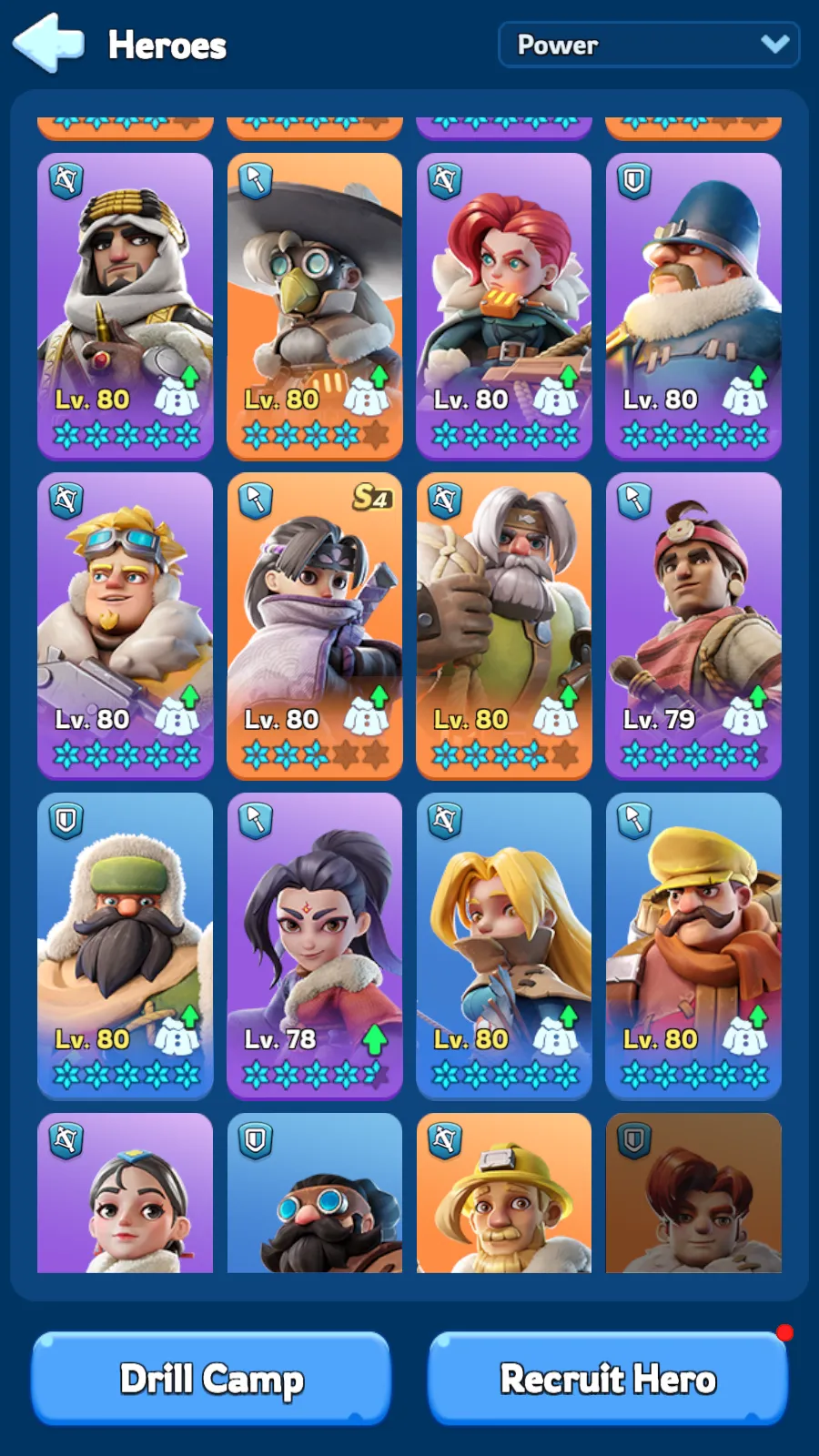

Vendedor Entrega: Imediato
Vendedor Top State 1945 | VIP 9 | 620M Power(Peak) | T11(Helios)
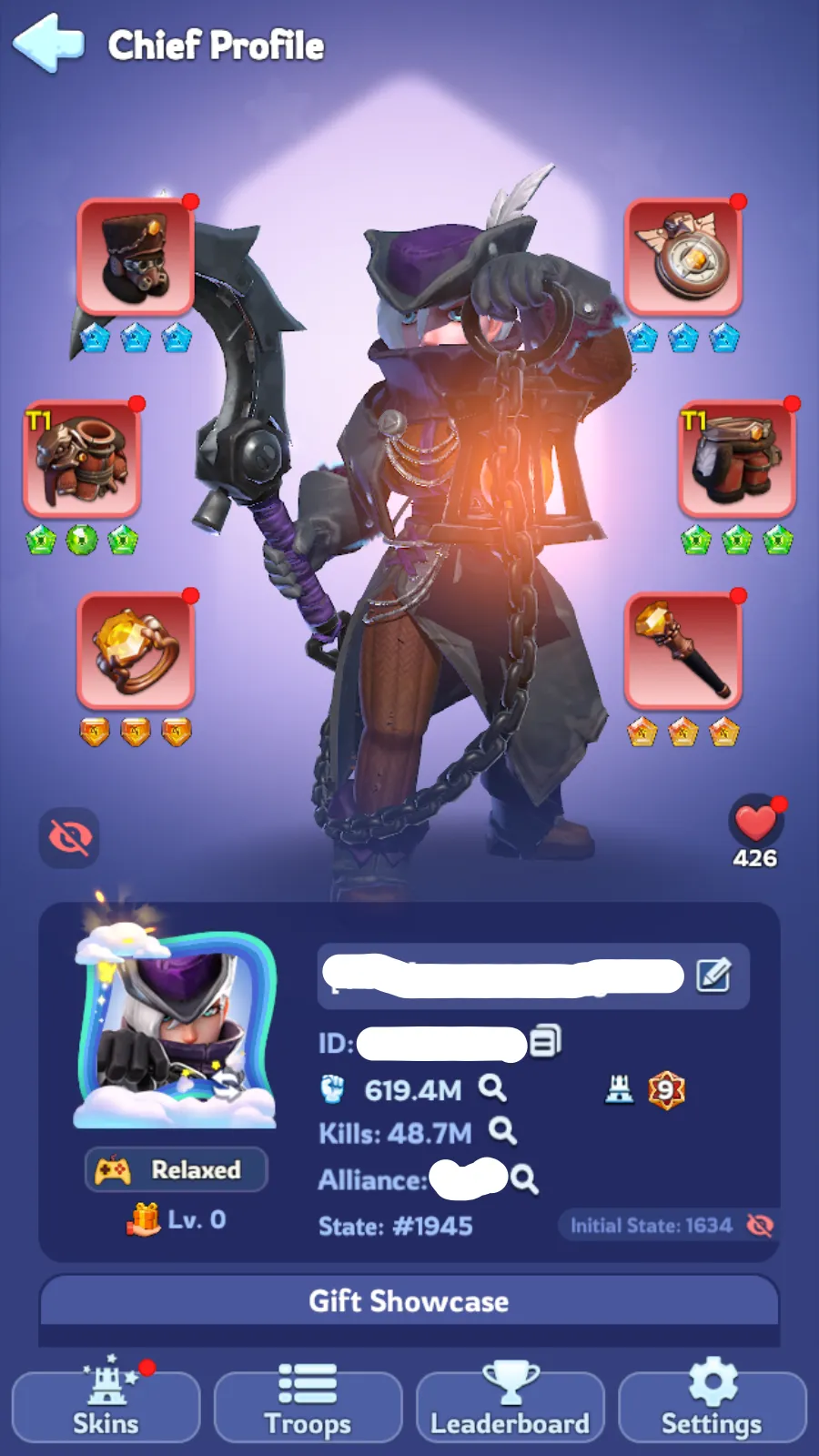
Vendedor Entrega: Imediato
Vendedor Top State 3242 | VIP8 | 419M Power(Peak) | T11(Helios)
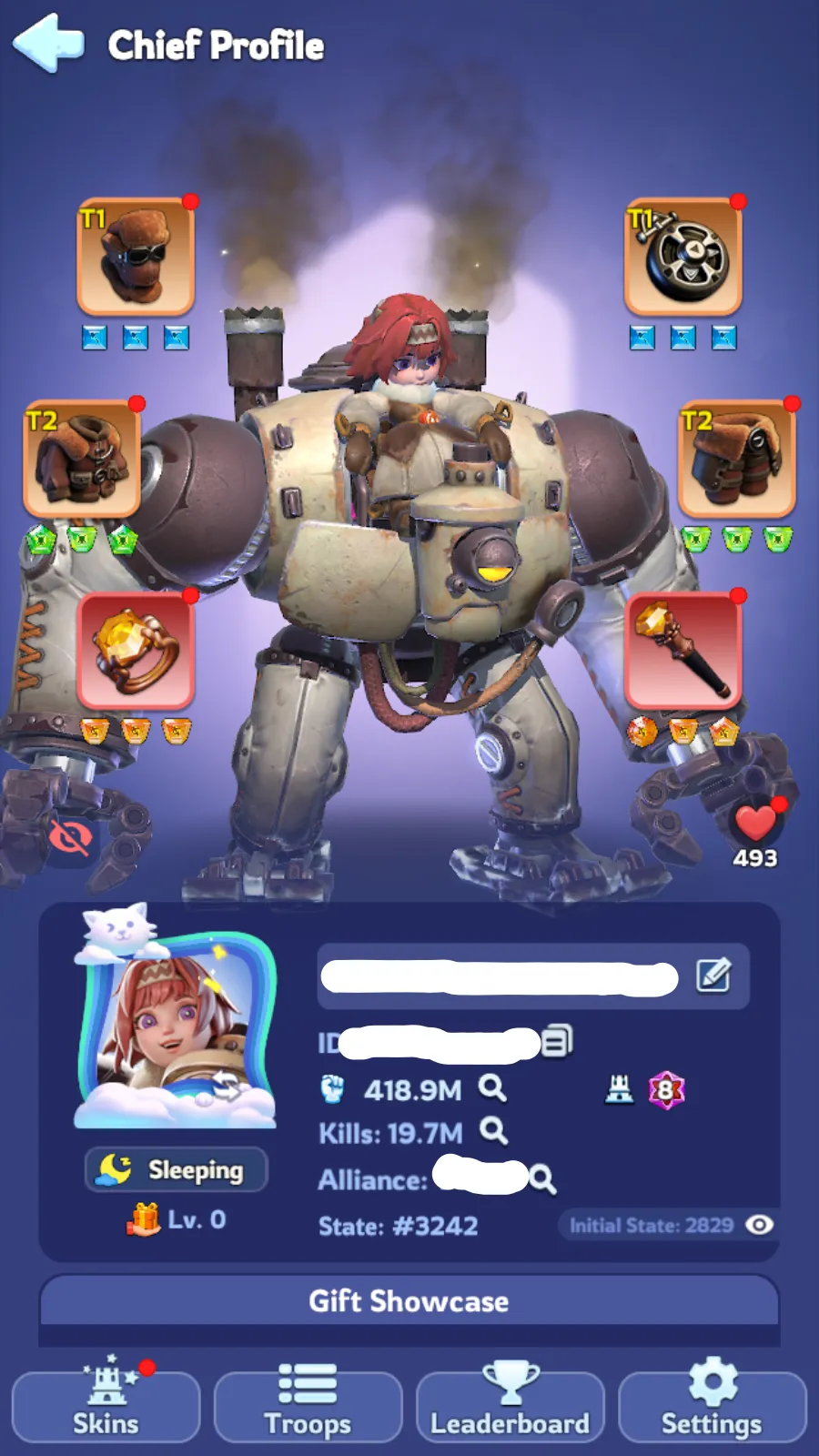
Vendedor Entrega: Imediato
Vendedor Top State 3112 | VIP 9 | 309M Power(Peak) | T11(Helios)
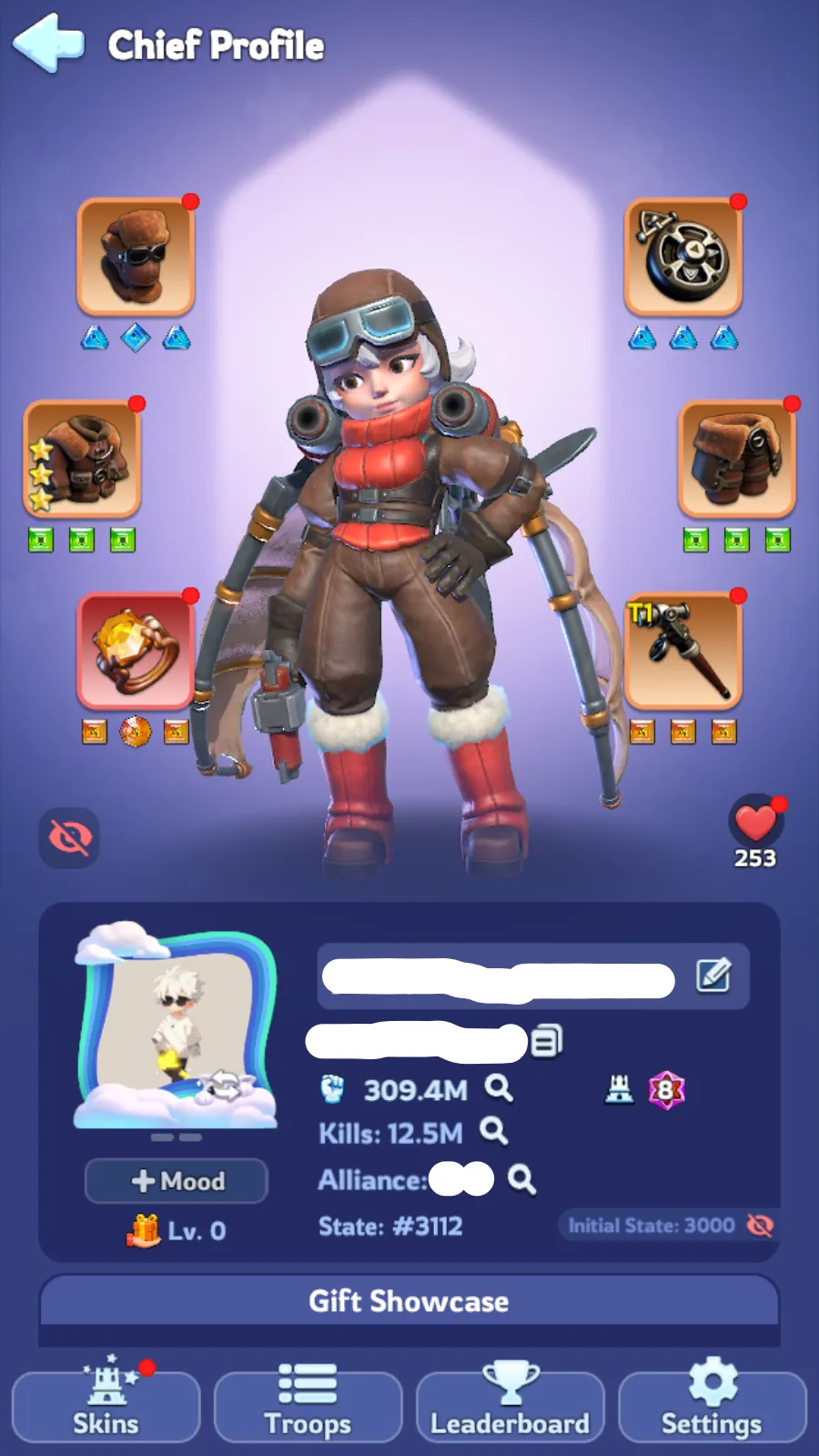
Vendedor Entrega: Imediato
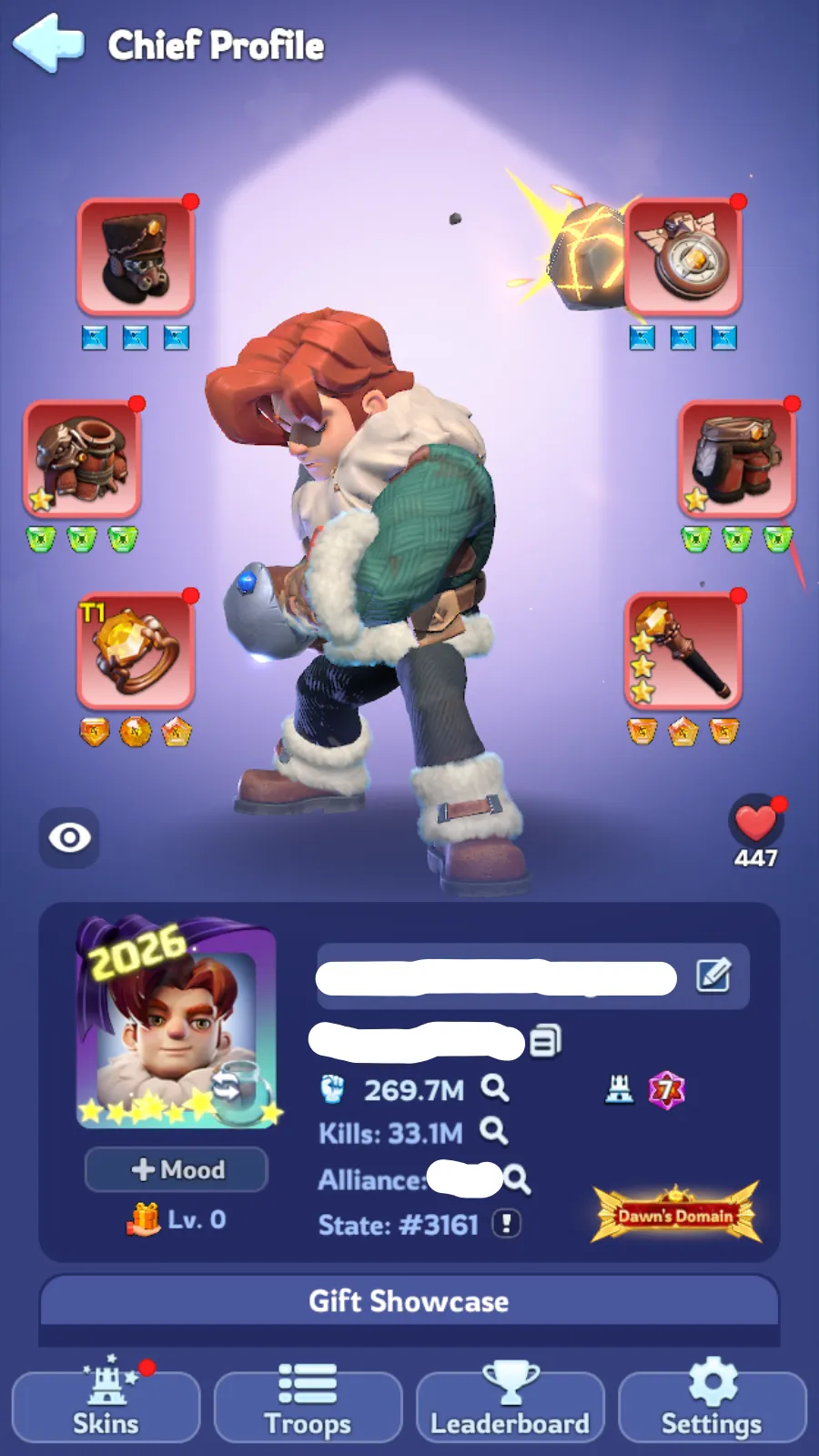
Vendedor Top State 3161 | VIP 10(906K/1.2M) | 269M Power(Peak)
Vendedor Entrega: Imediato
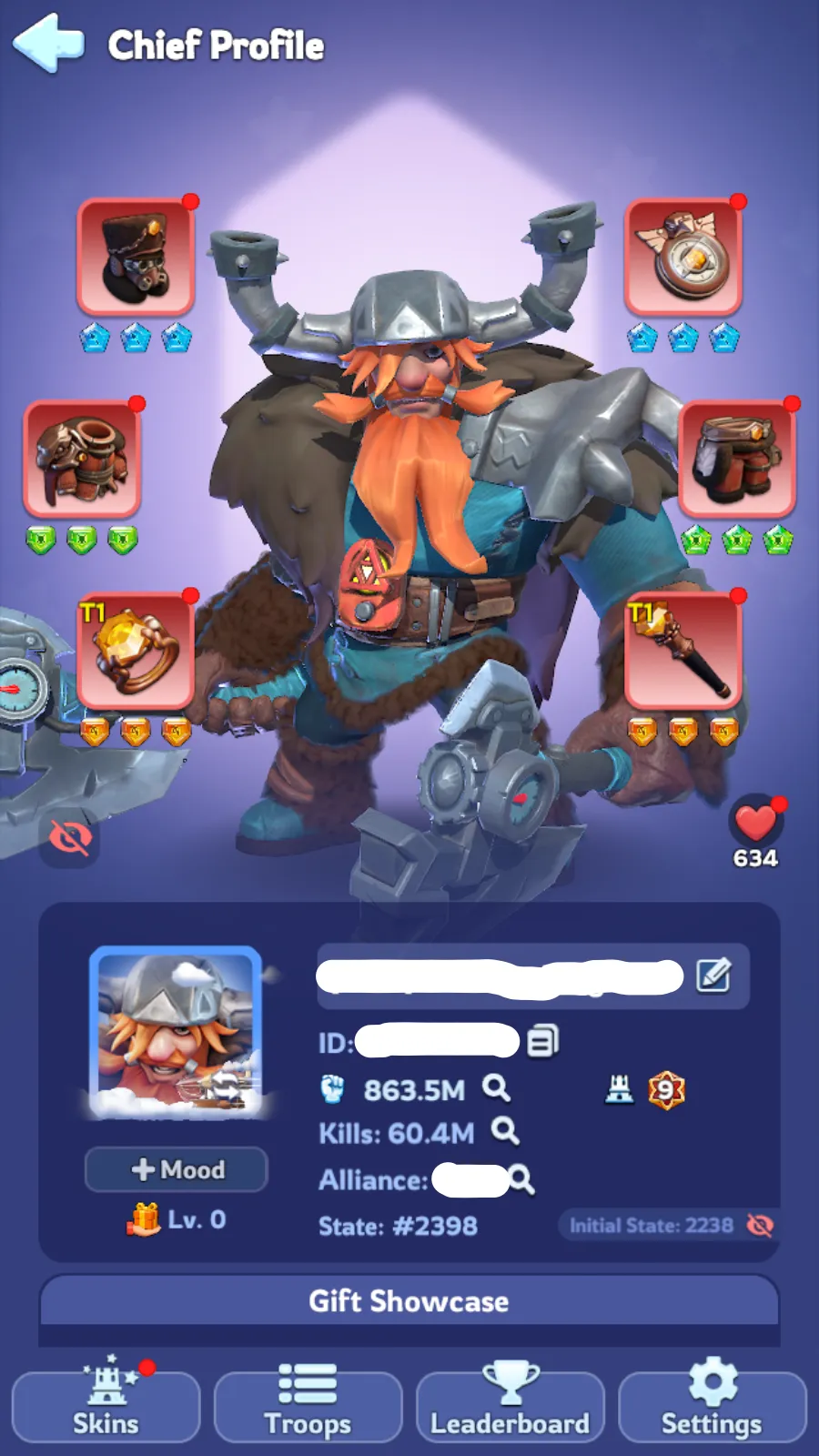
Vendedor Top State 2398 | VIP 9 | 2 Chars : 863M Power(Peak) + 722M
Vendedor Entrega: Imediato
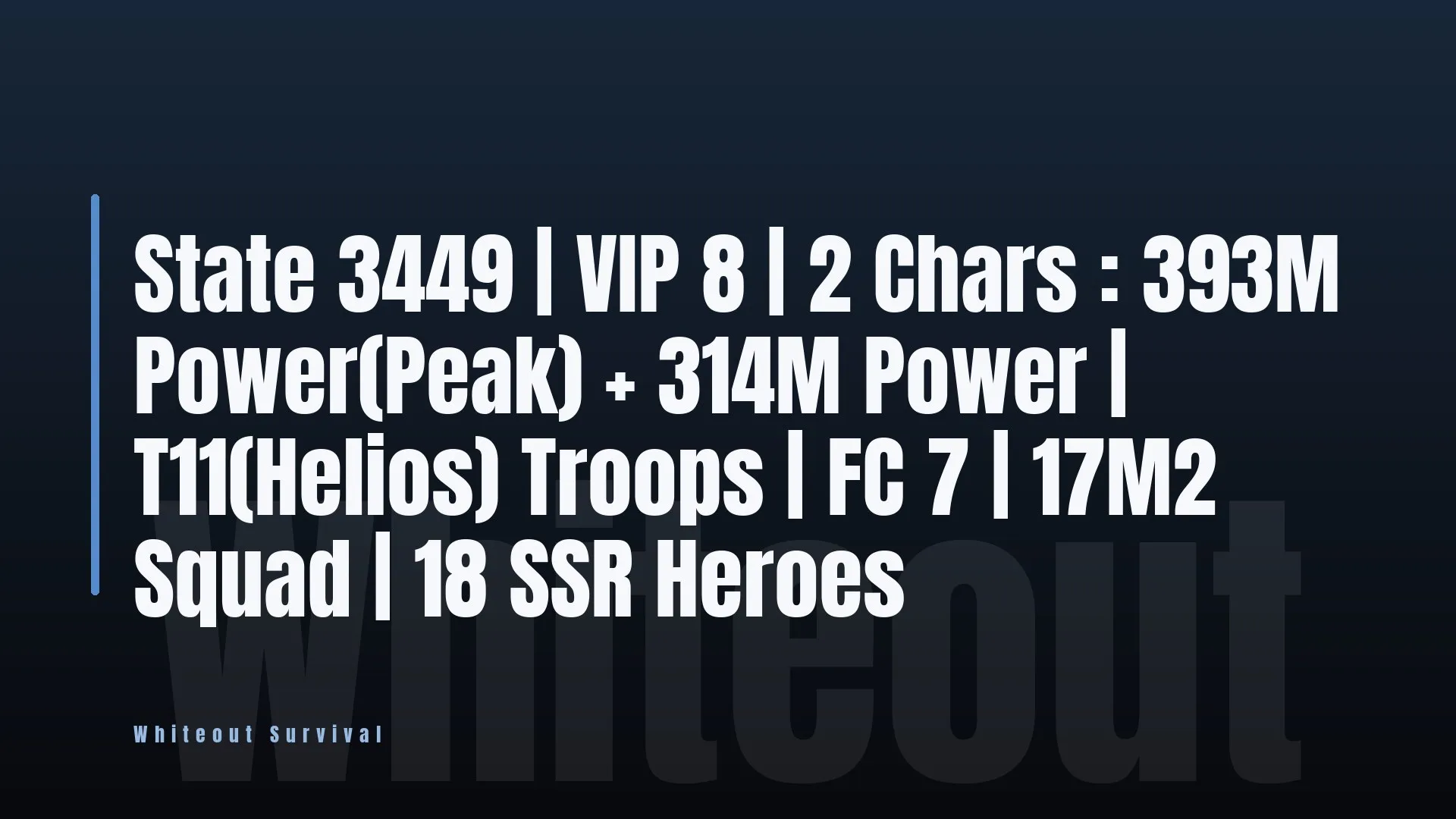
Vendedor Top State 3449 | VIP 8 | 2 Chars : 393M Power(Peak) + 314M
Vendedor Entrega: Imediato
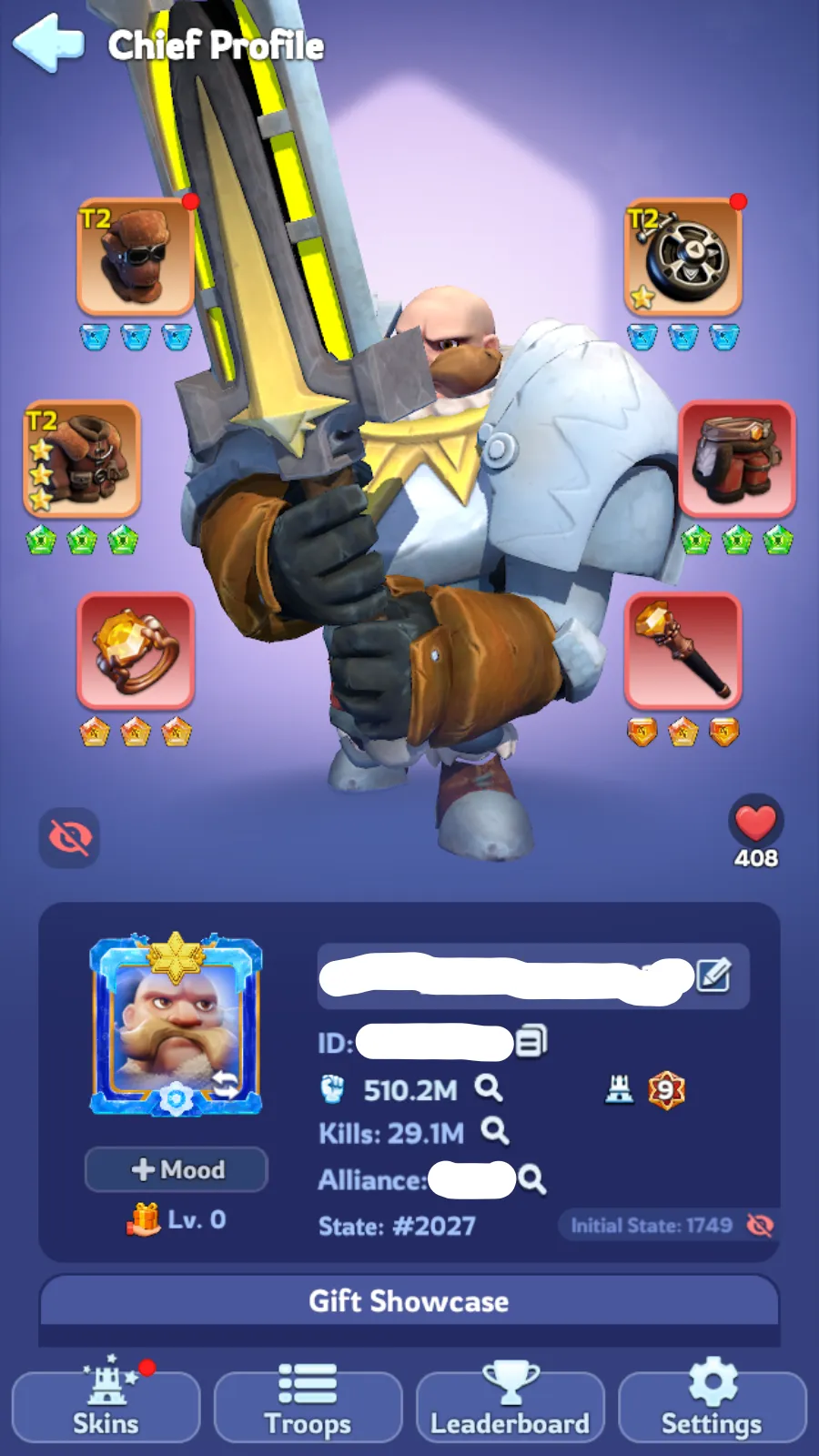
Vendedor Top State 2027 | VIP 9 | 510M Power(Peak) | T11(Helios)
Vendedor Entrega: Imediato
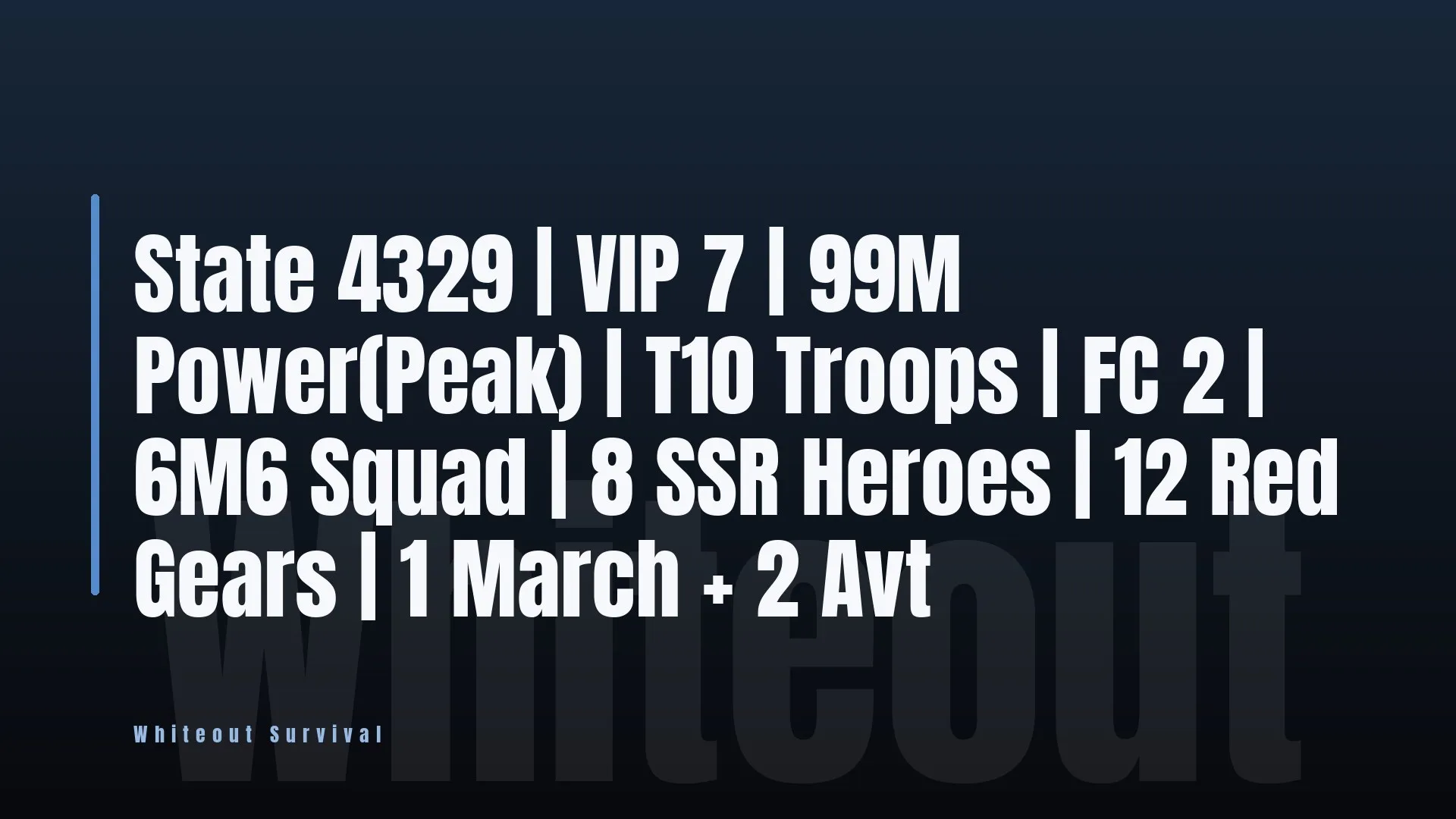
Vendedor Top State 4329 | VIP 7 | 99M Power(Peak) | T10 Troops | FC
Vendedor Entrega: Imediato
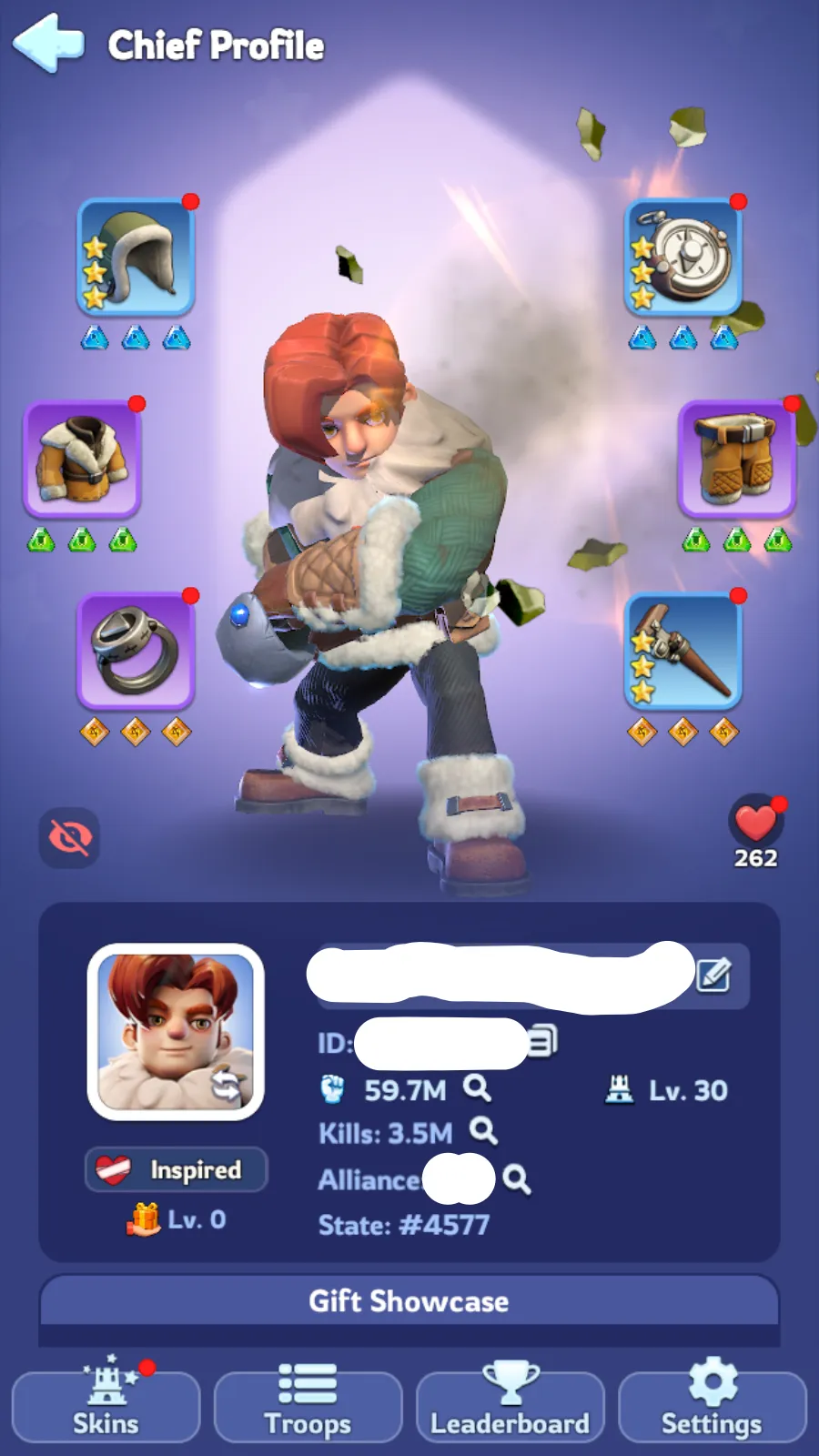
Vendedor Top State 4577 | VIP 7 | 60M Power(Peak) | T10 Troops
Vendedor Entrega: Imediato
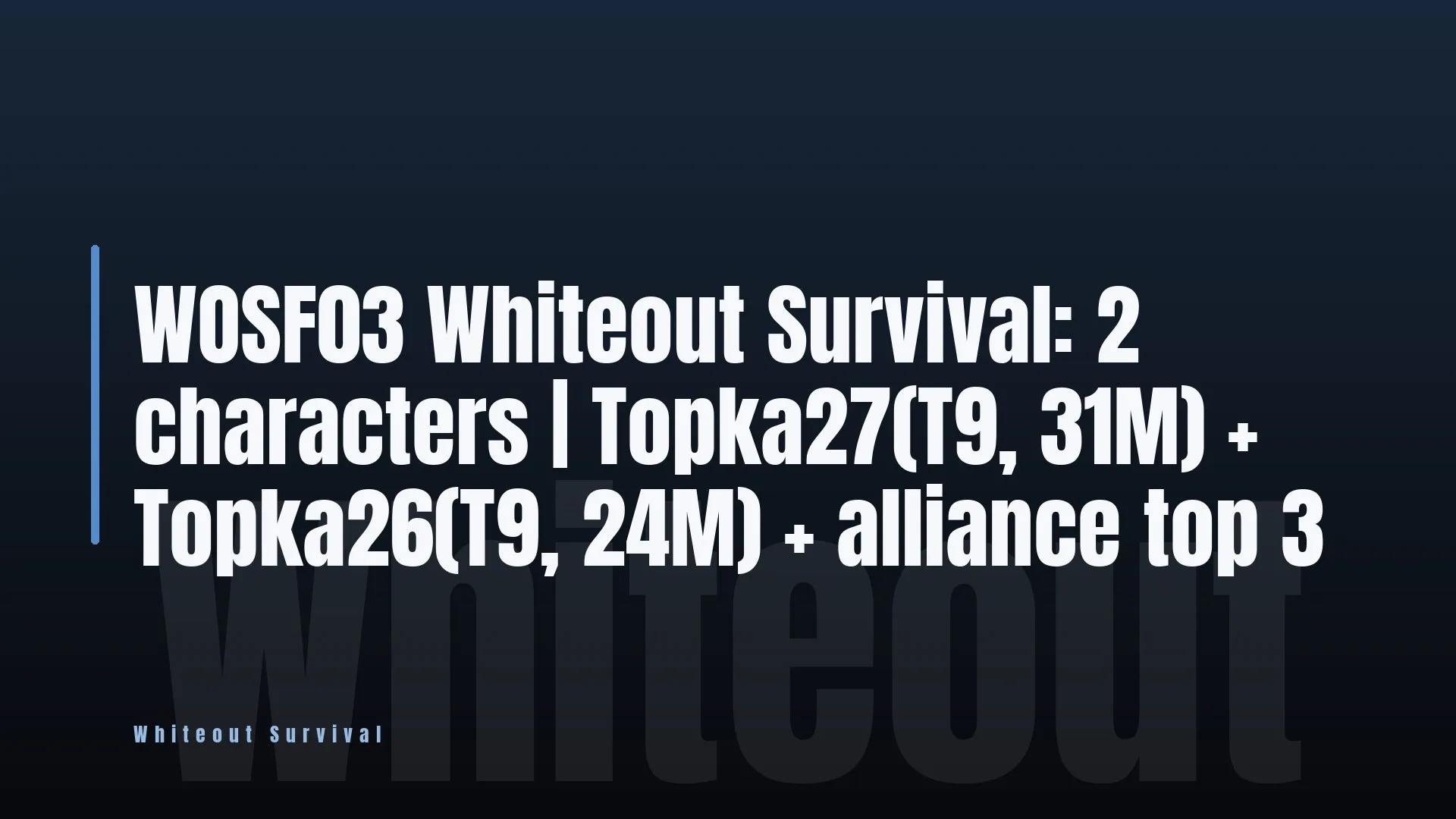
Vendedor Top WOSF03 Whiteout Survival: 2 characters | Topka27(T9
Vendedor Entrega: Imediato
Ofertas em direto
Deixa os vendedores chegarem a ti
Descreve o que queres e os vendedores de Whiteout Survival enviam-te ofertas em minutos. Compra uma ou oferece um preço mais baixo.
Contas Whiteout Survival à venda
Whiteout Survival é um city-builder de sobrevivência ambientado depois de o mundo congelar, jogado em Android e iOS. Manténs uma Fornalha acesa, fazes crescer o assentamento à sua volta e partilhas um Estado numerado com todos os outros que caíram no mesmo servidor. Explora as contas Whiteout Survival à venda e cada anúncio traz os números que descrevem o assentamento por trás dele.
Salta já para assentamentos com Fornalha de nível 30 ou superior se quiseres o tempo de aquecimento e de melhorias já cumprido, ou começa por assentamentos Android se o dispositivo onde jogas decidir isso por ti.
O que te diz um anúncio de conta Whiteout Survival
Seis campos definem um anúncio de Whiteout Survival, e cada um altera aquilo que o assentamento consegue fazer no dia em que chega às tuas mãos:
Nível da Fornalha
Poder
Nível VIP
Heróis SSR
Estado
Plataforma
Tipos de contas de Whiteout Survival
Os assentamentos não são construídos todos da mesma forma, e uma conta de Whiteout Survival costuma pender para uma direção em vez de estar equilibrada:
- Os assentamentos iniciais têm uma Fornalha de nível baixo e pouco Poder construído por baixo.
- Os acampamentos de nível intermédio têm uma Fornalha suficientemente profunda para o conteúdo principal e um banco de heróis utilizável.
- Os acampamentos centrados nos heróis apoiam-se numa vasta lista de heróis SSR e não apenas no Poder bruto de construção.
- Os assentamentos com foco no VIP têm bónus comprados mais depressa do que a Fornalha que está por trás.
- Cada anúncio indica todos estes valores, por isso nenhum destes perfis é uma suposição.
Assente na construção
Se queres os edifícios e a investigação prontos à tua espera, compara os acampamentos a partir de 10 milhões de Poder com os de nível da Fornalha 25 ou superior e vê qual a combinação que se adapta ao teu orçamento.
Assente em heróis e VIP
Se a equipa de heróis importa mais do que as construções, vê os acampamentos com 10 ou mais heróis SSR ou os de nível VIP 10 ou superior para uma rotina diária mais rápida.
Onde calhas também decide com quem calhas a seguir. Os servidores mais recentes enchem de forma diferente dos antigos, por isso os assentamentos nos Estados 1500 e acima são filtrados à parte.
Como ler a progressão de Whiteout Survival
Nenhum número isolado diz quanto vale uma conta de Whiteout Survival para ti. Lê-os por ordem e cada um responde a uma pergunta diferente:
- O nível da Fornalha indica até onde o acampamento pode chegar.
- O Poder indica-te quanto dessa margem foi efetivamente construída.
- A contagem de heróis SSR indica o que podes pôr em campo quando lá chegares.
- O nível VIP indica quanto encurta a rotina diária.
- O número do Estado diz-te quem serão os teus vizinhos.
Fornalha e Poder em conjunto
Uma Fornalha bem desenvolvida com pouco Poder é uma base com espaço por preencher. Compara a Fornalha nível 30 e acima com as bases a partir de 30 milhões de Poder para veres quanto do trabalho já está feito.
O banco de heróis que herdas
Os heróis são o que realmente envias para combate, por isso vê os acampamentos com 5 ou mais heróis SSR antes de pagares só pelo Poder, e confirma os acampamentos iOS que abrem no telemóvel que usas.
Como proteger uma conta de Whiteout Survival após a compra
Uma conta de Whiteout Survival é uma conta de telemóvel ligada a uma base que o antigo dono passou meses a aquecer, por isso a entrega só fica concluída quando essa conta responder apenas a ti. Percorre a lista abaixo antes de começares o teu primeiro dia no Estado:
- Muda a palavra-passe da conta assim que for transferida, para uma que não uses noutro lado.
- Muda o e-mail associado para uma caixa de entrada que mais ninguém consiga abrir.
- Termina a sessão do assentamento em qualquer outro telemóvel ou tablet que ainda tenha uma sessão ativa.
- Desassocia qualquer método de pagamento que o antigo dono tenha deixado ligado à conta da loja por trás do início de sessão.
- Se o nível da Fornalha, o Poder, o nível VIP, o número de heróis SSR, o Estado ou a plataforma não corresponderem ao anúncio, contacta o suporte da EB24 enquanto a janela de garantia estiver aberta.
Os números que não batem certo são exatamente o que a janela de garantia cobre. Assim que o início de sessão for teu, abre o acampamento e confirma o nível da Fornalha, o Poder, o nível VIP e o número de heróis SSR face ao que o anúncio indicava. Se preferires começar noutro sítio mais sossegado, acampamentos no Estado 2000 ou superior estão nos servidores mais recentes.
Vende Whiteout Survival contas ou junta-te à equipa
Transforma o teu Whiteout Survival contas em rendimento com pagamento em custódia e compradores verificados, ou vê todas as vagas de gaming para as quais a EB24 está a contratar.


Perguntas frequentes sobre os vendedores da EB24
É seguro comprar uma conta de Whiteout Survival?
Sim. A EB24 confirma a plataforma, o Poder, o nível da Fornalha, o nível VIP, o número de heróis SSR e o Estado de cada anúncio Whiteout Survival antes de este ficar online. O teu pagamento fica em custódia até a conta chegar até ti, e há um período de garantia depois da entrega, para que qualquer coisa que não corresponda possa ainda ser comunicada.
O que significa o nível da Fornalha num anúncio de Whiteout Survival?
A Fornalha é o edifício em torno do qual todo o assentamento está organizado, e o seu nível limita até onde podem avançar todos os outros edifícios, linhas de investigação e níveis de tropas. Comprar uma Fornalha mais profunda poupa o tempo de aquecimento e de melhoria que esse nível representa, por isso é o campo que a maioria dos compradores filtra primeiro.
Em que é que o Poder difere do nível da Fornalha?
O nível da Fornalha é o limite que um acampamento pode atingir. O Poder é o total acumulado do que foi efetivamente construído, incluindo edifícios, investigação e as tropas no acampamento. Duas contas podem ter o mesmo nível de Fornalha e estar muito distantes em Poder, por isso lê os dois antes de avançar.
O que é o número do Estado numa conta Whiteout Survival?
Cada base fica num Estado numerado, que é o servidor que partilha com os seus vizinhos e alianças. O Estado vem com a conta e não é algo que possas escolher novamente depois, por isso compra um onde a atividade das alianças e o fuso horário se adequem à forma como jogas.
Em que plataformas funcionam as contas Whiteout Survival?
Android e iOS. Não existe cliente para computador, por isso cada anúncio na EB24 indica uma das duas plataformas, e basta uma instalação nova no telemóvel ou tablet correspondente para concluir a entrega. Filtra por plataforma antes de comprar, para que a conta abra no dispositivo que já tens contigo.
Para que servem os campos de heróis SSR e de nível VIP?
O número de heróis SSR indica quantos heróis de raridade máxima existem no plantel, o que define os esquadrões que podes pôr em campo na exploração e no combate. O nível VIP é a progressão à parte que desbloqueia bónus de conveniência. Um assentamento pode ser forte num e fraco no outro, por isso ambos aparecem listados separadamente.
O que acontece se a conta não corresponder ao anúncio?
Abre-a a partir do painel da encomenda antes de fechar a janela de garantia. A EB24 mantém o teu pagamento protegido enquanto a plataforma, o Poder, o nível da Fornalha, o nível VIP, o número de heróis SSR e o Estado da conta são verificados face ao que o vendedor declarou, e a encomenda é resolvida a partir daí.
Como funciona?
Comprar uma base de Whiteout Survival na EB24 começa pelo nível da Fornalha, depois pelo Poder, pelos heróis e pelo Estado construído por baixo. Eis como funciona:

Define um mínimo para a Fornalha Filtra primeiro os anúncios de Whiteout Survival pelo nível da Fornalha e depois restringe por Poder, para que cada acampamento que comparas já chegue ao conteúdo que jogas.
Verifica heróis, VIP e Estado Compara o número de heróis SSR e o nível VIP com o que queres pôr em campo, e confirma se o Estado da conta se adequa ao sítio onde pretendes assentar.
Paga através do pagamento protegido O teu dinheiro fica na EB24 até a conta chegar e o assentamento corresponder aos números indicados no anúncio.
Assumir o início de sessão Recolhe as credenciais no painel da tua encomenda, passa o e-mail associado para uma caixa de correio que controles e define a tua própria palavra-passe.
Mantém a tua cobertura Se a plataforma, o Poder, o nível da Fornalha, o nível VIP, o número de heróis SSR ou o Estado diferirem do anúncio, abre uma disputa a partir do painel da tua encomenda enquanto o pagamento estiver retido.
O que oferecemos
Construído em torno da Fornalha Tudo o que uma base consegue fazer remonta a quanto a Fornalha foi desenvolvida, por isso a EB24 coloca o nível da Fornalha no anúncio, ao lado do Poder total, em vez de o esconder numa descrição. O nível VIP, o número de heróis SSR e o número do Estado ficam no mesmo bloco, porque estes quatro números são o que um comprador pesa antes de tudo o resto.
Preços competitivos Meses de aquecimento e investigação diários separam uma Fornalha profunda de uma superficial, e a EB24 deixa essa diferença refletir-se no preço pedido em vez de fazer a média de todos os acampamentos. Um banco de heróis SSR bem recheado e um nível VIP comprado contam como valor próprio, para além do valor de Poder.
Garantia avançada Cada compra de conta de Whiteout Survival inclui a nossa Garantia Estendida de 14 dias, com a Garantia vitalícia EB24 disponível em acréscimo. Os vendedores declaram a plataforma, o Poder, o nível da Fornalha, o nível VIP, o número de heróis SSR e o Estado antes de um anúncio ficar ativo, para que a base que se abre no teu telemóvel seja a que pagaste.
Comissões baixas As taxas de comissão baixas permitem ao vendedor fixar o preço de uma conta com base no próprio acampamento, em vez de inflacionar o valor para cobrir o que a plataforma cobra.
Plano de incentivos Os vendedores que mantêm assentamentos de Whiteout Survival publicados na EB24 ganham vantagens, como maior destaque nas pesquisas à medida que a categoria cresce.
Todas as necessidades
Garantia básica
- Cobre compras de vendedores habituais durante 7 dias
- Ideal para compradores que precisam de segurança a curto prazo
Garantia alargada
- Cobre compras de vendedores Top ou Mythic durante 14 dias
- Uma excelente escolha para compradores que procuram mais tranquilidade
Garantia EB24
- As ofertas dão proteção a longo prazo por uma pequena taxa
- Cobertura ilimitada para quem procura a máxima garantia
um sítio de confiança para comprar contas Whiteout Survival
O nível da Fornalha, o Poder, o nível VIP, o número de heróis SSR e o Estado são todos declarados e mostrados num anúncio de Whiteout Survival antes de chegar ao mercado, por isso o acampamento que abres é o acampamento sobre o qual lês. Eis o que está por trás de cada anúncio

A Fornalha define o limite
O nível da Fornalha define os edifícios, a investigação e os níveis de tropas a que um acampamento pode chegar, por isso é o primeiro dado que a EB24 pede ao vendedor para indicar. O Poder total aparece ao lado, porque os dois juntos dizem se uma conta está pronta para o conteúdo que queres jogar.Heróis e VIP são contados separadamente
Uma base pode ter muito Poder e poucos heróis, por isso a EB24 mantém o número de heróis SSR e o nível VIP como campos próprios no anúncio. Nenhum deles é deduzido do outro, e nenhum fica para uma mensagem no chat depois da venda.O Estado acompanha a conta
Cada base vive num Estado numerado com as suas próprias alianças e vizinhos, e esse número não muda só porque a conta mudou de mãos. A EB24 mostra-o logo à partida para que possas entrar num Estado onde as pessoas que conheces já jogam.Avaliações de compradores de contas
Cada cartão abaixo é a avaliação de um comprador a uma conta que recebeu aqui. A Trustpilot mantém o seu próprio registo das mesmas transações.
Good and fast
Real fast and professional, email change and everything super fast, good communication as well.
Amazing immiditly got the account and with what to after you buy it very nice account as it said with high mmr suggest everyone to buy from them
perfect account, fit perfeclt the description
Had an issue with password, resolved instantly, very good
Had some issues with the account but the seller was supportive about it and we figured things out. Would recommend
5,067 ratings on completed account orders
Lê as avaliações no Trustpilot