



Welcome-to-Bloxburg-Items
Cash, Blockbux, Gamepasses, Builds und Fahrzeuge

 Neuling
Welcome to Bloxburg in game currency
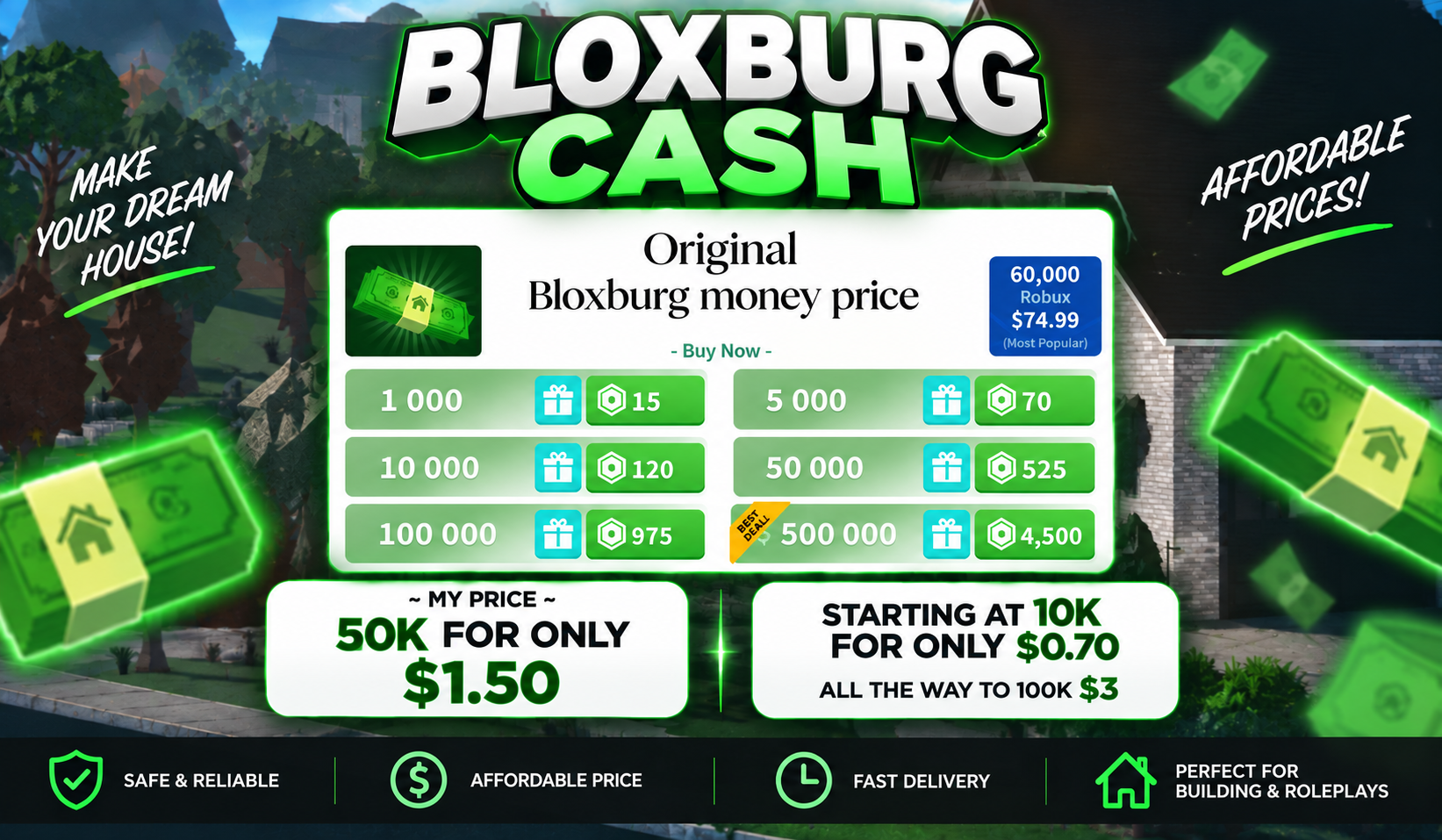

Verkäufer
Neuling~Oakley ridge farmhouse build~
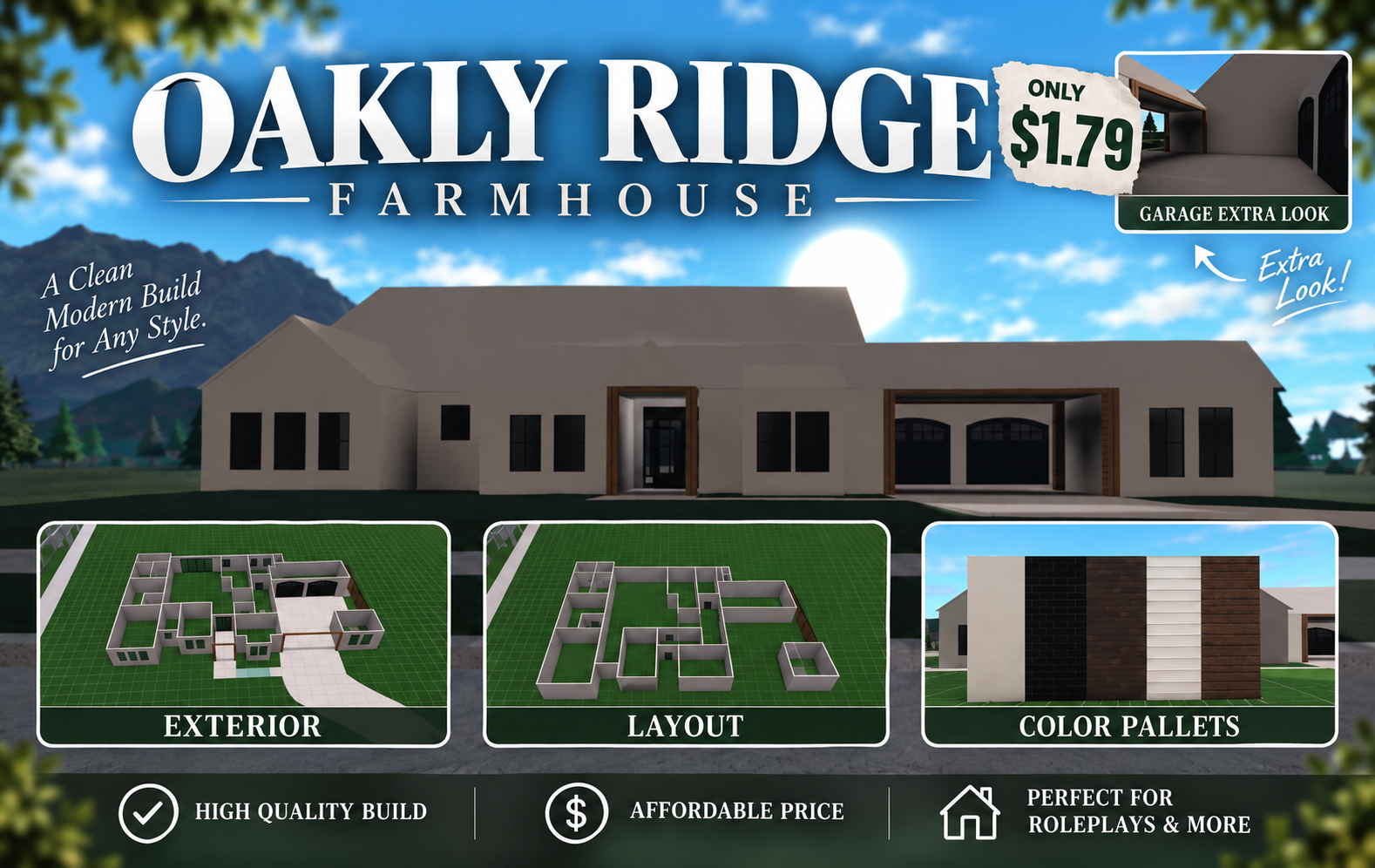
Verkäufer
Live-Angebote
Lass Verkäufer auf dich zukommen
Beschreibe, was du willst, und Verkäufer von Welcome to Bloxburg schicken dir innerhalb weniger Minuten Angebote. Kaufe eines davon oder biete einen niedrigeren Preis an.
Welcome-to-Bloxburg-Items zu verkaufen
Bloxburg ist ein Lebenssimulator, in dem das Geld aus Schichten kommt und das Haus aus Stunden des Platzierens von Wänden. Deshalb ist fast alles hier eine Abkürzung an einem dieser beiden Grinds vorbei. Auf dem EB24-Marktplatz findest du Welcome-to-Bloxburg-Items mit Typ und angegebener Menge direkt in der Anzeige, sodass du ein Angebot schon vor dem ersten Gespräch einordnen kannst.
Wenn du schon weißt, wofür du gekommen bist, öffne die Cash-Anzeigen oder die Blockbux-Anzeigen. Alles wird im Spiel auf dem Roblox-Account übergeben, mit dem du ohnehin schon spielst.
Was du kaufen kannst
Sieben Item-Typen sind gelistet. Sie fallen in vier Kaufarten, die sich nach Abschluss der Bestellung sehr unterschiedlich verhalten:
Bargeld
Blockbux
Gamepass
Haus / Build, Fahrzeug und Möbel & Deko
Zwischen beiden wählen
Entscheide, ob du Startkapital oder ein fertiges Ergebnis willst. Bei einem Startkapital bleiben dir alle Entscheidungen noch offen. Ein Build nimmt dir die Entscheidungen bereits ab, und das ist genau richtig für alle, die lieber Rollenspiel betreiben als dekorieren.
Bloxburg-Items nach Typ
Der Typ legt die Preisspanne vor allen anderen Details fest. Eine Haus-Anzeige verkauft fertige Räume, während eine Währungs-Anzeige die Bausteine liefert, aus denen man sie selbst baut.
Was den Wert von Bloxburg-Items bestimmt
Die Angebote, die am schnellsten weggehen, haben meist diese Merkmale:
- Welche Wallet die Anzeige auflädt, da Cash und Blockbux nicht im selben Shop gutgeschrieben werden.
- Ob das Angebot ein Guthaben ist, das du ausgibst, oder ein Build, den du übernimmst.
- Wie weit die Arbeit abgeschlossen ist: Genau das verkauft ein eingerichtetes Interieur.
- Ob die Freischaltung dauerhaft ist, wie bei jeder Gamepass-Anzeige.
Übliche Item-Typen in Bloxburg
Der Katalog lässt sich grob in drei Grundtypen einteilen. Wenn du weißt, welchen Typ du suchst, spart das beim Preisvergleich viel Zeit.
- Cash und Blockbux - feste Beträge, die direkt in Ausgaben fließen. Der schnellste Weg, einen bestehenden Plan zu finanzieren.
- Haus / Build - ein fertiges Grundstück zur Übergabe, bepreist für die Abende Bauarbeit, die darin stecken
- Gamepass - eine einmalige Freischaltung, die im Profil bleibt, statt verbraucht zu werden.
Fahrzeuge und Innenräume
Sind Grundstück und Finanzierung geklärt, kommen meist Einfahrt und Zimmer dran. Fahrzeuganzeigen und Anzeigen für Möbel und Dekoration sind daher der übliche zweite Schritt.
Was den Bloxburg-Preis bestimmt
Preise richten sich danach, was angeboten wird und wie viel Arbeit es dir abnimmt. Eine Gamepass-Anzeige und eine Cash-Anzeige werden deshalb nach ganz verschiedenen Maßstäben bewertet:
Welche Wallet wird aufgeladen
Bereits erledigte Arbeit
Wie endgültig der Kauf ist
Angegebene Menge
Übergabeaufwand
Zwei Angebote nebeneinander lesen
Zwei Karten können gleichwertig aussehen und dir trotzdem unterschiedlich viel wert sein. Dieser Unterschied versteckt sich meist an zwei Stellen.
Eine permanente Freischaltung hält länger als ein Guthaben
A Gamepass gilt bei jedem Login weiter, während ein Betrag beim ersten Build, den er finanziert, vollständig draufgeht.
Fertig statt finanziert
Ein fertiger Build wird nach den Spielabenden bewertet, die du dir beim Platzieren sparst. Das ist ein anderer Wert als die Materialkosten für dieselben Räume.
Item-Lieferung für Bloxburg auf EB24
Bestellungen werden im Spiel auf deinem aktuellen Account abgeschlossen. Dabei wird nie nach deinem Passwort gefragt. Diese Prüfungen vorab durchzuführen, sorgt für eine saubere Übergabe:
- Jede Bloxburg-Bestellung wird direkt im Spiel auf dem Account abgeschlossen, mit dem du ohnehin spielst.
- Kläre vor der Zahlung, was enthalten ist, besonders bei einem Build oder einer dekorierten Inneneinrichtung.
- Prüfe, ob der angegebene Betrag alles abdeckt, was du erhalten möchtest.
- EB24 hält deine Zahlung zurück, bis du die Lieferung bestätigst.
- Wenn eine Lieferung unvollständig ist, wird innerhalb deines Garantiezeitraums automatisch ein Streitfall eröffnet.
Vor der Zahlung bestätigen
Wenn du diese Punkte vor dem Bezahlen mit dem Verkäufer durchgehst, verhinderst du, dass die Übergabe eines Builds hinterher zur Verhandlung wird.
- Entscheidend ist der Typ auf der Karte.
- Beide Seiten können während des in der Anzeige angegebenen Lieferfensters im Spiel sein.
- Mengen und Inhalte werden festgehalten, statt sie vorauszusetzen.
- Die Unterhaltung bleibt im EB24-Chat, damit Treuhandzahlung und Streitfälle weiterhin greifen.
Für alles, was nach dem Kauf auf Verkäuferseite schiefgeht, gibt es die Treuhandzahlung und den automatisierten Streitfallprozess. Du kannst über Bloxburg-Items weiterstöbern oder im Marktplatz-Guide den vollen Garantieumfang nachlesen.
Käufer-Tipps für Bloxburg-Items
Hier kommt es darauf an, welchen Teil des Kreislaufs du lieber überspringen willst. Cash und Blockbux streichen die Schichten, ein Build erspart das Platzieren, Möbel ersparen das Einrichten, und ein Gamepass hebt eine Grenze dauerhaft auf. Jedes wird im Spiel übergeben, deshalb lohnt sich der Handel nur, wenn du vor der Zahlung den Inhalt abgeklärt hast.
- Filtere zuerst nach Typ und vergleiche dann nur die Angebote dieses Typs miteinander.
- Kläre, ob dein Ziel Cash oder Blockbux braucht, bevor du eine Anzeige öffnest.
- Behandle einen Gamepass als dauerhafte Freischaltung, nicht als Einzelposten mit eigenem Preis.
- Lass dir vor dem Bezahlen eines Builds oder einer Inneneinrichtung Raum für Raum alles zeigen.
- Behalte jede Nachricht und die Zahlung innerhalb von EB24, sonst erlischt der Käuferschutz.
So sichert EB24 deine Bloxburg-Bestellung ab
Deine Zahlung wird treuhänderisch gehalten, bis du bestätigst, dass Guthaben, Freischaltung oder Build so angekommen sind, wie es in der Anzeige stand. Ist das nicht der Fall, wird innerhalb deines Garantiezeitraums automatisch ein Streitfall eröffnet, damit dich eine unvollständige Lieferung nicht um dein Geld bringt.
Alles über die Plattform abwickeln
Vereinbare den Tausch und bezahle ihn hier, nicht per Roblox-DM oder auf einem Discord-Server. Eine Bestellung, die EB24 sieht, kann über die Treuhandzahlung abgesichert werden, und der Support kann entscheiden, falls die Übergabe deines Grundstücks, Fahrzeugs oder Blockbux schiefgeht.
Du kannst weiter Bloxburg-Items durchstöbern oder den Marktplatz-Guide lesen, um den vollen Garantieumfang zu erfahren.
Welcome to Bloxburg Items verkaufen oder dem Team beitreten
Mach Welcome to Bloxburg Items zu Geld, mit Treuhandzahlung und verifizierten Käufern, oder sieh dir alle Gaming-Jobs an, die EB24 gerade vergibt.


FAQ zu Items
Welche Arten von Welcome-to-Bloxburg-Items kann ich kaufen?
Es gibt sieben Typen: Cash, Blockbux, Gamepass, Haus / Build, Fahrzeug, Möbel & Deko und Sonstiges. Jede Anzeige gibt einen davon an, und dasselbe Feld steuert den Filter auf der Ergebnisseite. Wählst du zuerst den Typ, vergleichst du ein Währungspaket nicht mit einem fertigen Familienhaus.
Wie funktioniert eine Bestellung von Bloxburg-Items auf EB24?
Du wählst eine Anzeige aus, bezahlst über die Plattform, und die Übergabeanweisungen erscheinen in deiner Bestellung. Danach trittst du mit deinem eigenen Roblox-Account dem Spiel bei, und der Verkäufer schließt die Übergabe so ab, wie es in der Anzeige beschrieben war. Die Zahlung bleibt treuhänderisch gehalten, bis du bestätigst, was angekommen ist.
Was ist der Unterschied zwischen Cash und Blockbux?
Cash ist das Geld, das dein Charakter bei seinen Schichten verdient. Damit bezahlst du Grundstücke, Wände, die meisten Möbel und viele der Fahrzeuge. Blockbux ist die Premium-Währung und reicht dort hin, wo Cash nicht hinkommt. Anzeigen nennen, welche der beiden Währungen sie liefern. Lies diese Angabe, bevor du zwei Preise vergleichst.
Was ist in einer House-/Build-Anzeige enthalten?
Was der Verkäufer in die Beschreibung schreibt, ist entscheidend. Deshalb haben diese Karten die längsten Texte. Eine Build-Anzeige sollte angeben, wie viele Etagen und Räume sie umfasst und ob Möbel Teil der Übergabe sind. Frag vor der Zahlung im Bestellchat nach, falls einer dieser Punkte fehlt, denn ein Rohbau und ein eingerichtetes Haus sind verschiedene Käufe.
Kann ich auf dieser Seite einen Gamepass kaufen?
Ja, Gamepass ist einer der sieben Typen. Die Anzeige nennt, welche Freischaltung sie abdeckt und wie der Verkäufer sie auf deinen Account bringt. Lies diesen Ablauf vor dem Bezahlen, denn eine dauerhafte Freischaltung erreicht dein Profil anders als eine Cash-Übergabe auf einem Grundstück.
Muss ich meine Roblox-Anmeldedaten herausgeben, um ein Item zu erhalten?
Nein. Bloxburg-Item-Lieferungen finden innerhalb des Erlebnisses auf dem Account statt, auf dem du bereits spielst, und dabei werden keine Zugangsdaten weitergegeben. Ein Verkäufer, der nach deinen Zugangsdaten fragt, hält sich nicht an die Regeln des Marktplatzes. Melde die Anzeige, statt die Bestellung weiterlaufen zu lassen.
Warum kosten zwei Bloxburg-Anzeigen desselben Typs unterschiedlich viel?
Bei Cash und Blockbux bestimmt die Menge den Großteil des Preises, und die Karte zeigt, wie viel das Angebot abdeckt. Bei Builds, Fahrzeugen und Dekoration liegt der Unterschied meist im Umfang der gelieferten Arbeit, denn ein mehrstöckiges, eingerichtetes Haus steht für weit mehr Platzierungszeit als ein einzelnes fertiges Zimmer.
Was passiert, wenn die Lieferung nicht der Anzeige entspricht?
Öffne in deiner Bestellung einen automatisierten Streitfall. Der Betrag wird bis zur Prüfung treuhänderisch gehalten. Bewahre deshalb Screenshots von Grundstück, Guthaben oder Freischaltung sowie alle Chats über die getroffenen Absprachen auf. Beweise von beiden Seiten sind entscheidend, damit die Prüfung zu einem Ergebnis kommt.
Wie funktioniert es?
Eine Welcome-to-Bloxburg-Bestellung beginnt mit dem Item-Typ und endet auf deinem Grundstück. Das sind die fünf Schritte zwischen der Wahl einer Karte und der Bestätigung dessen, was angekommen ist.

Wähle den Item-Typ Filtere die Ergebnisse von Welcome to Bloxburg nach Cash, Blockbux, Gamepass, Haus / Build, Fahrzeug, Möbel & Deko oder Sonstiges, bevor du dir einen Preis anschaust.
Lies die Menge und das Zeitfenster Prüfe, wie viel das Angebot abdeckt und wie schnell der Verkäufer dich im Spiel treffen kann. Ein Währungspaket und ein fertig gebautes Haus brauchen auf dem Grundstück sehr unterschiedlich viel Zeit.
Bezahle über EB24 Schließe die Bestellung auf der Plattform ab. So wird sie deinem Konto zugeordnet, und der Betrag wird treuhänderisch gehalten, statt direkt an den Verkäufer überwiesen zu werden.
Triff den Verkäufer im Spiel Die Lieferanweisungen erscheinen in deiner Bestellung, sobald die Zahlung bestätigt ist. Du trittst Bloxburg mit deinem eigenen Roblox-Account bei, und die Übergabe findet dort statt. Zugangsdaten werden nicht weitergegeben.
Bestätigen oder einen Streitfall eröffnen Bestätige, wenn die Lieferung zur Anzeige passt. Fehlt etwas, eröffne über deine Bestellübersicht einen automatischen Streitfall, solange dein Käuferschutz die Zahlung noch zurückhält.
Unser Angebot
Ein Typ pro Karte Eine Welcome-to-Bloxburg-Anzeige hat genau einen Typ: Cash, Blockbux, Gamepass, House / Build, Fahrzeug, Möbel & Deko oder Sonstiges. Dieses Feld ist der erste Filter auf der Ergebnisseite, sodass ein eingerichtetes Familienhaus nie in derselben Spalte landet wie ein Premium-Währungspaket.
Preise, die sich auf den Typ zurückführen lassen Eine Guthaben-Aufladung und ein fertiger dreistöckiger Build werden unterschiedlich bepreist: die eine nach der gelieferten Menge, die andere nach den Stunden hinter den Wänden. Beide nennen Typ und Menge klar, damit sich jede Zahl einordnen lässt.
Lieferung innerhalb der Experience Bloxburg-Bestellungen werden im Spiel auf deinem eigenen Roblox-Account erledigt, genau so, wie die Anzeige es beschreibt. Lieferart und Lieferfenster stehen vor der Kasse auf der Karte, und sobald die Zahlung bestätigt ist, erscheinen die Anleitungen in deinem Bestellbereich.
Karten mit gleichem Aufbau Typ, Menge, Lieferfenster und Preis stehen bei jeder Bloxburg-Anzeige an denselben Stellen. Zwei Anzeigen sind nur vergleichbar, wenn sie gleich aufgebaut sind, deshalb bleibt das Layout bei allen Verkäufern gleich.
Absicherung während der Bestellung EB24 hält die Zahlung zurück, bis du bestätigst, dass die Lieferung der Beschreibung entspricht. Falls nicht, wird über deine Bestellübersicht automatisch ein Streitfall eröffnet, und der Betrag bleibt bis zur Prüfung treuhänderisch gehalten.
Für jeden Bedarf
Basis-Garantie
- Für Käufe bei normalen Verkäufern gemacht
- Bietet kurzfristigen Schutz für die ersten 7 Tage
- Ideal für Gelegenheitskäufer, die eine einfache Absicherung wollen
Erweiterte Garantie
- Verfügbar bei Angeboten von Top-Verkäufern oder verifizierten EB24-Anzeigen
- Schützt deinen Kauf 14 Tage lang
- Ideal für Stammkäufer, die sich zusätzlich absichern möchten
EB24-Garantie
- Optionales Upgrade für langfristigen Schutz gegen einen kleinen Aufpreis
- Unbefristeter Schutz ohne Zeitlimit
- Am besten für aktive Nutzer, die umfassenden und dauerhaften Schutz wollen
eine verlässliche Möglichkeit, Items für Welcome to Bloxburg zu kaufen
Bei Bloxburg zahlt sich Geduld aus, und fast alles, was hier verkauft wird, ist ein Weg daran vorbei. Cash- und Blockbux-Beträge, Gamepass-Freischaltungen, fertige Builds, Fahrzeuge und eingerichtete Interieurs sind jeweils unter ihrem eigenen Typ mit dem angegebenen Betrag aufgeführt, sodass du weißt, was ein Angebot abdeckt, bevor du es öffnest.

Der Typ entscheidet über alles Weitere
Bei Bloxburg gibt es sieben Arten von Dingen, und zwischen ihnen wird kaum etwas übertragen. Cash ist eine Spielwährung, ein Gamepass ist eine dauerhafte Freischaltung, ein Haus oder Build ist die Bauzeit eines anderen, die fürs Platzieren von Wänden draufging. Stelle den Typfilter im Marktplatz für Items von Welcome to Bloxburg ein, bevor du auch nur einen Preis vergleichst.Cash und Blockbux sind zwei getrennte Wallets
Cash ist das, was dein Charakter bei seinen Schichten verdient. Damit deckst du Grundstücke, Wände, die meisten Möbel und einen guten Teil der Fahrzeuge. Blockbux gehört zu den Premium-Währungen und reicht dorthin, wo Cash nicht hinkommt. Jede Anzeige nennt, welche der beiden Währungen sie enthält, denn wenn du die falsche Währung auflädst, kommst du dem Ziel, für das du sparst, kein Stück näher.Ein Build sind Stunden, keine Bausteine
Niemand zahlt für ein Bloxburg-Haus, weil Materialien rar sind. Man zahlt für die Arbeit, die schon darin steckt: mehrere Abende Platzieren, Ausrichten und Dekorieren. Möbel & Deko funktioniert nach demselben Prinzip: Bewertet wird das Arrangement, nicht die einzelnen Stücke darin.Dein Roblox-Login bleibt deins
Eine Item-Bestellung läuft innerhalb des Spiels über deinen eigenen Account ab, daher wird nie ein Passwort benötigt. Wenn du lieber ein komplettes Profil übernimmst, statt Stück für Stück einzukaufen, werden Welcome-to-Bloxburg-Accounts auf einer eigenen Seite mit eigener Währung und eigenem Job-Fortschritt angeboten.Bewertungen von Item-Käufern
Ein Item-Handel schließt in Minuten, und die Bewertung kommt, sobald das Item im Spiel ist. Trustpilot bewertet dieselben Verkäufer unabhängig davon.
SELLER WAS NOT LATE, I had to delay delivery until previous premium subscription ended. Seller was fantastic, great communication, and very quick at responding and upgrading my account. Thanks a ton!
Exactly as described , will happily use again
Awesome delivery, helped me when i got stuck with clear instructions. Thanks again
legit
True seller
It works fine! Good price, friendly seller.
561 ratings on completed item orders
Lies die Bewertungen auf Trustpilot