
From Problem Report to Resolution – New Dispute System Step by Step

We’ve redesigned how disputes work on our platform to make conflict resolution faster, smoother, and fully automated where possible. Whether you’re a buyer or seller, our new system gives you more control and transparency every step of the way.
From Problem Report to Resolution – New Dispute System Step by Step
Table of Contents
1. Why We Changed the System
The old "report problem" system was basic and slow. It often required Discord messages or manual admin input to resolve issues. The new dispute system was designed to simplify and speed up the process for both buyers and sellers. Now, everything happens in one place – faster, smarter, and more secure.
2. How the New Dispute System Works
The new system isn’t just an upgrade – it's a complete rework. Here's what's new:
Buyers can open disputes directly from the order page.
Sellers are instantly notified and get full order context.
Both parties can chat in real-time.
Sellers can now refund or resolve cases themselves without admin help.
Disputes can be marked as solved when both sides agree.
Payments are automatically held during the dispute.
3. Step-by-Step: How to Open a Dispute
Here’s how to open a dispute properly:
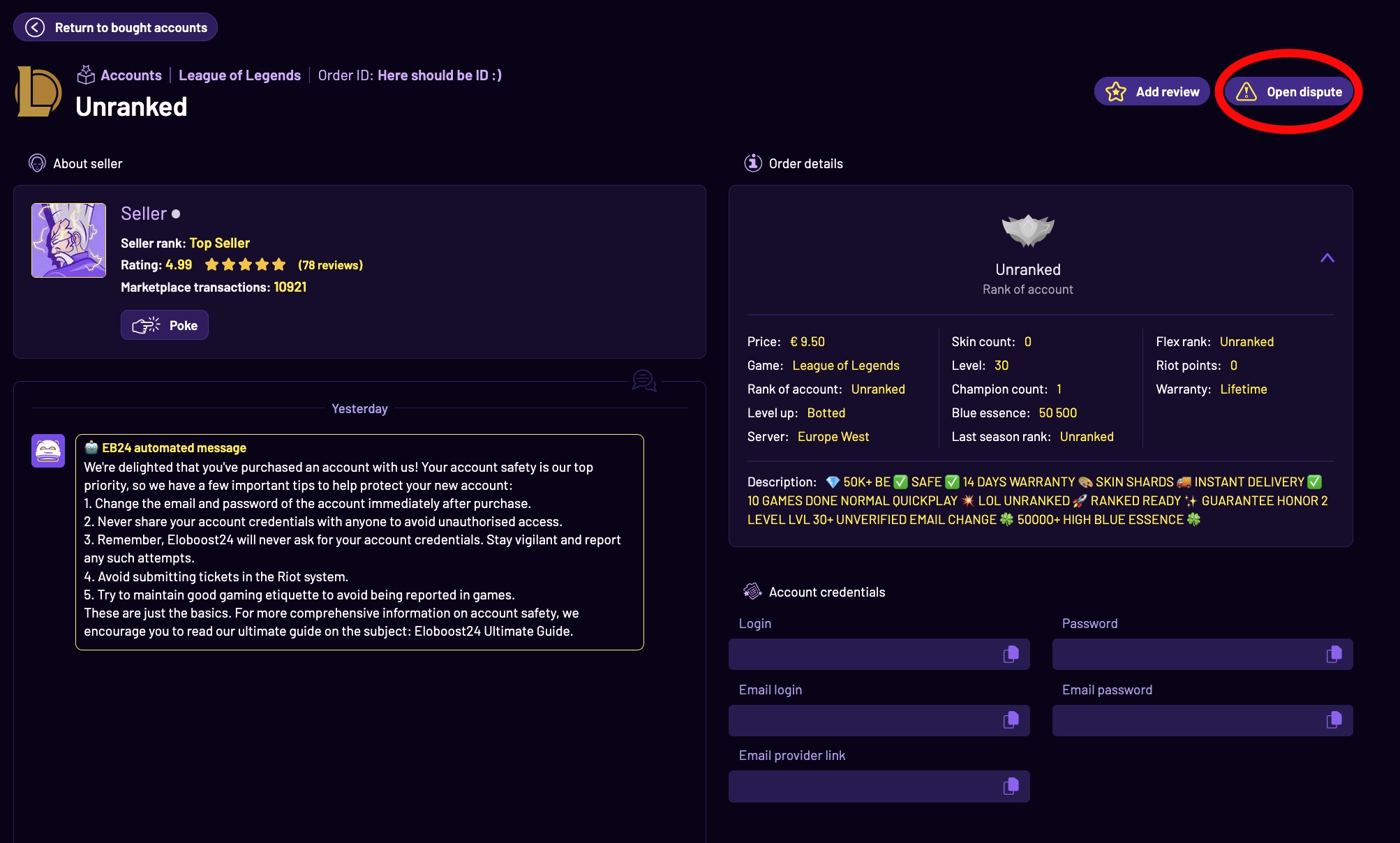
Go to your order page.
Click the "Open Dispute" button.
Select the issue reason, add a short description, and optionally attach screenshots or proof.
Submit the form – your case enters the Resolution Center immediately.
4. What Happens After Opening a Dispute?
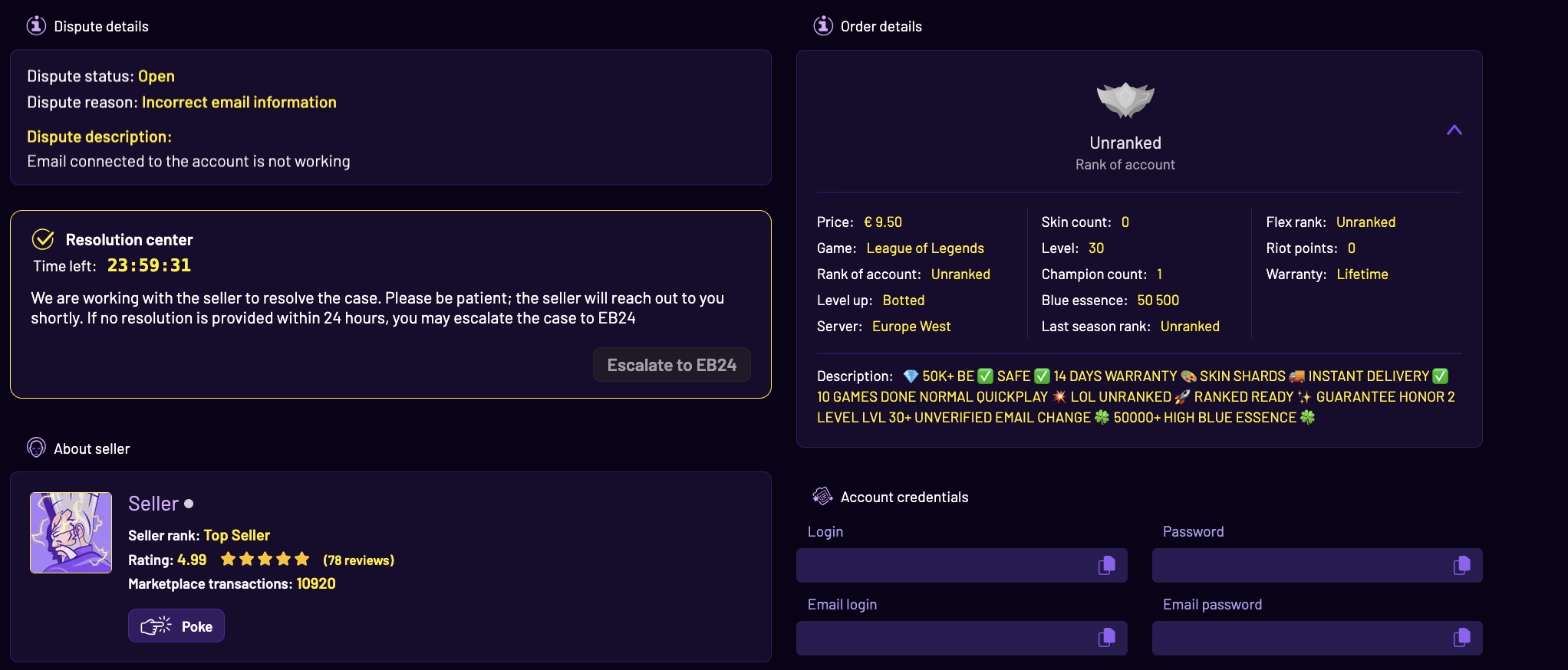
After submission, both buyer and seller are notified. As a buyer, you can now chat directly with the seller, follow the case, and confirm the outcome. From the seller’s side, they receive full order details and can respond, offer solutions, or issue refunds directly.
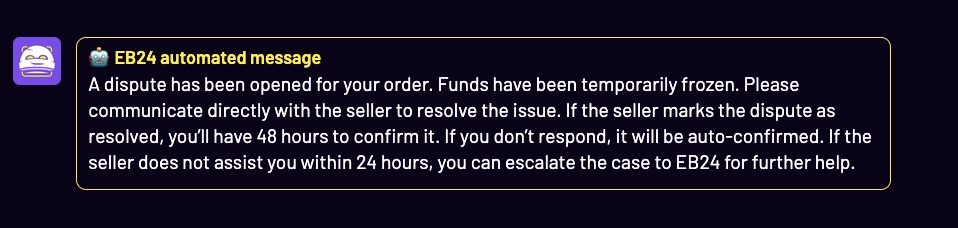
🕒 If the seller marks the dispute as resolved, you’ll have 48 hours to confirm it. If you don’t respond in time, the system will auto-confirm the resolution and close the case.
5. When and How to Escalate a Case
If the issue isn’t resolved within 24 hours, the system allows you to manually escalate the case to EB24 support at any time. No more chasing or waiting endlessly – our system makes sure every case moves forward.
🔁 If the seller doesn’t assist you within 24 hours, you can escalate the case to EB24 for direct help from our team.
6. Smarter Support with Automation
The first reply may come from our 24/7 automated system – which can handle simple cases, send reminders, or notify both parties of needed actions. If neither side acts in time, escalation happens automatically. This ensures no dispute gets forgotten and everything keeps moving forward.
7. FAQ – Frequently Asked Questions
Should I message on Discord?
No – disputes should be opened on the website first. Discord support is no longer the default method.What happens to my payment?
It’s temporarily held in the security system (freeze log) until the dispute is resolved.Is the "Report Problem" feature gone?
Yes. All dispute handling now happens via the website only.Can sellers solve cases themselves?
Yes – sellers can refund, reply, and mark cases as solved if both sides agree.
You might also like