




6 people are viewing this account
Quantity
8 in stock
Buyer protection
Your purchase on the Eloboost24 platform is fully protected by our Buyer Protection Policy.
- Refund to your balance if not delivered
- Secure payment
☺️ Coursera Premium 12m
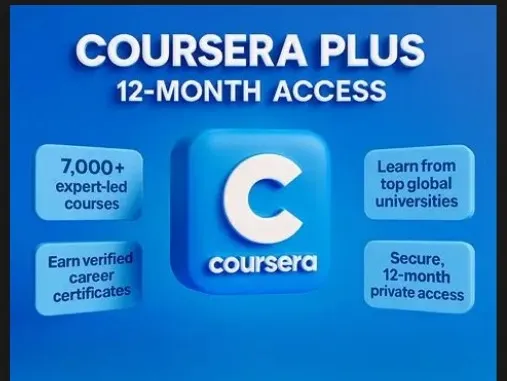
This Org+ Premium Access ⚡️ All Courses & Certificates ⚡️ Certificate in Your Own Name ⚡️ Ready-Made Account with Mail Access ⚡️ Duration: 12 Month ideally Delivery instructions: 1 ... . Login using the provided email & password. 2. Update your name & password. 3. Add a recovery email. 4. If password is wrong you have to reset password yourself through mail access.
Subscription length
12 months
Account type
Private
Warranty
1 day
From the same seller
 Newcomer
1Billion CR All Cars XBOX

Seller Delivery: 1 hour
FAQs about Coursera EB24 Sellers
What do I get when I buy a Coursera account?
You get a Coursera login with an active Coursera Plus subscription on it, plus the email address and email password behind the login. The card states how many months of Plus are left, whether the login is Private or Shared, and any warranty the seller gives. Plus opens most of the Coursera catalogue, including many courses, Specializations and Professional Certificates, for as long as it stays active.
Is it safe to buy a Coursera Plus account on EB24?
The payment runs through EB24 and is held until you confirm the order, so the seller is not paid the moment you check out. The months of Plus, the account type and the warranty are fixed on the card before it is published, and any dispute is judged against those fields. Sign in as soon as the credentials arrive and check them while the money is still held.
What is the difference between a Private and a Shared Coursera account?
A Private account is handed to you alone. You can change the password and the email and use the profile as your own. A Shared account is a login other people keep using, so their courses and progress sit on the same profile and you must leave the password alone. Shared offers usually cost less, which reflects that difference in control.
How long will the Coursera Plus subscription last?
Each listing records the months of Plus left at the moment the account changes hands, as 1, 3, 6 or 12. You can filter by that value and compare offers of the same length. After delivery, open the subscription page on Coursera and check the renewal date against the card before you confirm the order.
Does a Coursera account come with a warranty?
Sellers can add a warranty in days, counted from delivery, and the number is shown on the card. Inside that window, a login that stops working or does not match the listing can be taken to an EB24 dispute. You can also add the EB24 Warranty at checkout, and filter the page to offers that carry a seller warranty.
What should I do right after the Coursera login arrives?
Sign in with the credentials from your order panel and open the subscription page to read the Plus renewal date. On a Private account, set a new password and move the email to an inbox you control. Compare the months left and the account type with the card, and open a dispute from the order page if anything differs.
How do I sell a Coursera account on EB24?
Choose Coursera in the sell account form, pick the months of Plus left and the account type, and add a warranty in days if you offer one. Then enter the login, the email and the email password. Email verification is required for Coursera, so have access to the email account ready before you start the listing.
How it works?
Buying a Coursera account on EB24 comes down to Private or Shared access, then the months of Coursera Plus left and the warranty. These are the steps:

Choose Private or Shared Decide whether you need a Coursera login of your own or can share one with other learners. That choice sets the price range and what you may change after delivery.
Set the Months of Plus Filter by 1, 3, 6 or 12 months of Coursera Plus left on the login, then work out the monthly cost of each offer you shortlist.
Check the Warranty Look at how many warranty days the seller gives and whether you want the EB24 Warranty on top before you move to checkout.
Pay Through EB24 The payment is held by EB24 while the login, the email and the email password are delivered to your order panel.
Sign In and Confirm Log in, read the renewal date on the subscription page and compare it with the card. On a Private login change the password first. Confirm the order only when everything matches.