How Much Are My CS2 Skins Worth? Inventory Value, Trade Protection and When to Sell

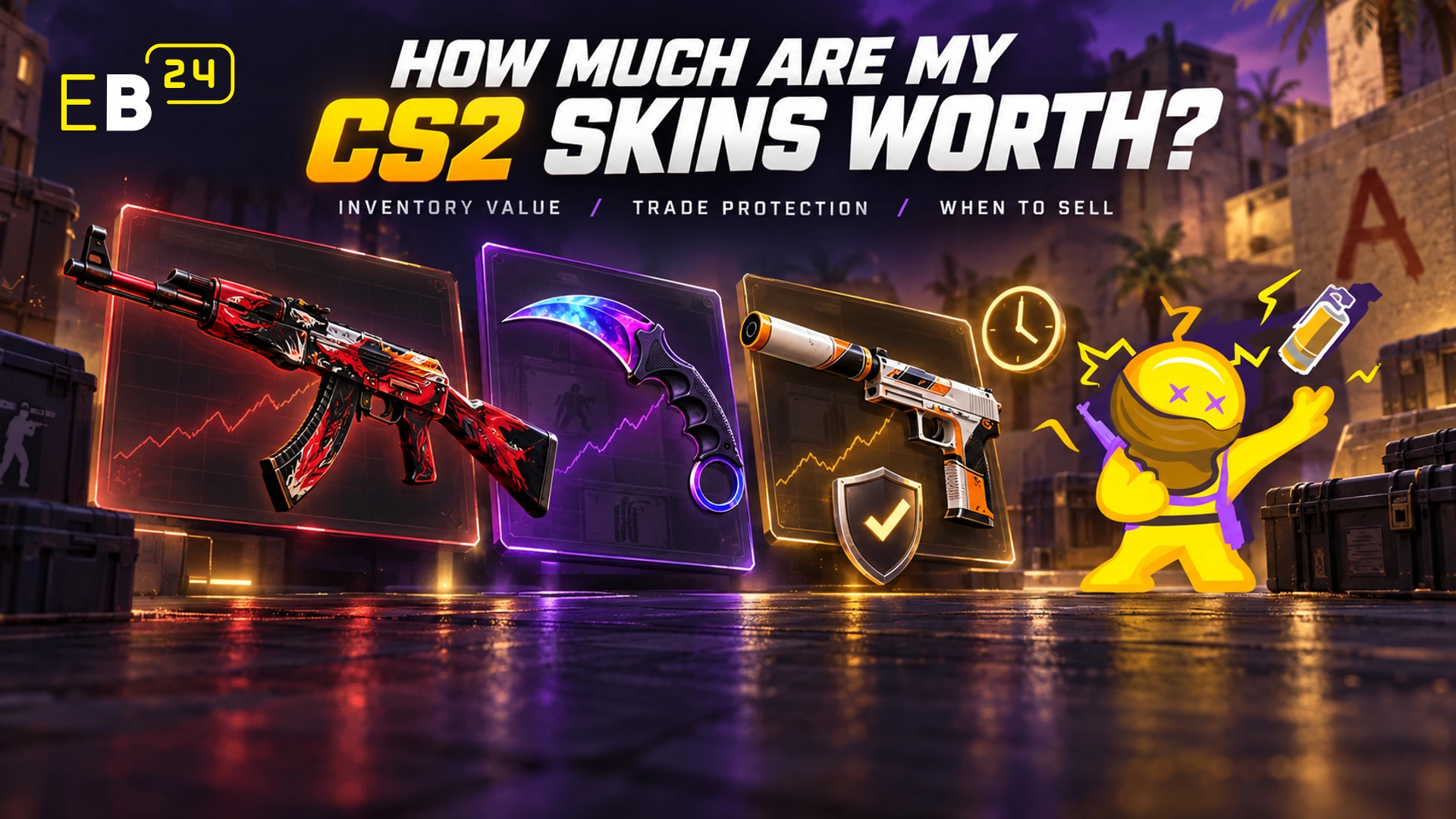
Checking your CS2 inventory value used to be simple: look up each skin, add the prices, done. Two Valve changes in 2025 made that number a lot less straightforward. Trade Protection made trades reversible for a week, and the trade-up update changed where knives and gloves come from.
So if you are trying to work out what your inventory is actually worth, and more importantly what you could actually get for it, here is how pricing works now.
Why the Number You See Is Not the Number You Get
Every inventory checker shows you a total. That total is a starting point, not a sale price, for three reasons.
Steam Community Market prices are not cash. Money from the Steam Market stays in your Steam Wallet. It spends on games and items, not rent. Third party marketplaces pay out in real money, and their prices reflect that.
Two identical skin names can be worth very different amounts. Float and pattern decide a lot of the price for anything valuable.
You cannot sell everything instantly. Trade Protection and market cooldowns mean newly received items are locked for a week, which changes how you plan any cash out.
What Actually Drives Skin Value
Float
Float is a number from 0 to 1 that decides a skin's wear, from Factory New down to Battle-Scarred. Within the same wear bracket, a lower float usually means a cleaner looking skin and, for anything collectors care about, a higher price. Two Factory New copies of the same skin can sit at noticeably different prices because one is closer to 0.
Pattern
Some skins have a pattern index that changes how the paint sits on the weapon. For most skins it barely matters. For a handful of famous ones, a specific pattern can multiply the price. If you own something with a known rare pattern, a generic checker that ignores pattern will undervalue it.
Stickers and Charms
Applied stickers can add value, especially older or rare ones, but only to buyers who care about them. They rarely add their full standalone price to the weapon.
StatTrak
StatTrak versions generally sit above their normal counterparts.
Demand, Not Just Rarity
Rarity only matters if people want the item. A rare skin nobody likes sells slowly and cheaply. A common skin on a popular weapon can move fast.
Trade Protection: The 2025 Change Every Seller Needs to Understand
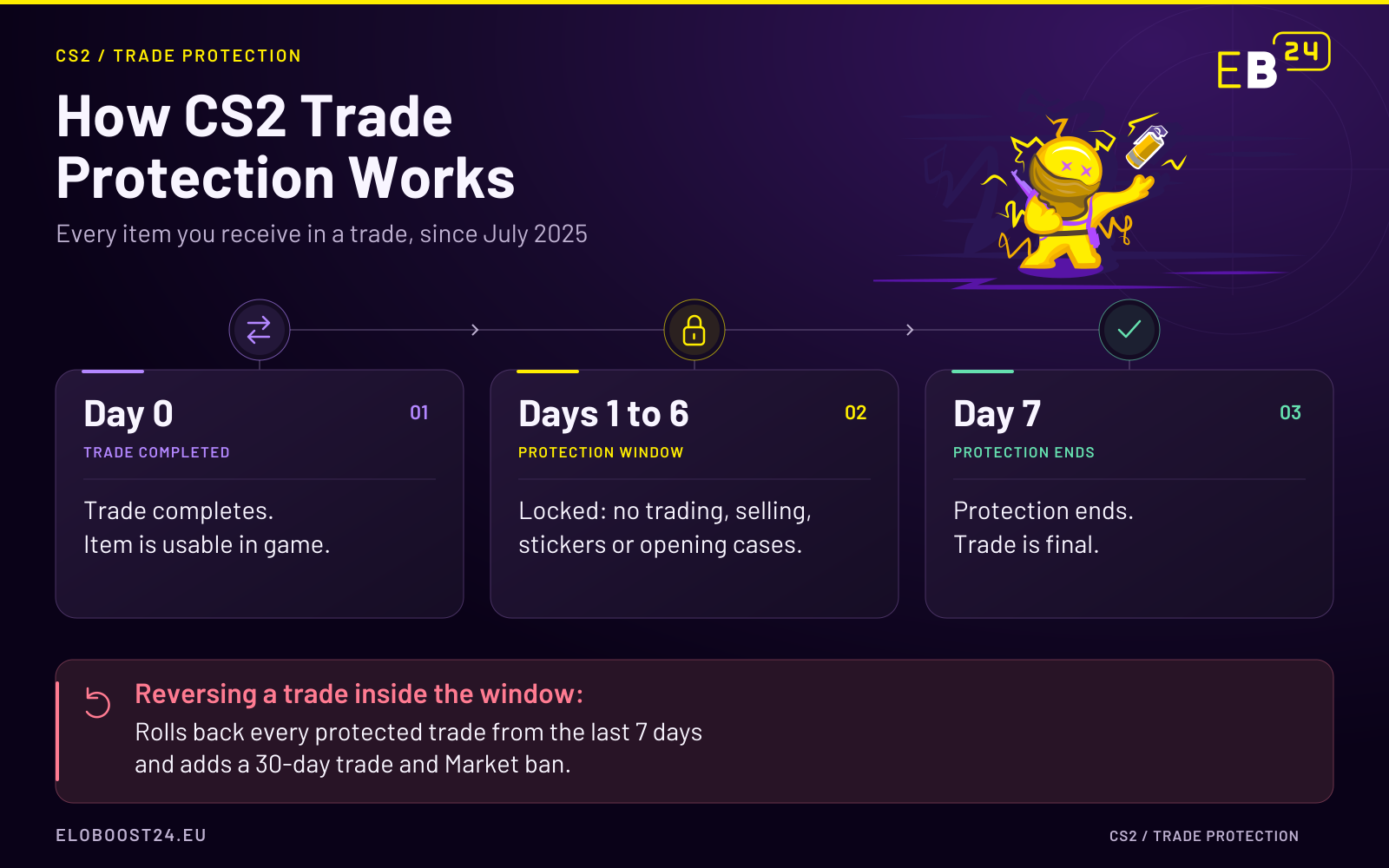
Since July 2025, CS2 items you receive in a trade are Trade Protected for 7 days. You can equip them and play with them immediately, but you cannot trade them on, sell them, or modify them until the protection lifts. That includes applying or scraping stickers and opening traded cases.
During those 7 days, the trade can be reversed from your Steam trade history.
Show Image
The reversal is not an undo button for buyer's remorse. It is built to recover from account theft, and it works like one:
It is all or nothing. Reversing rolls back every protected trade from the previous 7 days at once. You cannot pick one bad trade and keep the rest.
It costs you. The account that triggers a reversal gets a 30 day restriction on trading and the Steam Community Market.
What this means for selling: plan around the 7 day lock. You cannot receive a skin and flip it the same afternoon. Many marketplaces hold seller balances as pending until the protection window closes, because a trade inside that window can still be reversed.
Market Purchases Have Their Own Cooldown
Items bought on the Steam Community Market have a separate cooldown of roughly 7 days before you can trade them. In June 2026 Valve changed that countdown so each item unlocks 168 hours after it lands in your inventory, to the minute, rather than all unlocking together at one shared time each day. Always read the exact unlock timestamp Steam shows on the item.
Security Changes Trigger Temporary Locks
Resetting your password or removing Steam Guard can trigger a temporary trade lock of up to 15 days. That is a security feature, not a punishment, but it will stop you selling if you do it right before a trade.
VAC Bans and Account Value
A VAC ban does not delete your inventory. It does block you from VAC secured servers and badly damages what the account is worth to a buyer. If you are valuing an account rather than just the skins, a clean record matters a lot.
How to Check Your CS2 Inventory Value
Set your inventory to public if you want an external tool to read it.
Run it through a value checker to get a baseline. Our CS2 item value calculator gives you a realistic estimate for individual skins.
Check your top items individually. For anything expensive, look at float and pattern yourself rather than trusting a total.
If you are valuing the whole account, including rank, Prime status, and history, use the CS2 account value calculator instead.
Selling Your Skins or Your Account
If you have decided to cash out, you have two main routes.
Sell the items. List individual skins on the CS2 items marketplace. Payment is held after checkout and released to the seller once the order is delivered, which fits naturally around Trade Protection.
Sell the account. If the value is spread across rank, Prime, and inventory together, selling the account can make more sense than breaking it up. The CS2 accounts marketplace is where those listings live, and the how to sell guide covers the full process.
And If You Would Rather Get Better Than Get Paid
Not everyone reading this wants to sell. If your inventory is fine and your rank is the problem, there are faster routes than grinding alone. CS2 rank boosting gets you to the rank you want, CS2 coaching fixes the habits that keep you stuck, and CS2 Fast Games puts a verified strong player in your lobby for the games you choose.
FAQ
How do I check my CS2 inventory value? Make your inventory public, run it through a value checker for a baseline, then check float and pattern on your most expensive items individually.
Why can't I trade a skin I just received? Since July 2025, CS2 items received in a trade are Trade Protected for 7 days. You can use them in game but cannot trade or sell them until protection ends.
What happens if I reverse a CS2 trade? Every protected trade from the previous 7 days is rolled back at once, and your account gets a 30 day trading and Community Market restriction.
Does a VAC ban remove my skins? No, but it significantly lowers what the account is worth to a buyer.
Is Steam Market money real money? No. It stays in your Steam Wallet.
You might also like