




1200Skins InvokerMatchs2k+ BattlePass 16.17.18
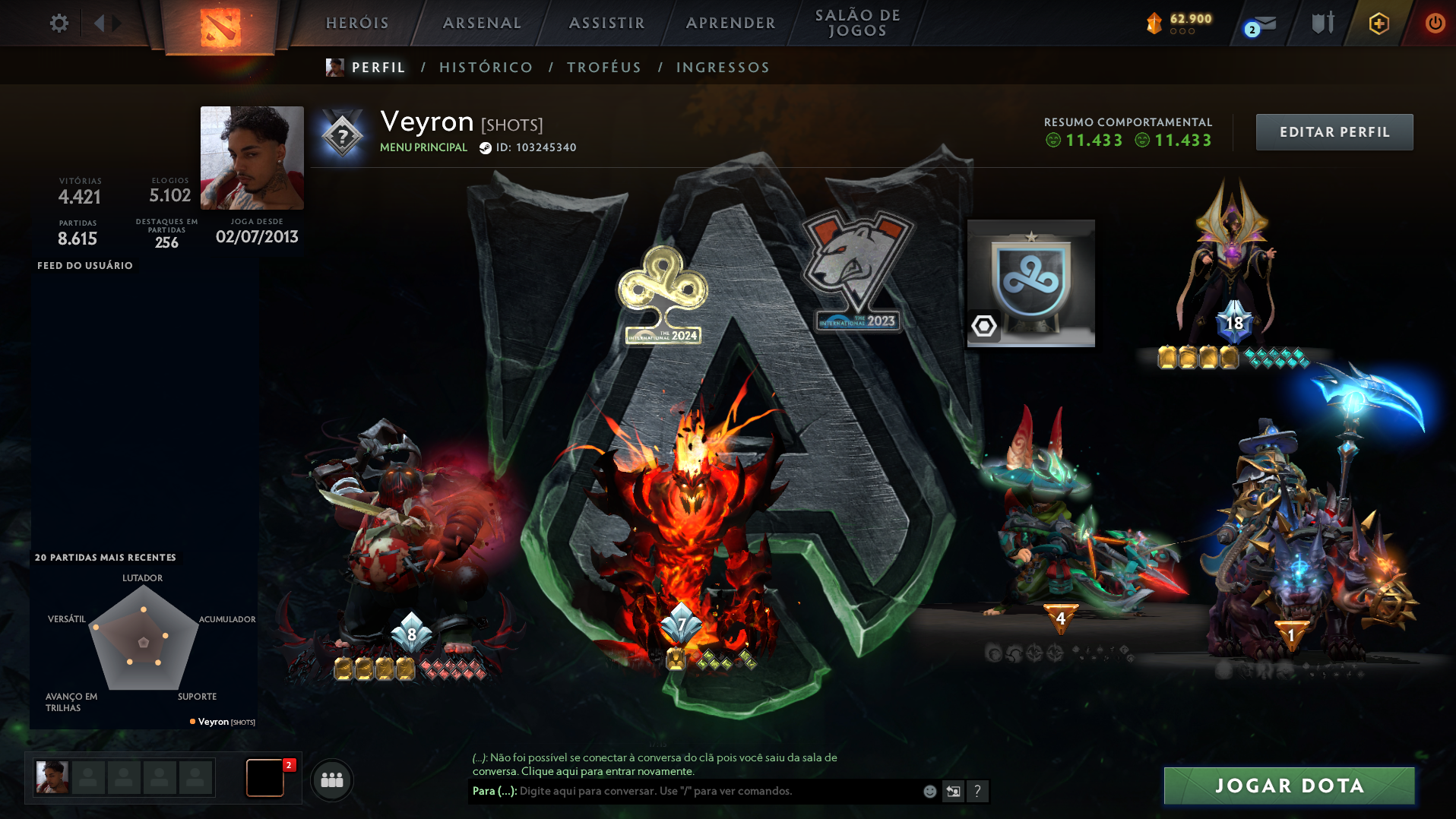
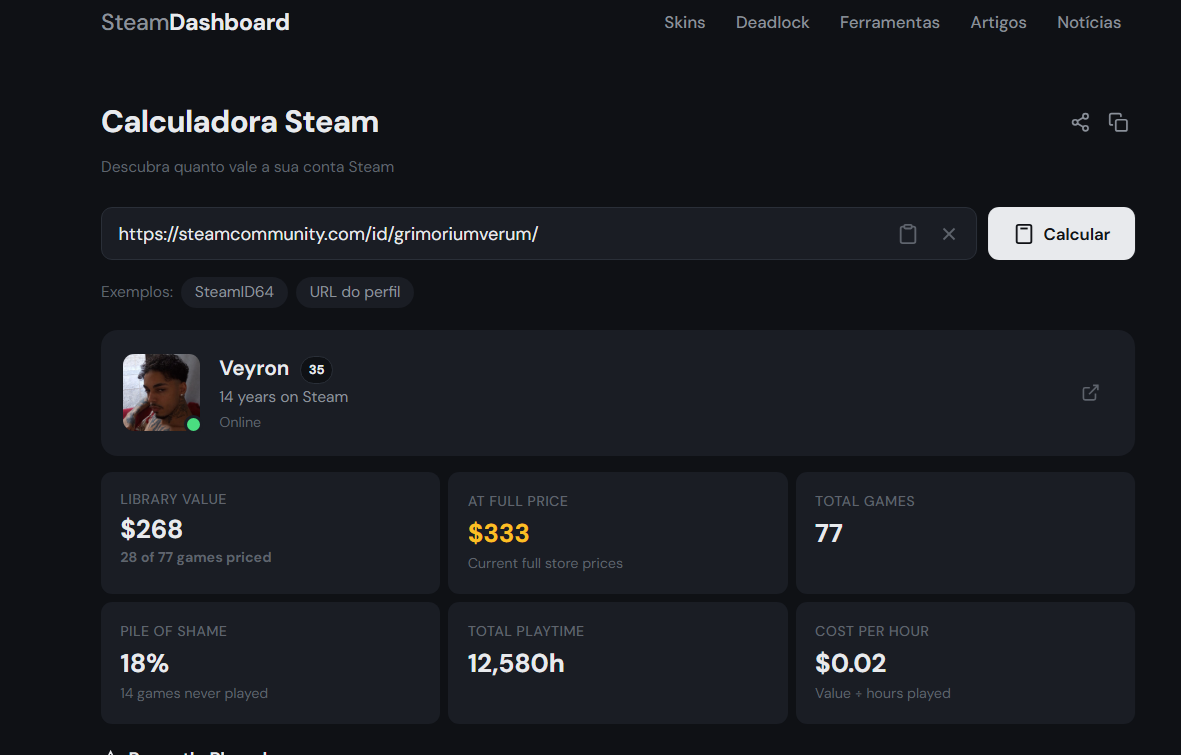
Selling an elite, high-end Dota 2 account created in 2013 (Original Owner). This is a dream profile for Invoker and Pudge mains, packed with years of exclusive history and unobtain ... able collectibles. DOTA 2 HIGHLIGHTS: - 2,000+ Matches played with Invoker (Insane stats and mastery) - EXCLUSIVE Persona: Invoker (Acolyte of the Lost Arts) - EXCLUSIVE Persona: Pudge (The Toy Butcher) - Arcanas: Shadow Fiend & Pudge - 10th Anniversary Exclusive Limited Items - Battle Pass 2022 (Level 208) - International Battle Pass 10 (Level 43) - Battle Pass 2019 (Level 103) - Battle Pass 2018 (Level 93) - Battle Pass 2017 (Level 124) - Packed with exclusive taunts, immortal items, and treasures from past years. STEAM ACCOUNT INFO: - Account created in 2013 (Clean record, high trust factor) - 77 Games in library (Includes premium titles) *Instant/Automated Delivery. Full email and account transfer guaranteed.*
Item type
Cosmetics & Skins
8 people are viewing this item

About seller

vultron
Regular SellerFAQs about Items
What items can I buy for Dota 2?
Listings cover Shards, the currency used by Dota Plus, and Cosmetics and Skins. Each offer states clearly which of the two you are buying.
What are Shards used for in Dota 2?
Shards are the in-game currency tied to Dota Plus and are spent on relics and treasures within that system. Listings state the exact Shard amount included.
Why do Genuine-tier skins dominate the cosmetics listings?
Genuine quality items are rarer than standard cosmetics and are often tied to specific events that no longer run. That scarcity is why most cosmetic listings you will find here are Genuine tier.
How does delivery work for Dota 2 items?
Items are delivered through a direct Steam trade to your account. No login credentials are ever required from you for this.
How long does a Dota 2 item delivery take?
Delivery time is shown on the listing before you buy, since it depends on the specific offer. Steam trades are typically completed the same day.
What happens if a Steam trade does not go through?
You can open an automated dispute directly from your order panel if the trade fails. Your purchase stays protected until the issue is resolved.
How it works?
Buying Dota 2 Shards and cosmetics on EB24 is straightforward. Pick the item you want and complete checkout to receive it through a safe in-game delivery.
Pick Shards or Cosmetics Choose between Dota 2 Shards for the in-game shop or cosmetics and skins tied to a Steam inventory, depending on what you are after.
Confirm the Listing Match the exact Shard amount or the specific hero set, weapon skin, or bundle name on the listing before you pay.
Pay Through EB24 Complete checkout through EB24 instead of dealing with the seller directly, so your payment stays protected by escrow.
Receive It Safely Get Shards or cosmetics delivered through your Steam inventory or in-game, coordinated with the seller through Order Chat.
Dispute Protection If the Shard balance or cosmetic doesn't match the listing, open a dispute from your order panel and your payment stays held until it's fixed.