




FAST DELIVERY | 20 EUR GERMANY (DE) | 100% Official
Gift card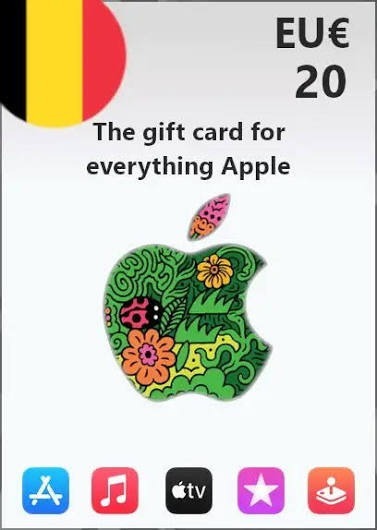
⚡ Official Apple / App Store & iTunes Gift Card 20 EUR (Germany Region) 🔹 Region: Germany (DE) 🔹 Nominal: 20 EUR 🔹 Fast code delivery after payment confirmation ⚠️ IMPORTANT: ... • This code ONLY works for Apple accounts with GERMANY (DE) region. • Please make sure your account region is set to Germany before buying. • Digital code only, non-refundable once sent.
Region
Germany
14 people are viewing this item

- Refund to your balance if not delivered
- 38 sales by this seller
- Secure payment
About seller

Lensbol
Top SellerFrom the same seller
 Top Seller
 120 ROBUX VIA USERNAME WITHOUT LOGIN (SUPER FAST)


Seller
FAQs about Items
What countries can I buy Apple Gift Cards for?
EB24 lists 25 countries, covering the Americas, most of Europe, and Turkiye, Asia and beyond. There is no Global option, because every Apple ID is permanently tied to one country from the moment it is created.
Why isn't there a Global Apple Gift Card like some other wallet codes have?
Apple locks each Apple ID to a single country at signup, with no cross-region fallback for redeeming gift cards. A code has to match that country exactly, so a region-free version simply cannot exist for this product.
There's no amount dropdown on these listings — is that normal?
Yes. Nothing forces a seller into a fixed set of values, so whatever they decide to load onto the balance gets typed into the title and price directly.
How do I know which country my Apple Gift Card needs to match?
Open Settings on your device, tap your name, then Media & Purchases to see your Apple ID's country. Buy the listing for that exact country — a card issued for a different one will not redeem.
How soon after paying will I get the code?
That's set by whichever seller you buy from and shown on their listing before you check out — most orders from active sellers get filled the same day.
My Apple Gift Card code isn't working — now what?
File a dispute from the order screen rather than assuming the money's gone. Whether the code was for the wrong country or just dead on arrival, EB24 keeps the seller on the hook for a fix until it's resolved.
How it works?
Buying an Apple Gift Card on EB24 starts with matching a listing to the country your Apple ID was created with, then checking out to collect the code from your order panel.

Confirm Your Apple ID Country First Check Settings on your device for the country tied to your Apple ID, then filter EB24 listings down to that exact country before you look at anything else.
Check Out on EB24 Pay through the EB24 checkout instead of arranging anything with the seller directly, since that is what starts the escrow hold on your order.
Get the Code From Your Order Panel Once the order is marked delivered, open your order panel to find the code — your Apple ID login itself never needs to be shared with the seller.
Redeem It Yourself On your own device, go to Settings, tap your name, and select Redeem Gift Card or Code (apple.com/redeem also works), then watch your balance update.
Something Wrong? File a Dispute A code stuck on the wrong country or one your device rejects outright is a dispute case, not a lost cause — raise it from the order and the funds don't release until it's sorted.